
Renter with limited space for a TV
Wants a screen that suits the viewing distance and available furniture, with placement in a rented home in mind.


Don’t choose based on screen size alone. First measure your viewing distance and the space available on your furniture, then check the picture from the sides and how clear speech sounds. Also check whether your preferred streaming service is available and whether the stand or wall mounting will work in your rented home.
Wants a screen that suits the viewing distance and available furniture, with placement in a rented home in mind.
Wants guests sitting to the side to be able to follow the picture and hear dialogue clearly.
Wants to use their preferred streaming service or connect an external player, without relying solely on a pre-installed app.
Start by measuring the space and viewing distance. Then consider how the picture and sound will work for the seats and devices you actually plan to use.
| What to consider | What to look for | Who should consider this? |
|---|---|---|
| Size and fit | Measure the viewing distance and furniture. Consumentenbond suggests around 2.4 times the screen diagonal as a comfortable starting point. | If space is limited, I want to know whether the TV will fit on my furniture with its stand and feel comfortable to watch from my seat. Around 28% of consumers put screen size and fit first. |
| Viewing angle and reflections | Check the picture from the seats furthest to the side, and look out for reflections under the lighting you use. | If guests are sitting at an angle to the screen, I want the picture to be clear from those seats too. Around 22% of consumers say viewing angle and reflections are their main considerations. |
| Speech clarity | Check speech on the exact model; look for HDMI-ARC/eARC if you want to connect external audio. | For interviews and voiceovers, I want to follow the dialogue without having to add extra equipment straight away. Around 22% of consumers prioritise speech clarity. |
| Placement in a rented home | Check the measurements of the stand and furniture. Consider wall mounting as a separate alteration. | If I’d rather not drill into the wall, I want to know whether the stand will sit securely on my furniture. Around 17% of consumers make renter-friendly placement their main priority. |
| Watching documentaries | Check that your preferred app is available on the exact model and count the HDMI ports you need. | If I use a particular service or an external player, I want to be sure I can watch my documentaries. Around 11% of consumers prioritise access to their preferred source. |
The screen size doesn’t tell you how much room the TV will take up with its stand, and viewing distance matters too.
Before choosing, measure the viewing distance and the width of your furniture, and check the dimensions of the exact model including its stand.
General information about display technologies won’t tell you how a particular TV handles viewing angles and reflections in your room.
Check your chosen model from the sides and under the lighting you expect to use during the evening.
Sound quality varies between TVs; a listed audio format doesn’t prove how clear dialogue will sound.
Look for an assessment of speech clarity on the exact model before planning to add external audio.
The range of apps varies between TVs, and apps can be withdrawn.
Check that your preferred service is available on the exact model and, if necessary, keep an HDMI port free for an external media player.
The OLED42C5ELB is a Dutch-market 42-inch OLED option for anyone looking for a compact screen.
The 43QLED780L is a 43-inch LCD LED/QLED TV with Google TV.
According to Philips, the 43PUS8500/12 combines a 43-inch QLED screen with Ambilight and Titan OS.
The QE43Q7F2AUXXN is a Dutch-market 43-inch QLED option with Tizen.
These models are compact TV options for streaming or connecting an external source; check that your preferred app is available and that you have enough space for each model.
 No image available
A compact OLED option for anyone who also wants to use a streaming service or external player; check whether your preferred app is available on this model.
42-inch, 4K, OLED and Dolby Vision. The product information lists webOS and four HDMI inputs.
 No image available
A 43-inch option for anyone who wants to stream or connect external audio later; check the dimensions of the TV and stand.
The product information lists 4K, Titan OS and HDMI with eARC.
 No image available
A compact QLED option for anyone who wants to stream documentaries; check that your preferred service is available on the exact model.
The product description lists 4K, Titan OS, IntelliSound and Dolby Atmos.
 No image available
A 43-inch option for streaming or connecting an external player; app availability may vary by country, region and software version.
The product information lists 60 Hz, Dolby Vision, VIDAA, three HDMI connections and eARC.
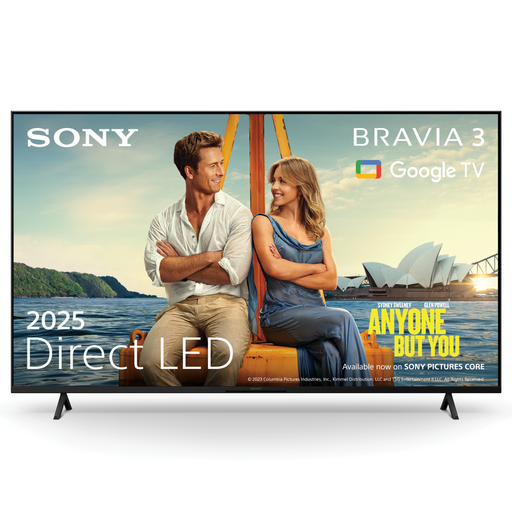 No image available
A compact TV option for streaming or connecting external sources; check that your preferred service is available and that you have enough space on your furniture.
The product information lists Google TV, Dolby Vision and four HDMI inputs. The product description also mentions an X-Balanced Speaker; check speech clarity on this model.
Measure the distance from your seats to where the TV will go, and check that the TV will fit on your furniture with its stand. Consumentenbond suggests around 2.4 times the screen diagonal as a comfortable starting point; use this as a guide, not a fixed rule.
It depends on the alteration. According to the Dutch government, you don’t need permission for minor changes that can be reversed without too much expense, such as drill holes that can be filled in; permission is required for renovations. Consider the planned installation before you start.
First check which apps are available for the exact model and country. Consumentenbond points out that apps aren’t available on every smart TV and can be withdrawn; using an external media player connected via HDMI is another way to watch.
Not necessarily: sound quality varies between TVs. First check how speech sounds on your chosen model. If you want to connect external audio, make sure the TV and sound system have a compatible HDMI-ARC/eARC connection.