
Viewer with a narrow shelf
You want both the TV and its stand to fit securely within the available width and depth. Sony publishes separate dimensions for the K-43S3 screen and stand, while Philips describes the 32PFS6900/12 as compact.


First, measure the available width and depth, including the stand: the screen diagonal alone won’t tell you whether a TV will fit on your shelf. A compact model is better suited to limited space, while a larger LCD or OLED screen is an option if you can make room for it and want a bigger picture. When watching old films, preserve the original aspect ratio and check the film edition for its playback speed.
You want both the TV and its stand to fit securely within the available width and depth. Sony publishes separate dimensions for the K-43S3 screen and stand, while Philips describes the 32PFS6900/12 as compact.
You care about dark scenes, intertitles and the original film frame. The British Film Institute describes the use of an aspect ratio of around 4:3 in early films, as well as variations in playback speed from one film to another.
You might use a player or laptop, for example, and want to check that the connections and picture settings on your TV and source are compatible. Sony lists model-specific connections for the K-43S3, while LG warns that some zoom settings can crop the picture.
Choose this option if: shelf space is limited and you’re happy with a smaller screen.
Trade-off: intertitles may look smaller when viewed from further away; check the dimensions of both the TV and stand for the exact variant.
Choose this option if: a larger film picture matters to you and you have enough room for the TV and stand. Sony lists the K-43S3 as measuring approximately 96.4 × 62.9 × 26.6 cm with the stand.
Trade-off: these dimensions take up more space than the screen diagonal alone might suggest; whether it fits depends on the measurements of your shelf.
Choose this option if: black levels and a larger screen matter more to you than having the smallest possible TV. LG describes the OLED42C67LA as having an OLED screen.
Trade-off: check the dimensions and think about how you’ll use the TV. LG describes features designed to prevent image retention, but they don’t remove the need to choose a TV that suits your needs.
Measure the space first, then compare picture quality and connections based on your films and film source.
| What matters | What to look for when buying | Who is this important to? |
|---|---|---|
| Will the TV and stand fit on the shelf? | Measure the width and depth with the stand, then compare them with your shelf. Sony lists the K-43S3 as measuring approximately 96.4 × 62.9 × 26.6 cm with the stand, which is approximately 71.5 cm wide. | You want to avoid the stand or TV body sticking out beyond the available space, so measure both before choosing a screen size. Around 33% of consumers prioritise fit. |
| How will dark scenes and intertitles look? | Check the black levels of the exact model and consider your viewing distance and screen size. LG describes OLED pixels as individually illuminated. | If you mainly watch black-and-white films, you’ll want to follow dark scenes and intertitles clearly without overlooking the space available. Around 25% of consumers prioritise picture quality for films. |
| Will the film be shown as originally intended? | Check the aspect ratio of the film edition and make sure the picture isn’t zoomed in unintentionally. The British Film Institute describes both early films with an aspect ratio of around 4:3 and variations in film speed between editions. | You want to preserve the original frame and watch the film at the appropriate speed, rather than stretching the picture to fill the screen. Around 25% of consumers prioritise the original presentation. |
| Will my film source work with the TV? | Check the connections on the exact model and, if you’re playing films from USB, check the supported file formats too. Sony lists four HDMI inputs and specific USB playback formats for the K-43S3. | If you use a laptop or player, you’ll want to connect and operate it without any complicated workarounds. Around 17% of consumers make ease of playback their main priority. |
The TV’s overall dimensions, together with the stand’s width and depth, determine whether it will fit on the shelf. Sony provides separate placement dimensions for the K-43S3.
Measure the available width and depth, then compare them with the dimensions of the exact version, including the stand.
If the TV won’t fit on your existing shelf, you may need to find another place for it or mount it differently.
With footage in an aspect ratio of around 4:3, zooming in can crop or distort the picture. The British Film Institute describes 4:3 as a common aspect ratio for early films.
Check the aspect ratio of the film edition and start with the setting that preserves the original frame.
According to the British Film Institute, silent films weren’t all shown at one fixed speed; the right playback speed can vary by film and edition.
Check the restoration, format and player before choosing a different TV to try to fix a difference in speed.
Philips describes the 32PFS6900/12 as a compact 32-inch Full HD LED TV with Ambilight.
Samsung lists the UE32F6000FUXXN as a 32-inch Full HD model.
TCL offers 32-, 40- and 43-inch versions in the S5K range, with Full HD and QLED.
LG lists the OLED42C67LA as a 42-inch OLED TV. Information about OLED contrast and image retention comes from LG.
Sony publishes placement dimensions for the 43-inch K-43S3.
This selection includes 24- and 32-inch TVs, including a portable model. For each TV, check the stand and body dimensions, and make sure the connections are suitable for your film source.
 Image unavailable
A 32-inch TV may suit a smaller space, but check the dimensions of the TV and stand before deciding.
The product name lists Full HD, QLED and Tizen OS.
 Image unavailable
This 32-inch model is worth comparing if you’re looking for a smaller TV; measure the stand and body before buying.
The product name lists QLED and Google TV, while the product description mentions Full HD and HDMI 1.4.
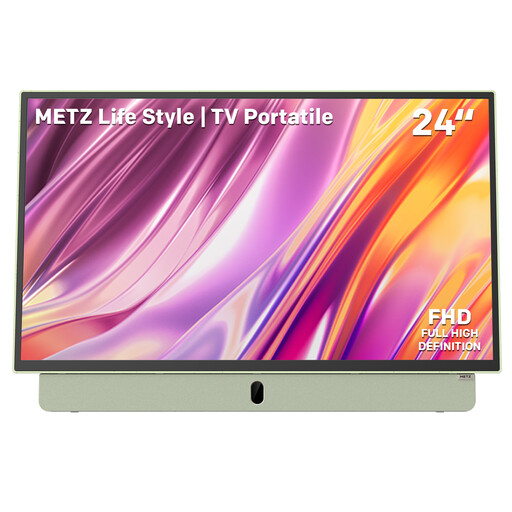 Image unavailable
The smaller screen size may be a good option if you’re short on space; check that the TV will stand securely where you plan to put it.
The product name lists Full HD, a built-in battery, HDMI and USB. The product description states that battery life is up to 3 hours; check that this suits your viewing time.
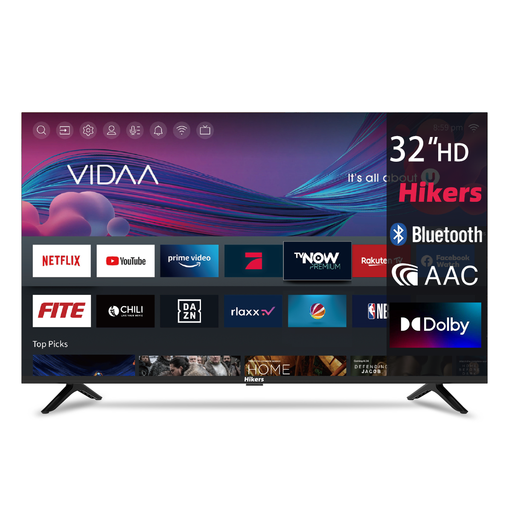 Image unavailable
A 32-inch TV may suit a smaller space, but the screen size alone doesn’t confirm that the stand will fit on your shelf.
The product name lists HD, three HDMI connections, two USB connections, Wi-Fi and Bluetooth.
 Image unavailable
Before comparing this 32-inch model with your shelf, check the full dimensions of the TV and stand.
The product name lists QLED, Google TV and HDR10, while the product description mentions HD Ready.
No, not if the film edition uses a narrower frame. The British Film Institute describes early films with an aspect ratio of around 4:3; check the ratio of the specific edition and avoid using a zoom setting that crops the picture.
Not simply because it’s a silent film. According to the British Film Institute, historical films varied in playback speed; check how your chosen restoration or edition has been prepared and adjust your player accordingly.
Measure the available width and depth, then compare them with the dimensions of the TV, including the stand. If you’re wall-mounting it, also check the VESA size of the exact version and make sure the wall and mount are suitable.
No, you don’t need additional insurance to have a legal guarantee. ACM ConsuWijzer explains that there’s no fixed two-year period for the legal guarantee: what you can expect depends, among other things, on the product, price and brand. If the product breaks down too soon, contact the seller.
Not in every case. According to the Dutch government, a 14-day cooling-off period applies in many cases to standard online consumer purchases; terms and exceptions may apply.