
Viewers sitting to the side
You watch with others from a wide sofa or a chair away from the centre. So, check the picture from the outermost seat too; RTINGS.com highlights wide viewing angles as important for a broad seating arrangement.


First, compare TVs from the seats where you actually watch, with a dark scene and white subtitles on screen. OLED is a worthwhile option to compare with a suitable IPS LCD TV or mini-LED LCD TV. However, the screen type alone won’t tell you how a specific model performs from your seat, so consider reflections and your streaming app’s settings too.
You watch with others from a wide sofa or a chair away from the centre. So, check the picture from the outermost seat too; RTINGS.com highlights wide viewing angles as important for a broad seating arrangement.
You often watch in dim light or darkness and want to read white subtitles without distracting halos or a picture that lacks contrast for you. RTINGS.com discusses both viewing angles and potential haloing with local dimming.
You also watch during the day and want to know how incoming light and reflections affect the picture. Assess this from your own seat and in the lighting conditions you typically use.
Suitable for comparing wide seating arrangements and dark scenes with subtitles.
Keep in mind reflections, app settings and the performance of the exact model; a general feature of OLED is not a measurement of a specific model.
Suitable for anyone looking to compare an LCD TV with a wide viewing angle.
Keep in mind RTINGS.com generally describes IPS as having a wider viewing angle but lower contrast than VA; check the panel type of the exact model.
Suitable for anyone looking to assess an LCD alternative, for example from a seat that isn’t at such an acute angle.
Keep in mind a VA panel may lose accuracy when viewed from the side; local dimming can cause halos around bright subtitles.
RTINGS.com explains that viewing angles and local dimming affect different aspects of picture quality. Assess them separately on the exact model, rather than treating a screen type or the number of dimming zones as a performance test.
| What to consider | What should you check? | Who is this important for? |
|---|---|---|
| Picture from the side | View the exact model from your outermost seat; check the panel type if it’s an LCD model. | If I watch from the side, I want the picture and contrast to remain comfortable from my seat. Around 36% of consumers give viewing angle top priority. |
| Subtitles in dark scenes | Test white text against a dark background and check the subtitle options in your TV’s streaming app. | When watching dark dramas, I want to follow the subtitles easily without distracting halos. Around 29% of consumers prioritise readable subtitles in dark scenes. |
| Daytime reflections | Assess reflections from your side seat in the lighting conditions you usually watch in. | If I also watch during the day, I don’t want incoming light to make it harder to see the scene. Around 21% of consumers put daylight and reflections first when choosing. |
| Total cost | Compare the total cost of the exact model, any installation costs and the EU energy label. | I want to choose a suitable TV and take both purchase and running costs into account, without assuming a budget limit. Around 14% of consumers put total cost first. |
A TV can look different from an outer seat than it does when you’re sitting directly in front of it. So, a test from the central seat won’t necessarily tell you how the picture will look from your chair.
Compare the TV from the seat where you watch dramas, with subtitles on screen.
According to RTINGS.com, local dimming can improve contrast but may also cause unwanted halos around bright areas. The number of dimming zones doesn’t tell you how subtitles will look against a dark background.
Assess the exact LCD model with bright text on a dark scene.
A difference in model code may indicate a different version. For example, LG OLED55C5ELB and OLED55C51LA have different full model codes; the cited TCL versions, 55Q7C and C7K, also don’t clearly match.
Check the full model code and the specifications for that version before linking an offer to another TV.
A seller’s or manufacturer’s warranty is not the same as the statutory guarantee under Dutch law. ACM ConsuWijzer says that the statutory guarantee usually lasts longer than the commercial warranty.
If there’s a fault, contact the seller and keep your proof of purchase.
The Dutch OLED C5 version, OLED55C5ELB, is one model to include when comparing screens for side seating and dark scenes.
The Dutch 55-inch OLED version, QE55S90FAEXXN, is another option to assess in your own lighting conditions.
According to Philips Netherlands, the 55OLED810/12 combines OLED with Ambilight, so you can take the extra room lighting into account.
The K-55XR80 BRAVIA 8 is a 55-inch OLED model from model year 2024, according to Sony Netherlands.
The Dutch 55C7K is a mini-LED LCD option to assess alongside OLED.
These models include OLED TVs and a mini-LED TV bundle to compare for subtitled dramas and viewing from different seats. Check the viewing angle, reflections and subtitles on the exact version for yourself.
 Image unavailable
OLED is one screen option to compare for dark scenes; check the picture from your seat.
83 inch; OLED evo AI C6; 4K; α11 AI Processor 4K Gen3; VRR up to 165Hz.
 Image unavailable
OLED is one screen option to compare for dark scenes; assess the viewing angle of this version separately.
65 inch; OLED evo AI C6; 4K; α11 AI Processor 4K Gen3; VRR up to 165Hz.
Image unavailable
OLED is one option for dark scenes; test the picture and subtitles from the seat where you watch.
55 inch; OLED evo AI C6; 4K; α11 AI Processor 4K Gen3; native 120Hz; VRR up to 165Hz.
 Image unavailable
You can include this OLED model when comparing TVs for dark scenes, but you’ll need to assess the viewing angle of the exact version for yourself.
55 inch; OLED; 4K.
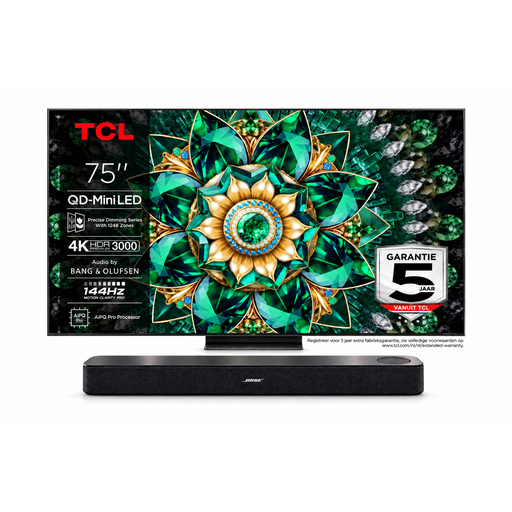 Image unavailable
The bundle includes a mini-LED TV to compare with OLED; check how local dimming and subtitles work together on this exact model in dark scenes.
TCL TV: 75 inch; 4K; Mini-LED; 144Hz.
On Netflix, you can adjust the size and style in some supported situations, but not all options are available on a connected TV. Test the app and language you use; if the setting isn’t available, that display adjustment isn’t supported there.
Watch a familiar scene with a dark background and subtitles from the outermost seat. Check how the picture and text look separately, and whether reflections or halos are distracting; viewing angle and local dimming are different properties.
The European Commission says that electronic displays, including televisions, have an energy label on a scale from A to G. Compare the label for the exact model and don’t judge its electricity use solely by its screen technology.
According to ACM ConsuWijzer, online purchases generally come with a statutory cooling-off period of up to 14 days after delivery, subject to exceptions and conditions. For a fault, the statutory guarantee under Dutch law is separate from any commercial warranty; the seller is your point of contact, and there isn’t one fixed statutory guarantee period that applies to every TV.
Follow the instructions for your exact model. LG advises leaving the TV plugged in while it’s in standby if you repeatedly see a notification that Pixel Cleaning hasn’t been completed. This is model-specific advice from LG, not general guidance for all TVs.