
Regular side-on viewer
You usually watch cookery programmes from a chair beside the TV’s centre line. How the picture looks from that spot is your first consideration when choosing a TV.


For watching cookery programmes from a regular seat to the side of the TV, an OLED TV is a sensible place to start your comparisons: OLED TVs generally offer a wide viewing angle. Also assess reflections from your own seat, measure your viewing distance and check how you plan to watch your programmes. The panel type alone won’t tell you whether a TV is right for your room.
You usually watch cookery programmes from a chair beside the TV’s centre line. How the picture looks from that spot is your first consideration when choosing a TV.
You often watch during the day and want to know whether light from windows or lamps will be distracting from your seat to the side.
You sit relatively far from the screen and want to follow ingredients, on-screen action and any text clearly. So measure the distance from your eyes.
Start by checking the picture from your usual seat. Then compare reflections and screen size, and make sure you can watch the cookery programmes you want through an app, TV channel or connected device.
| What to consider | What should you check? | Who is this important for? |
|---|---|---|
| Picture from your seat to the side | Look for a measurement of the horizontal viewing angle, or assess the exact model from an angle that matches your seat. | If I usually sit beside the centre line, I want to know whether colours and brightness still look good from my seat. Around 36% of consumers put viewing angle first. |
| Reflections and daylight | Consider the position of windows and lamps, and compare how reflective the specific model is. | If there’s a lot of daylight, I want to assess distracting reflections from my viewing position. Around 29% of consumers put reflections first. |
| Screen size and viewing distance | Measure the distance from your eyes and check the TV’s dimensions, including the stand if it will sit on a piece of furniture. | If I sit further from the screen, I want to follow on-screen action and text clearly without choosing a size that won’t fit the room. Around 21% of consumers put screen size and viewing distance first. |
| Access to programmes | Check whether the apps you want are available on the exact smart TV platform, and see whether there are connections for any other equipment. | If you want to watch specific cookery programmes, it’s worth checking in advance how they’re available on the TV. Around 14% of consumers put access to programmes first. |
Consumentenbond generally describes OLED TVs as having a wider viewing angle; RTINGS.com also explains how viewing angles vary between TVs and panel types. On LCD TVs, IPS generally offers a wider viewing angle than VA, while VA generally offers better contrast. For an LCD model, check the panel type of the exact version: a label such as QLED or mini-LED doesn’t in itself confirm that it has an IPS panel.
A wide viewing angle won’t eliminate reflections. Consumentenbond notes that LCD TVs can often offer higher brightness, but you should also compare how reflective the specific model is in your room. As a starting point for screen size, Consumentenbond uses viewing distance divided by 2.4 to estimate the diagonal, using the same unit of length. Also check that the TV will physically fit.
On their own, these terms don’t tell you whether an LCD TV has an IPS or VA panel. That distinction matters when weighing up viewing angle and contrast.
Before choosing a TV for a regular side-on viewing position, check the panel type or viewing-angle measurements for the exact screen size and version.
The position of your chair, windows and lamps affects the reflections you’ll see while watching.
Assess the screen from your usual seat and in lighting similar to the conditions in your room.
Apps vary between platforms and may be removed later, according to Consumentenbond.
Check whether the app you want is available on the exact TV platform, and which connections you’ll need if you want to use an external device.
An external media player takes up space in your setup and needs a suitable HDMI connection.
The Dutch B4 and C6 ranges include OLED models that you can compare by size and features.
The QE55S94HAEXXN is an OLED option to compare if reflections are a consideration in your room.
According to the product information, the 55OLED760/12 combines an OLED screen with Ambilight.
The BRAVIA 6 range includes OLED models you can compare for size and smart TV features.
This Joybuy selection includes OLED TVs and QLED and QNED models in a range of sizes. If you’ll regularly watch from the side, it’s still important to check the viewing angle of the exact version.
 Image unavailable
This 55-inch OLED TV is worth assessing from your regular seat. OLED TVs generally offer a wide viewing angle, but that isn’t a measurement of this specific version.
The product information lists webOS, DVB tuners and four HDMI ports. Also check the full model number when comparing features with the OLED55C67LA.
 Image unavailable
This 55-inch OLED version is worth comparing if you often watch from an angle. Be sure to assess the picture from your own seat.
The product title lists 4K, 120 Hz and VRR up to 165 Hz.
 Image unavailable
If you’ll watch this TV from the side, it’s important to check the viewing angle of this exact version. The QLED label doesn’t in itself confirm that it has an IPS panel.
The product title lists 86 inches, 4K HDR10+, 144 Hz and Google TV. Also measure up to make sure the screen size suits your viewing distance and room.
 Image unavailable
This OLED version is worth considering for side-on viewing. OLED’s generally wide viewing angle doesn’t tell you how reflections will affect the picture in your room.
The product information lists smart TV features, DVB tuners and four HDMI ports.
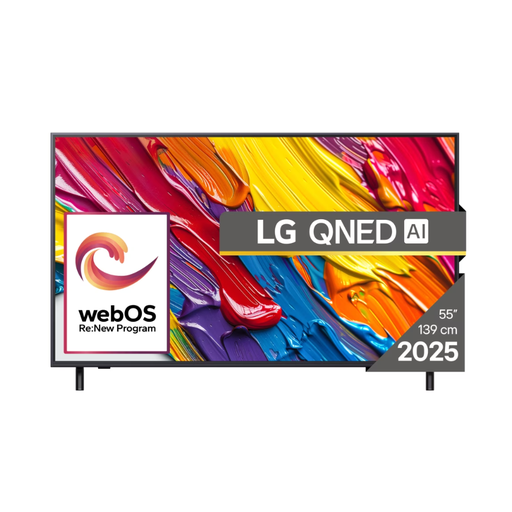 Image unavailable
If you plan to watch this TV from the side, check the viewing angle and panel type of the exact version. The QNED label alone doesn’t provide this information.
The product title lists 4K and smart TV. The product information mentions webOS.
Yes. If you can actually turn the TV towards your viewing position, a particularly wide viewing angle becomes less important. Check that your chosen stand or wall bracket will let you do this in your setup.
Measure the distance from your eyes to the TV in centimetres and divide it by 2.4 as a starting point for the diagonal in centimetres. Consumentenbond gives this ratio as a guideline; also compare other sizes and check the TV’s dimensions.
There’s no guarantee. Check whether the app you want is available on the exact smart TV platform; according to Consumentenbond, apps may be removed later. An external media player may be an alternative if there’s a suitable HDMI connection.
When you buy a new TV online, you’ll generally have a statutory cancellation period; ACM ConsuWijzer states that this is 14 days after delivery. The seller must also resolve a problem if the TV doesn’t perform as you could reasonably expect under normal use. There isn’t one fixed statutory warranty period for every TV.
Yes. The Dutch government lists TVs among the products that must have an energy label. Compare the label for the specific version you’re considering.