
Housemates who watch together
If you sit in different parts of the room, viewing distance, screen size and picture quality from an angle all matter. The Consumentenbond recommends taking viewing distance into account when choosing a screen size.


Start by measuring your viewing distance and checking the picture from the different seats. A bigger screen won’t help if housemates sitting to the side can’t see it as clearly. OLED can be an appealing choice for evening viewing and deep blacks, while LCD and mini-LED models are also worth considering in daylight. Compare the streaming apps you need, along with the shared purchase and running costs of the exact model.
If you sit in different parts of the room, viewing distance, screen size and picture quality from an angle all matter. The Consumentenbond recommends taking viewing distance into account when choosing a screen size.
If you often watch dark scenes, compare contrast and visible detail as well as resolution. The Consumentenbond notes that OLED generally offers a wider viewing angle and deeper blacks than LCD.
If you’re splitting the cost, factor in the purchase price and expected energy use, and discuss whether you’ll need a paid subscription for the programmes you want to watch.
A good fit if: screen size and your shared budget matter more than the deepest blacks.
The trade-off: viewing angle and picture quality vary by model, so check dark scenes from the seats at either end.
A good fit if: you often watch together in the evening and place a high value on black levels and visibility from the side.
The trade-off: compare the purchase prices and see how the picture looks in your room’s lighting.
A good fit if: your room is often bright and screen brightness is an important consideration.
The trade-off: a bright picture doesn’t guarantee a wide viewing angle or the same black levels as OLED.
| What to consider | What should you check? | Who is this important for? |
|---|---|---|
| Screen size and seating | Measure the viewing distance and check that the screen and stand will fit. Also view the picture from the seats at either end. | If you want everyone to have a good view from their own seat, both distance and viewing angle matter. Around 31% of consumers prioritise a good view from every seat. |
| Dark scenes and daylight | Compare a familiar scene with both light and dark areas under the lighting you use at home. | If you want to see detail in drama series in the evening without losing sight of the picture in daylight, screen technology and room lighting matter. Around 23% of consumers give this picture-quality consideration top priority. |
| Shared costs | Agree on a shared budget and check which programmes you want are available for free and which require a subscription. | If you’re sharing the costs, you’ll want to factor in both the purchase price and any fees for streaming services. Around 23% of consumers prioritise shared expenses. |
| Streaming and sound | Check that the exact model has the apps and connections you need. Also see whether dialogue is easy to follow at your usual volume. | If you want to stream together and follow dialogue comfortably, it’s worth checking the apps and sound in your home. Around 15% of consumers give access to series and comfortable listening top priority. |
| Energy use | Compare the energy label for the same screen size and model, and consider how often the TV will be on. | If the TV will be used often, you’ll want to weigh its stated energy use against the purchase price. Around 8% of consumers prioritise energy use. |
If you share a sofa or sit on separate chairs, the picture may look different from the side than it does straight on.
Check your chosen TV from the seats at either end, too.
To see 4K detail, the series or other content you’re watching must also be available in 4K. Picture processing and contrast matter, too.
Check the quality of your viewing source and compare a familiar scene, rather than looking only at the resolution on the box.
NPO Start offers free viewing, but some extra features require NPO Plus. Before you buy, check whether the series you want is available.
You’ll need a paid subscription if you want to use the paid Plus features or access its additional content.
The model codes LG OLED55C56LB and LG OLED55C51LA do not refer to the same version.
Check the full model code and version before comparing specifications or purchase links.
The Philips product page describes the 55PUS8500/12 as a 55-inch 4K QLED LCD TV with Ambilight and Titan OS.
The TCL product page describes the 55C6K as a 55-inch QD mini-LED TV, designed to be compared with OLED models.
The LG product page describes the OLED55C56LB as a 55-inch C5 OLED model to consider if evening viewing and viewing angle are important to you.
The Samsung product page describes the QE55QN90FATXXN as a 55-inch Neo QLED mini-LED model to compare for a bright room.
Sony’s specifications describe the BRAVIA 5 K-55XR5 as a 55-inch mini-LED LCD TV with local dimming.
These Joybuy products include OLED, LCD, QLED and mini-LED options for watching series in a shared room.
 Image unavailable
An OLED option for watching drama series and streaming on your TV.
4K; 120Hz native; VRR up to 165Hz; Dolby Vision; Dolby Atmos; webOS 26.
 Image unavailable
An LCD or LED option to compare for watching together from different seats.
4K UHD; 60 Hz; Dolby Vision; VIDAA; Game Mode Plus.
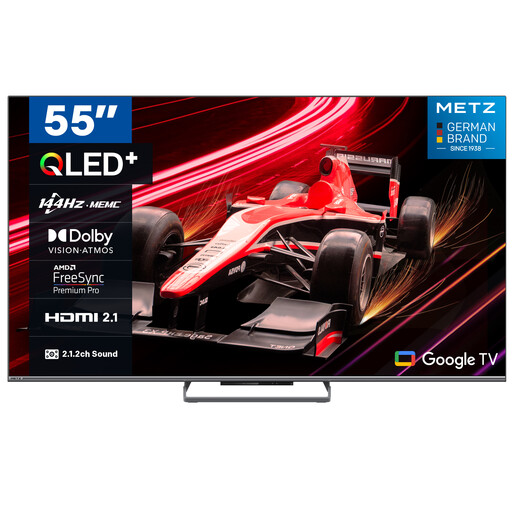 Image unavailable
A QLED option to compare if you’re looking for a large screen and access to streaming apps.
4K HDR 10+; 144Hz; 2.1.2 sound system; Dolby Vision; Dolby Atmos.
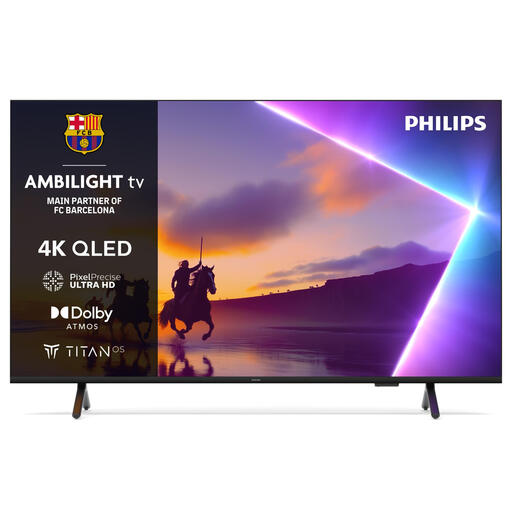 Image unavailable
A 50-inch option to consider if the screen size needs to suit your viewing distance and shared room.
4K Ultra HD; Smart TV; Wi-Fi.
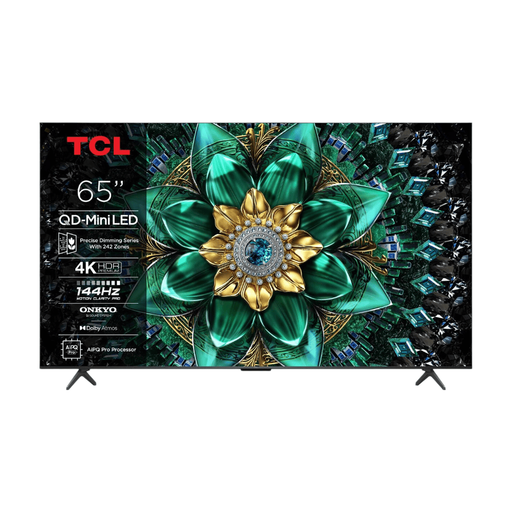 Image unavailable
A larger screen to consider if the viewing distance and available space work for watching together.
4K; 144Hz; QD-Mini LED; Smart TV.
Measure the distance from your eyes to where the TV will go and use that as your starting point. The Consumentenbond recommends dividing the distance in centimetres by 2.4 to estimate the screen’s diagonal in centimetres. Compare nearby standard screen sizes, too, and check that the TV will fit with its stand.
First, check the picture under the lighting you usually have at home. The Consumentenbond recommends taking your room’s conditions into account when setting up the TV. Then try a familiar scene with both dark and light areas, and adjust the picture mode if needed.
NPO Start offers free viewing; a paid subscription is required for additional Plus features. Check that the series you want is available and which subscription applies.
According to ACM ConsuWijzer, the seller must offer an appropriate solution if a product is faulty, such as a repair, replacement or, in some cases, a refund. What you could reasonably expect from the TV and whether you used it as intended are taken into account.
Yes. The Dutch government lists televisions among the products that must have an energy label. If you want to take stated energy use into account, compare the label for the exact version; the label is not an assessment of picture quality.