
People watching from different seats
You share the TV with people who also sit at an angle to the screen. Check the viewing angle from those seats, as Consumentenbond notes that it can vary between TVs.


Start by matching the screen size to your actual viewing distance, then assess the picture from all the seats you normally use. If people watch from an angle, viewing angles matter. In daylight, consider both brightness and reflections, while sound, channel and app availability, and energy consumption are worth checking for each model.
You share the TV with people who also sit at an angle to the screen. Check the viewing angle from those seats, as Consumentenbond notes that it can vary between TVs.
You often watch during the day and want to follow gardening scenes clearly. Compare the brightness and reflections of specific models, as Consumentenbond also recommends in its buying advice.
You want to follow the explanations in gardening programmes. Listen to the TV at a normal volume before deciding whether you need a separate speaker system.
First measure your viewing distance, then consider how the picture, sound and connections suit your shared viewing space.
| What to consider | What to look for | Who is this important for? |
|---|---|---|
| Viewing angles and reflections | Check the picture from the seats furthest to the side and look for reflections from those angles. | If I want to watch from a seat beside the TV, I need to know whether the picture is still easy to follow. Around 31% of consumers prioritise visibility from different seats. |
| Picture in daylight | Compare brightness and reflections separately, taking the room’s windows and lighting into account. | When I watch during the day, I want to be able to follow gardening scenes despite the light coming into the room. Around 25% of consumers give watching in daylight top priority. |
| Screen size and viewing distance | Measure the distance from your usual seats and check that the TV, including its stand, will fit in the space available. Consumentenbond suggests using around 2.4 times the screen’s diagonal measurement as a starting point for viewing distance. | I want a size that suits both the seats and the TV unit. Around 19% of consumers give the viewing distance and available space the most weight. |
| Speech clarity | Listen to spoken dialogue at a normal volume. If you’re considering a soundbar, check that both the TV and soundbar support HDMI-(e)ARC. | If I mainly listen to explanations, I want to hear speech clearly from my usual seat. Around 13% of consumers put speech clarity first. |
| Energy consumption | Compare the energy label and consumption figures for SDR and, if relevant, HDR. The European Commission describes the energy classes for electronic displays as a scale from A to G. | If I watch regularly, I want to weigh up energy consumption alongside picture quality and screen size. Around 12% of consumers make energy use their main priority when choosing. |
In a shared living room, the picture can look different from seats off to the side. Reflections can also vary depending on where you sit.
Check the viewing angle and reflections from the seats furthest to the side that you normally use.
QLED TVs are LCD TVs. The technology name alone doesn’t tell you whether a specific model has wide viewing angles or minimal reflections.
Compare specific models for brightness, viewing angles and reflections, rather than judging by the screen technology alone.
A suitable screen size doesn’t guarantee that the TV will be comfortable to watch from every seat or fit on your TV unit.
Measure the viewing distances and check the dimensions of the exact model, including its stand.
A stated manufacturer’s warranty doesn’t automatically limit your statutory consumer rights under Dutch law. According to ACM ConsuWijzer, if a product breaks too soon during normal use, the seller must provide a remedy free of charge as required by law.
Keep your proof of purchase and contact the seller if a product is faulty. Consider any optional paid warranty separately.
A brand worth considering if you want to compare an OLED model with webOS features.
An LCD option with QD-MiniLED to consider for a living room with plenty of daylight.
A brand to compare if Ambilight is a feature you’d like in your living room.
A specific brand option to compare for the dimensions and placement of a 55-inch model.
A brand to consider if smart TV features and app availability are important to you.
This selection includes LCD and OLED models in 50-, 55- and 65-inch sizes. Compare the screen size with your viewing distance, and check the viewing angles, brightness and reflections of LCD and OLED models in your room.
 No image available
An option to compare if an integrated tuner and Ambilight suit your viewing space.
The product information lists a 55-inch 4K LED screen, Titan OS, an integrated tuner, Vocal Boost, an ambient light sensor and three-sided Ambilight.
 No image available
A 50-inch LCD option to compare if daylight viewing and clear speech are important to you.
The product title lists QD-Mini LED, 1000 nits and an Onkyo 2.1 audio system. Google TV and a 144 Hz refresh rate are also listed.
 No image available
An OLED model to compare if several people watch from an angle. Consumentenbond generally describes OLED TVs as offering wider viewing angles; check how this specific TV performs in your own room.
The product information lists DVB-C, DVB-S2 and DVB-T2 tuners, four HDMI ports, Wi-Fi and LAN.
 No image available
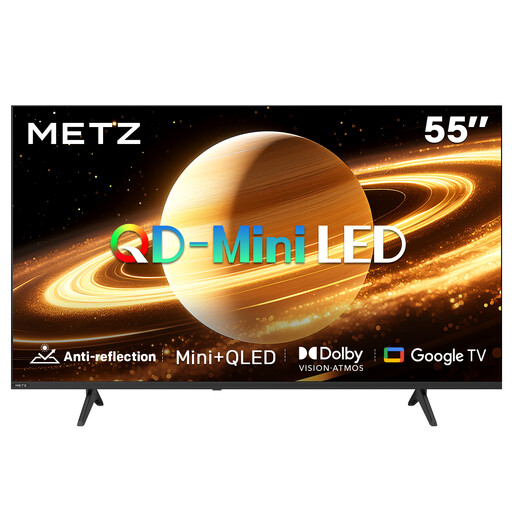
A model to compare if reflections in a bright living room are a concern. Check the screen from your usual seats, too.
The product information describes the screen as matt and reflection-reducing. The title lists 60 Hz, Dolby Vision, Dolby Atmos, HDMI 2.1 and Google TV.
 No image available
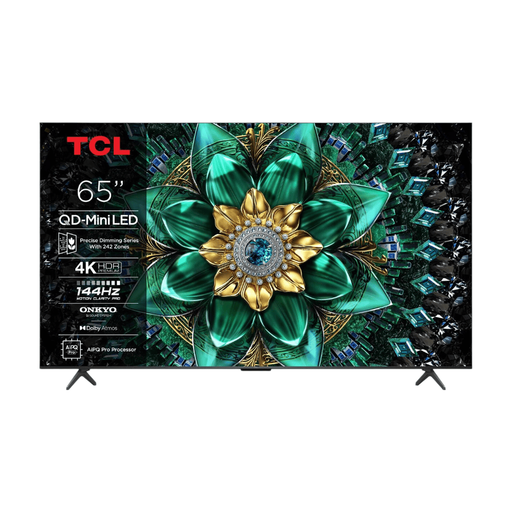
A 65-inch model to consider if a larger screen suits your measured viewing distance. Also check that the TV, including its stand, fits in the space available.
The product title lists QD-Mini LED, 1000 nits and 4K. The product information includes Google TV, Dolby Vision IQ, four HDMI connections and full-array local dimming.
Measure the distance from your eyes to the screen from your usual seats. Consumentenbond suggests using around 2.4 times the screen’s diagonal measurement as a starting point. Compare nearby screen sizes and check that the TV will fit with its stand.
According to Consumentenbond, OLED TVs generally offer wider viewing angles, while QLED LCD TVs can often be brighter. The right choice also depends on the light and reflections in your room, so compare specific models from the seats you use.
First check whether both the TV and soundbar have HDMI-(e)ARC. According to Consumentenbond, this connection can let you use one remote to control both devices. Also check the audio output and any delay settings on the specific TV.
Before you buy, check that the app is available on the exact TV model and its operating system. Consumentenbond notes that app availability varies between smart TV systems, so don’t rely on the brand name alone.
No. A 4K TV can also display programmes from lower-resolution sources, but you’ll only see extra source detail with suitable 4K content. Consumentenbond notes that regular programmes from NPO or RTL are generally not broadcast in 4K.