First, measure the distance to the screen and choose a size that looks large enough from your usual seat while still fitting your room. Not everyone needs a 75-inch TV. The Dutch Consumers' Association suggests a comfortable viewing distance of around 2.4 times the screen diagonal. Then compare motion handling, viewing angles and reflections on the specific model: a high advertised refresh rate doesn’t guarantee flawless rugby footage. A large LCD or mini-LED TV may suit you if screen size and daylight viewing are your priorities. Consider OLED if people often watch from an angle or contrast matters, and check that the size and reflections work for your room.
Who is this relevant to?
Watching from a distant seat
You want to follow the game from your usual seat. So measure the distance from your eyes to the screen and check whether a larger size will fit in the space available. The Dutch Consumers' Association uses viewing distance as a starting point when choosing a TV size.
Rugby fan who wants to follow the action
You care about how the TV displays fast, unpredictable action, not just its advertised refresh rate. The Dutch Consumers' Association points out that motion processing doesn’t always produce good results.
Group watching from different seats
You watch with others, sometimes from a seat off-centre or in daylight. So compare the viewing angles and reflections on the specific TV. The Dutch Consumers' Association notes that OLED generally offers a wider viewing angle as a characteristic of the technology.
What should you look for?
Start with the viewing distance and the space available. Then assess motion, seating and light levels based on how you watch the match at home.
Large LCD, QLED or mini-LED TV
Choose this when: you’re prioritising a distant seat and a suitably large screen, or you often watch in daylight.
Things to consider: viewing angles, black levels, brightness and reflections vary by model. A high advertised panel refresh rate won’t automatically prevent errors in fast-moving footage.
Large OLED TV
Choose this when: several viewers often sit at an angle to the screen, or deep blacks matter to you as well as rugby.
Things to consider: check that the available size is large enough and that reflections suit the light levels in your room. Compare the specific model rather than relying on the technology name alone.
| What to consider |
What should you check? |
Who is this important for? |
| Screen size at a distance |
Measure the distance from your eyes to the screen and check the available width and height. The Dutch Consumers' Association suggests a viewing distance of around 2.4 times the screen diagonal; use this as a guide, not a hard-and-fast rule. |
If you want to follow the pitch clearly from your furthest regular seat, start by checking the distance and screen size. Screen size is the top priority for around 29% of consumers. |
| Fast-moving play |
Compare the advertised panel refresh rate with an independent assessment of motion handling. The Dutch Consumers' Association warns that interpolated frames can cause errors with erratic movement. |
If you want to keep track of the ball and fast-moving action, look beyond the hertz rating. Motion is the top priority for around 23% of consumers. |
| Seats to the side |
Check the viewing angle of the specific model and assess the picture from the seats furthest to the side. |
If not everyone sits directly in front of the TV, you’ll want to know what the picture looks like from the side. Viewing angle is the top priority for around 18% of consumers. |
| Daylight and reflections |
Consider the position of windows and lights, and compare the brightness and reflections of the models you’re considering. |
If you mainly watch during the day, you’ll want to see the pitch clearly without relying on the technology name alone. Daylight is the top priority for around 18% of consumers. |
| Total cost and placement |
Compare the EU energy labels for the specific models and check their dimensions, including the stand, before deciding where to put your TV. |
If you’re looking for a large TV and also care about energy use and placement, weigh up these factors alongside the purchase price. Total cost is the top priority for around 12% of consumers. |
Common pitfalls
-
Choosing based on the highest hertz rating alone
A high advertised refresh rate doesn’t, by itself, tell you how the TV handles fast, unpredictable rugby action. Image processing can introduce visible errors.
Compare real sports footage and, where available, look at independent tests of the specific model’s motion handling.
-
Choosing a screen size without measuring your room
The diagonal measurement doesn’t tell you whether the TV will fit in the planned spot or feel large enough from the furthest seat.
Measure the viewing distance and the available width and height before choosing a size.
If the TV doesn’t fit, you may need different furniture or mounting work.
-
Assuming QLED and OLED mean the same thing
The Dutch Consumers' Association describes QLED as an LCD technology. OLED and LCD differ in areas including their typical viewing angles and black levels, while QLED can often offer higher brightness. This doesn’t tell you how an individual TV performs.
Compare test results for the specific model, taking your seating positions and lighting into account.
-
Assuming a 4K TV shows a match in native 4K
A 4K screen doesn’t automatically turn the incoming TV signal into a native 4K broadcast. The Dutch Consumers' Association notes that extra detail depends on the source.
Check with your provider and for the match in question to find out which picture signal is available.
Brands to compare
TCL
The TCL 75C6K is a 75-inch QD mini-LED model worth comparing if you want to start with a large screen.
- TCL lists a native refresh rate of 144 Hz for this version.
- This manufacturer specification isn’t independent confirmation that fast rugby action will be displayed without errors. Check the viewing angle and motion handling of the specific TV.
LG
The OLED65C5ELB is a 65-inch OLED option to compare if viewing angle and contrast are important to you.
- LG highlights deep blacks on this model. The Dutch Consumers' Association describes OLED’s generally wider viewing angle as a characteristic of the technology.
- Check whether 65 inches is large enough for your viewing distance and how the specific screen handles reflections.
Samsung
The QE65QN90FATXXN is a 65-inch Neo QLED mini-LED model to compare, for example, if your room is bright.
- The screen type and size are Samsung model specifications.
- The fact that QLED models can often offer higher brightness doesn’t prove that this specific model will reflect less light in your room. Assess brightness and reflections separately.
Philips
The 65PML9009/12 is a 65-inch QD mini-LED TV with Ambilight, worth comparing for size and placement.
- Philips describes Ambilight and the TITAN OS platform for this model.
- The brand’s claim that Ambilight makes sport more immersive doesn’t prove that the ball will be easier to see. Take the size and picture quality of the specific TV into account.
Sony
The BRAVIA 5 K-65XR5 is a 65-inch model to compare for dimensions and placement.
- Sony lists a width of approximately 144,7 cm with the stand, which can help you check whether the TV will fit in the planned spot.
- The dimensions alone don’t demonstrate an advantage over other models when displaying rugby footage.
Joybuy products
The models shown are large TVs to compare if you watch from a long distance. The list includes OLED and LCD-based versions; check each size against your viewing distance, available space and lighting.
 No image available
OLED77G68LW
With its 77-inch diagonal, this is an option to compare with your measured viewing distance and available space.
OLED screen, 4K and native 120 Hz; the product description lists VRR up to 165 Hz. These advertised specifications aren’t an independent assessment of motion handling.
View at Joybuy
 No image available
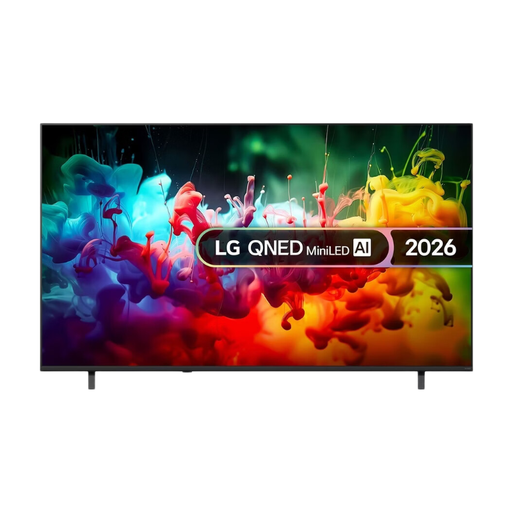
LG QNED70 75-inch 4K Mini LED Smart TV (2026)
The 75-inch version is worth weighing up against the furthest seat and the space where you plan to put the TV.
The product title lists 4K and Mini LED.
View at Joybuy
 No image available
TCL 75T8D 75-inch 4K QD Mini LED TV
The 75-inch diagonal is an option to compare with your viewing distance and the space available.
The product title lists 4K and 144 Hz VRR; these refresh-rate specifications aren’t an independent test of sports footage.
View at Joybuy
 No image available
METZ 86MQE8000Z 86-inch QLED TV
The 86-inch diagonal is an option to compare with your viewing distance and available space before choosing a size.
The product title lists 4K, 144 Hz and HDR10+.
View at Joybuy
 No image available
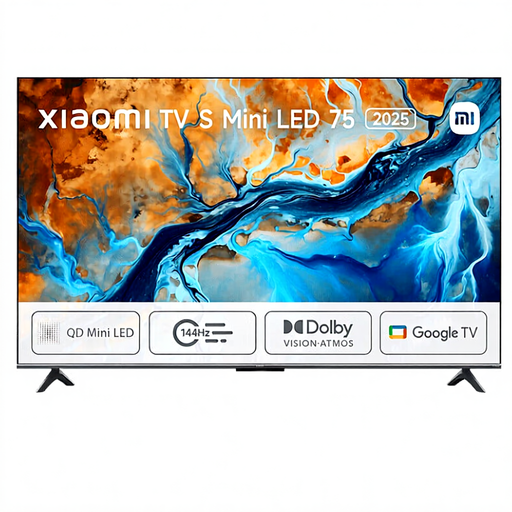
Xiaomi TV S 2025 75-inch 4K Mini LED TV
The 75-inch version is worth comparing with your measured viewing distance and the space available for placement.
The product title lists 4K, Mini LED and 144 Hz; the refresh-rate figure isn’t an independent assessment of motion handling.
View at Joybuy
Frequently asked questions
Do you always need a 75-inch TV if you sit a long way from the screen?
No. The right size depends on the distance and the space available. The Dutch Consumers' Association suggests 55–77 inches for a 4-metre viewing distance and 65–85 inches for 4.5 metres. Compare sizes that suit your situation rather than treating one size as a rule.
Does 120 or 144 Hz mean the rugby ball will always look sharp?
No. The advertised panel refresh rate doesn’t tell you everything about the TV signal and image processing. The Dutch Consumers' Association points out that interpolated frames can cause errors with fast, unpredictable movement. So compare the model’s actual motion handling too.
Does a rugby broadcast need to be in 4K to benefit from a 4K TV?
A 4K panel doesn’t automatically make a broadcast a native 4K broadcast. Check with your provider and for the match in question to find out which signal is available. According to the Dutch Consumers' Association, the extra detail depends on the source.
How do you set up a new TV for watching rugby?
Start with the home setting rather than the shop mode. Watch a familiar scene in the lighting you normally use and adjust the picture mode to suit your preference. Sports mode is an option, but it isn’t automatically the right setting for your room.
What energy rules and buying rights apply in the Netherlands?
TVs sold on the EU market must meet ecodesign and energy-labelling rules. The European Commission describes the A-to-G label scale, and model details are available through EPREL. If you buy online from a business as a consumer, you generally have a 14-day cooling-off period, as explained by the Dutch government. The Dutch government describes the legal guarantee as the right to a product that works as it should; there is no fixed statutory two-year guarantee period.


