For daytime rugby, compare both the brightness and reflection handling of the exact TV model; a high quoted brightness alone won’t tell you how distracting windows and lights will be on screen. For fast-paced action, independent motion tests are more useful than the quoted refresh rate alone, and viewing angle matters when watching with others. Measure your viewing distance before choosing a screen size.
Who is watching in this situation?
Viewer with windows opposite the TV
Watches rugby mainly during the day and wants to follow the ball and the pitch when daylight falls on the screen. Compares reflection handling as well as brightness, rather than relying on the panel name alone. RTINGS describes reflection handling as a separate part of its picture quality assessment.
Host with seating spread around the room
Watches matches with others from different seats, so pays attention to screen size and picture quality from off-centre positions. Consumentenbond and RTINGS respectively highlight motion and viewing angle as relevant considerations for TVs used for sport and in rooms with widely spaced seating.
Budget-conscious sports viewer
Wants a TV that suits their viewing distance and habits, without paying extra for features whose benefits aren’t guaranteed with the available broadcast. Also compares the energy label and the terms of any additional services.
What should you look for when choosing?
Start with the light in the room and the seating arrangement, then compare motion, size and running costs across the models that suit your space.
| Consideration |
What to look for when buying |
Who is this important for? |
| Visibility in daylight |
Compare independent reflection tests and brightness; take the position of windows and lights in your room into account. |
If daylight falls on my screen, I want to keep following the match without reflections taking over. Around 29% of consumers prioritise visibility in daylight. |
| Fast-paced action |
Look at a motion test of the exact model using standard video settings; a gaming refresh rate is not, by itself, a sports test. |
I want to follow players and the ball during fast action, so I look for tested motion blur and artefacts. Around 23% of consumers prioritise how fast-moving sport is displayed. |
| Picture from the side |
Compare measured viewing angles and, if possible, view the model from the seats furthest to the side. |
When friends are spread across the sofa, I want everyone to be able to follow the match, even if they aren’t sitting directly in front of the TV. Around 18% of consumers prioritise the picture from seats to the side. |
| Screen size and viewing distance |
Measure your viewing distance and the available space, including the TV’s width with its stand. |
I want to watch the match comfortably from my usual seat and make sure the screen fits on the TV stand. Around 18% of consumers start by considering screen size and viewing distance together. |
| Running costs and rights |
Compare the EU energy label and the terms of any additional services with your statutory rights. |
I want to look beyond the purchase price and find out what energy use the label lists, as well as what an additional service offers. Around 12% of consumers prioritise total running costs and terms after purchase. |
Common pitfalls
-
Choosing based on brightness alone when there’s a window opposite the screen
Brightness and the way a screen reflects light are separate properties. A quoted brightness figure alone won’t tell you how much of a window or lamp you’ll see on screen.
Compare reflection tests, taking the actual positions of windows and lights in your living room into account.
-
Assuming a high gaming refresh rate means sport performance has been tested
A quoted refresh rate or gaming mode doesn’t prove how a standard rugby broadcast will look. Motion blur and other picture artefacts need to be assessed separately.
Look for a motion test of the exact TV model using standard video settings.
-
Choosing a screen size without measuring viewing distance and available space
The diagonal screen measurement alone won’t tell you whether the TV will be comfortable to watch from the sofa or fit on your stand.
Measure the distance from your usual seat and the available width, then compare neighbouring screen sizes.
-
Thinking a paid warranty replaces your statutory rights
If a product is faulty, the retailer is responsible for your statutory rights. ACM ConsuWijzer makes clear that these rights don’t depend on buying an additional warranty.
Compare the terms of an additional service with your statutory rights before deciding whether it offers anything extra.
Brands to compare
Samsung
The QE65QN90FATXXN is a 65-inch QN90F Mini LED model to consider when comparing TVs for a bright room.
- Samsung Netherlands confirms the model identity and Mini LED technology.
- Don’t infer measured reflection handling or sports performance from the product range; compare independent tests of this specific version.
TCL
The 65C7K is a QD-Mini LED model; TCL lists a native refresh rate of 144 Hz for this version.
- The Netherlands product information makes this model worth comparing for its features and refresh rate.
- TCL’s claims about brightness and contrast don’t prove how a window or rugby broadcast will look in your living room.
LG
The OLED65C5ELB is a 65-inch OLED evo C5 for anyone who also wants to compare an OLED model, for example when seating is spread around the room.
- LG describes OLED as offering pixel-level blacks and Brightness Booster.
- LG notes that brightness can vary by model, size and market; check reflection handling and brightness for this specific version separately.
Hisense
The 65U7Q is a 65-inch 4K Mini LED model with VIDAA.
- Hisense lists a 144Hz gaming mode for this model.
- A gaming refresh rate or claim about smooth sports pictures is not an independent assessment of a standard rugby broadcast.
Philips
The 65PML9009/12 combines QD MiniLED, Ambilight and TITAN OS for anyone also considering ambient lighting or the smart TV platform.
- Philips lists Ambilight and TITAN OS for this model.
- Check that the required match app or external receiver works; assess picture performance separately from Ambilight.
Joybuy products
This selection includes TVs with stated anti-reflection features and models featuring technologies such as Mini LED. When choosing, check the screen size against your viewing distance and assess claims about sports performance and reflections for each model.
 No image available
LG 43NU800B6LC Nano UHD Smart TV
An option if you’re looking for a 43-inch 4K TV with a stated anti-reflection coating; assess reflections in your own lighting conditions.
The product information lists 43 inches, 4K and 60 Hz. The stated claim of 94% fewer reflections is not an independent measurement.
Joybuy
 No image available
TCL 85Q7D PRO
Worth considering if you’re looking at an 85-inch model with a stated anti-reflection screen; measure your viewing distance and available space first.
The title lists 85 inches, 4K and SQD-Mini LED. The product information mentions an anti-reflection screen and native 144 Hz; these are not independent measurements of sports performance.
Joybuy
 No image available
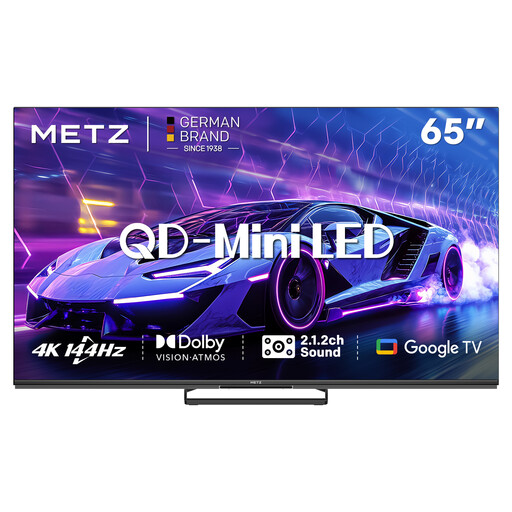
METZ 65MNE8000Z
A 65-inch model to compare if you’re considering a QD-Mini LED TV for sport; assess motion performance using a test of the exact model.
The product information lists 65 inches, QD-Mini LED, 4K, 144 Hz, sports mode and MEMC. These features are not an independent test of rugby pictures.
Joybuy
 No image available
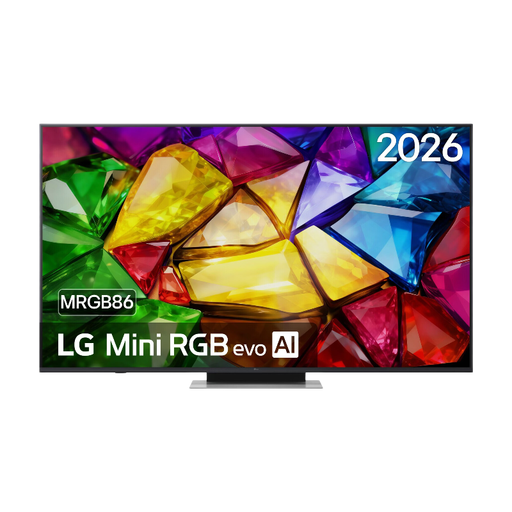
LG 65MRGB86B9A Mini RGB evo TV
A 65-inch 4K model to compare if you also want to consider the stated refresh rate; measure the available space first.
The product specifications list 120 Hz native and VRR up to 144 Hz. These figures alone are not an assessment of sports performance.
Joybuy
 No image available
Hisense 75E8Q
A 75-inch model to consider if you’re looking for a large screen; check that the size suits your viewing distance and available space.
The product information lists 4K, Mini LED and 144 Hz. The stated wide viewing angle is a product claim, not an independent measurement.
Joybuy
Frequently asked questions
Is a 144 Hz TV automatically better for rugby?
No. A quoted refresh rate, especially when linked to a gaming mode, doesn’t prove how sport will look with standard TV settings. Compare tests of motion blur and artefacts for the exact model.
How do I choose the screen size and position?
Measure the distance from your usual seat and check how much space you have for the TV. Consumentenbond suggests about 2.4 times the screen diagonal as a comfortable starting point based on its own research, not as a rule; also measure the width with the stand.
Does a 4K TV show every rugby match in 4K?
No. For 4K detail, the programme must also be filmed and broadcast in 4K. So check the source and how you receive it, not just the screen’s resolution.
What does the energy label tell me about running costs?
The EU energy label for electronic displays shows an efficiency class from A to G, along with separate information for HDR viewing. Compare models using the same label basis; the letter class alone won’t determine your personal energy bill.
Do I need to buy an additional warranty in the Netherlands?
No, you don’t need an additional warranty to have statutory rights. ACM ConsuWijzer notes that if a product is faulty, you can contact the retailer; whether an additional service offers anything extra depends on its terms. There is no single fixed statutory warranty period that applies to every TV.


