What should you look for when choosing?
OLED TV
Suited to: anyone who cares about dark scenes and usually watches with ambient light under control.
Bear in mind: the OLED label alone tells you nothing about reflections, the viewing angle from your seats or how clearly you’ll hear dialogue.
LCD or mini-LED TV
Suited to: anyone who watches TV in a bright room and wants to compare how visible the picture is in incoming light.
Bear in mind: mini-LED is a type of LCD backlighting and doesn’t guarantee a wide viewing angle or better reproduction of every dark scene.
| What to consider |
What should you check? |
Who should pay particular attention? |
| Picture from different seats |
Compare the TV’s viewing angle and measure the distance from the seats. |
If we’re sitting in different places, I want to be able to follow the picture and subtitles from the seats furthest to the side too. Around 24% of consumers prioritise visibility from side seats. |
| Playing the recording |
Check the connection you’ve chosen, such as USB or an HDMI player, and whether the file and audio are supported. |
If I want to watch my own recording, I want to know whether that particular file and playback method will work. Around 24% of consumers prioritise compatibility with their recording. |
| Dark scenes |
Compare shadow detail and picture settings on the TVs you’re considering. |
For performances with dark sets, I want to be able to make out costumes and movement. Around 19% of consumers prioritise contrast and shadow detail. |
| Voices and music |
Listen to a representative clip through the TV speakers; check the connections if you use a sound system. |
For dialogue and music, I want to follow conversations clearly without being let down by the sound. Around 19% of consumers make speech clarity their top priority. |
| Incoming light and reflections |
Compare visibility in incoming light and reflections in conditions similar to your room. |
If daylight falls on the screen, I still want to be able to see the performance clearly. Around 14% of consumers prioritise visibility in a bright room. |
Consumentenbond recommends around 2.4 times the screen diagonal as a comfortable average viewing distance. Use this as a starting point, then check the distance from the other seats and how the picture looks from there.
Joybuy TVs for this viewing setup
This selection includes OLED TVs and other 4K and QLED models, so you can compare screen technology, size and playback options for your performance.
 Image unavailable
OLED77G68LW OLED TV
An option to consider if you’re looking at OLED because dark scenes matter to you; check how the picture looks from your seats and in your room’s lighting.
View at Joybuy
 Image unavailable
LG OLED65C68LA 65-inch OLED Evo AI C6 4K Smart TV
OLED is worth comparing if dark scenes are important to you.
65 inch; 4K; OLED Evo; native 120 Hz; VRR up to 165 Hz; Dolby Vision; Dolby Atmos; webOS 26.
View at Joybuy
 Image unavailable
LG OLED48G69LS 48-inch OLED Evo AI G6 4K Smart TV
This OLED TV is worth comparing if you’re looking for a smaller screen to suit your planned viewing distance.
48 inch; 4K; OLED Evo; native 120 Hz; VRR 165 Hz; Dolby Vision; Dolby Atmos; webOS 26.
View at Joybuy
 Image unavailable
Philips 55PUS8001 55-inch F 4K TV
A 55-inch 4K model to compare if screen size and your preferred playback method are important to your choice.
55 inch; 4K; F.
Check whether the exact model supports your recording and audio track through your chosen playback method.
View at Joybuy
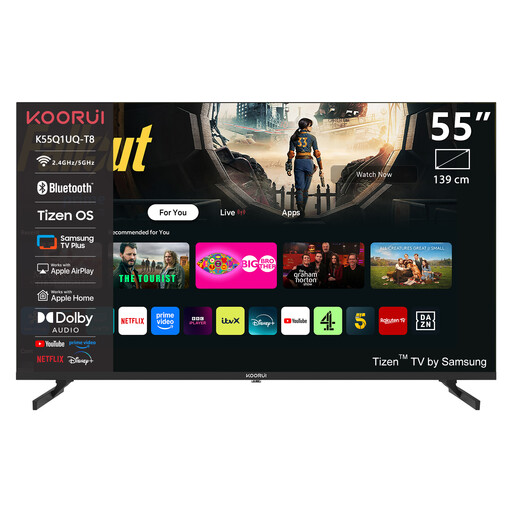 Image unavailable
KOORUI K55Q1UQ-T8 55-inch 4K QLED Tizen TV
Compare the 55-inch screen size with the distance from your seats, and check that your recording is supported.
55 inch; 4K; QLED; Tizen.
View at Joybuy
Frequently asked questions
Can every TV play a recorded performance from USB?
No, don’t assume that it can. Check whether the exact model supports your video file and audio track. You’ll usually connect an external player via HDMI; also check that this setup works with your equipment.
How do you choose the screen size if not everyone sits at the same distance?
Measure the distance from the different seats to where you plan to put the screen. Consumentenbond recommends around 2.4 times the screen diagonal as a comfortable average starting point; also check whether the picture is easy to follow from the side seats.
How do you connect existing speakers or a soundbar?
Check which audio connections are available on both the TV and your sound system. If you want to use HDMI-ARC or eARC, make sure both devices support it and check which port to use.
What does the European energy label tell you about a TV?
According to the European Commission, the energy label for electronic displays shows energy consumption in kWh per 1,000 hours. Compare the figures for the exact models; how long you use the TV and your electricity tariff will also affect what that consumption means for you.
What are your rights when you buy a TV online in the Netherlands?
ACM ConsuWijzer states that when you order a new TV online, you’ll usually have a 14-day statutory cancellation period from the date of delivery. You’re also covered by the statutory guarantee if the product doesn’t perform as you could reasonably expect under normal use; a manufacturer’s warranty period doesn’t replace this right.


