
Daylight viewers
You often watch while light from windows or kitchen lighting falls on the screen. The Dutch Consumers’ Association points out that brightness and reflections both affect how clearly you can see the picture.


Start by thinking about where you’ll be watching. In bright daylight, brightness and reflections matter, while viewing from an angle and watching dark scenes make viewing angle and contrast worth considering. The Dutch Consumers’ Association generally describes OLED TVs as having wider viewing angles and deeper blacks. You should also compare specific models where the TV will go. Measure the viewing distance too, and check that you can play your recordings and hear dialogue clearly.
You often watch while light from windows or kitchen lighting falls on the screen. The Dutch Consumers’ Association points out that brightness and reflections both affect how clearly you can see the picture.
You move between the dining table and the kitchen, and want to follow dark scenes even when viewing the screen from an angle. The Dutch Consumers’ Association identifies viewing angle as something to consider with LCD TVs.
You want to follow dialogue and music, and may need a connection for extra audio equipment. The Dutch Consumers’ Association lists HDMI-ARC and HDMI-eARC as connections for compatible audio equipment.
First, work out where you’ll be watching and how bright the room is. Then compare screen size, playback options and sound.
Best for: people who mainly watch during the day and want to compare specific models for brightness and reflections.
Bear in mind: viewing angle and black levels vary by model. The panel label alone won’t tell you how the screen will look from your viewing spots.
Best for: people who often watch from an angle or enjoy dark theatre scenes, and place a high priority on viewing angle and black levels.
Bear in mind: also compare reflections and visibility in the light conditions of your kitchen-diner. OLED isn’t automatically the right choice for every room.
Best for: people with limited space or who watch from relatively close by, whatever the panel type.
Bear in mind: a smaller screen may be less comfortable to watch from the other end of the kitchen-diner, so measure both viewing distances.
| What to consider | What should you check? | Who should pay particular attention? |
|---|---|---|
| Visibility in daylight | Compare brightness and reflections in the intended spot and under similar lighting conditions. | If I watch during the day with light from windows or lamps falling on the screen, I want to assess the picture from my usual seat; around 31% of consumers give daylight visibility top priority. |
| Viewing angle and dark scenes | Watch the same dark clip straight on and from the table or kitchen. Compare the models, not just the panel names. | If you watch from different spots, you’ll want to follow the performance even when viewing the screen from an angle. Around 25% of consumers give the viewing angle and contrast in dark scenes the greatest weight. |
| Sound and playback | Check that your preferred app or external player works with the exact model, and see which connections it has. If you’re adding extra audio equipment, check that ARC/eARC is compatible. | If I want to follow dialogue and music clearly, I want to know in advance how the recording will play and whether extra audio equipment can be connected; around 25% of consumers prioritise clear speech and access to recordings. |
| Size, placement and energy use | Measure the viewing distance and available space. Compare the energy use per 1,000 hours on the energy labels of the models you’re considering. | If you need to position the TV between the table and kitchen, its size and energy use should suit the space and how you use it. Around 19% of consumers start with size, placement and energy use. |
The Dutch Consumers’ Association uses the viewing distance divided by 2.4 as a starting point for the screen diagonal in centimetres. Measure both viewing spots and use the result as a guide, not as a fixed screen size.
Brightness, black levels and viewing angle each have different strengths. Reflections also depend on the room and where the TV is placed.
Compare specific models using both light and dark scenes, from the table and the kitchen.
The right screen size depends on the distance from both viewing spots. Screen size and how long you use the TV also affect its energy consumption.
Measure both viewing spots and compare the stated energy use per 1,000 hours on the energy labels.
Apps vary between smart TVs. An external player or sound system needs compatible connections.
Check that your preferred app or playback source works with the exact model, and make sure its HDMI connections, including ARC/eARC if needed, are suitable for your equipment.
According to the Netherlands Authority for Consumers and Markets, there is no fixed time limit for statutory guarantees in the Netherlands. The retailer remains responsible if a product develops a fault too soon under normal use.
Compare any additional cover with your existing statutory rights. If something goes wrong, contact the retailer first to ask for a solution.
The Dutch QN90F range includes a 55-inch Neo QLED mini-LED model that you could compare for a bright kitchen-diner.
The 55C7K is a 55-inch QD mini-LED model to include when comparing LCD options.
The OLED55C54LA is a 55-inch OLED model to compare if viewing angle and dark scenes matter to you.
The 55PUS9050/12 is a 55-inch QLED Ambilight model. Philips lists this model range in other screen sizes too.
This selection includes OLED and LED TVs in a range of screen sizes. Compare them based on where you’ll watch, screen size, playback options and the connections you need.
 Image unavailable
A 48-inch OLED option for anyone considering a smaller screen and dark scenes.
The product description lists 4K, four HDMI connections and eARC.
 Image unavailable
A 55-inch OLED option to consider if it suits your viewing distance and you’d like to compare OLED TVs for recorded theatre performances.
The product description lists 4K and four HDMI connections.
 Image unavailable
A 43-inch option to compare if limited space or your viewing distance calls for a smaller screen.
The product name lists 4K UHD, 60 Hz and VIDAA.
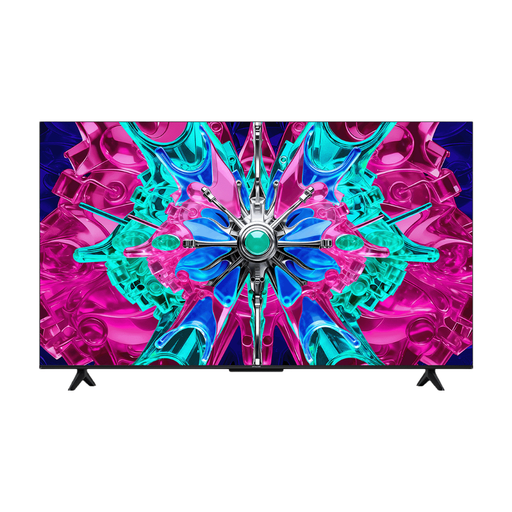 Image unavailable
A 50-inch option to compare if you’re looking for a mid-sized screen to suit the viewing distance in your kitchen-diner.
The product name lists 4K, LED and 60 Hz.
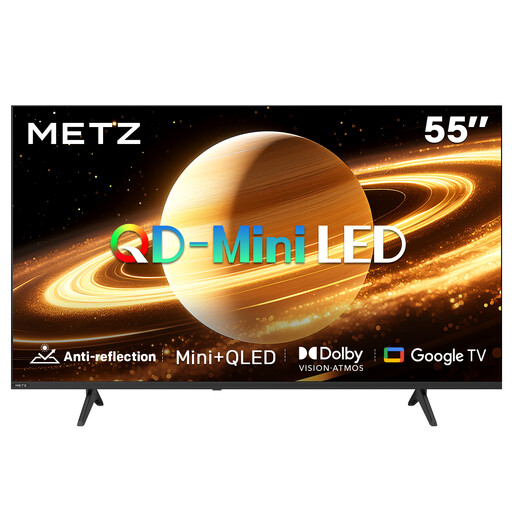 Image unavailable
A 55-inch QD-MiniLED option to compare if the size and screen technology suit your viewing spot.
The product name lists 60 Hz, Dolby Vision, Dolby Atmos, HDMI 2.1 and Google TV. The product description mentions a matte screen; assess reflections in the intended spot.
Measure the distance from both viewing spots to the screen. The Dutch Consumers’ Association uses the viewing distance divided by 2.4 as a starting point for the screen diagonal in centimetres. Then compare nearby screen sizes and consider the furthest viewing spot too.
No. The right screen technology depends on your viewing spots and the light in the room. The Dutch Consumers’ Association generally describes OLED as offering wider viewing angles and deeper blacks. You should also compare the visibility and reflections of specific models in your kitchen-diner.
An external player usually connects via HDMI. Check whether both the TV and sound system support HDMI-ARC or eARC. The Dutch Consumers’ Association mentions an optical connection as a possible alternative if both devices have one.
No, the range of apps varies between smart TVs. Check that your preferred app is available on the exact model, or see whether you can play the recording using an external player and whether there’s a suitable connection for it.
No, a 4K panel doesn’t automatically make lower-resolution content as detailed as a native 4K recording. So check the quality and playback method of the recordings you actually watch.