What should you look for when choosing?
Start with the seats furthest from the centre and the light in the room. Then compare the sound, compatibility with your recording and a screen size that suits your viewing distance and available space.
OLED TV
Choose this if: several people watch from different angles and you often enjoy performances with dark sets in dim light.
Bear in mind: compare reflections and the brightness of the specific model with the light in your room. OLED won’t make a poor-quality source look sharper.
LCD TV with mini-LED backlighting
Choose this if: you’re looking to compare an LCD TV for a bright room or want a large screen.
Bear in mind: mini-LED describes the backlighting and doesn’t guarantee a particular viewing angle or black levels. Check dark scenes from the seats furthest from the centre.
Standard LCD or QLED TV
Choose this if: you’re looking for a suitable screen size and the deepest possible blacks aren’t your top priority.
Bear in mind: compare the viewing angle and dark scenes on the TV itself. Screen size or the term QLED alone won’t determine how the performance looks.
| What to consider |
What should you check? |
Who should pay particular attention? |
| Viewing angle |
Watch the same picture from the seat furthest from the centre, and look for reflections in the lighting you use at home. |
If I’m watching from the side, I want to be able to follow the performance clearly. Around 36% of consumers rank viewing angle as their most important buying criterion. |
| Dark sets and stage lighting |
Compare a dark scene with bright details in the lighting conditions you use at home. |
When a performance has dark backgrounds, I still want to make out the performers in the spotlight. Around 29% of consumers prioritise contrast in scenes like these. |
| Dialogue and playback |
Assess speech and music, and check the connection, file format and codecs used by your recording. |
If I want to follow spoken dialogue, I need to know whether the sound is clear and whether my recording will play. Around 21% of consumers prioritise clear speech and playback compatibility. |
| Screen size and energy use |
Measure your viewing distance and available space; compare the energy label in kWh per 1000 hours. |
I want a screen that suits the seating and available space without losing sight of energy use. Around 14% of consumers prioritise screen size and energy consumption. |
The Dutch Consumers’ Association suggests around 2.4 times the screen diagonal as a comfortable starting point for viewing distance, rather than a fixed measurement for every room. To compare energy use, check the energy label in kWh per 1000 hours. Your settings and viewing habits affect actual consumption.
TVs at Joybuy
These TVs are for viewers looking to match screen technology and size to their seating, dark scenes and available space.
 Image unavailable
LG OLED65C68LA OLED evo AI C6 4K Smart TV
An OLED option to compare if several people watch from different angles and you want to assess dark sets. The Dutch Consumers’ Association says OLED TVs generally offer a wider viewing angle and can display deeper blacks.
65 inches, 4K and Smart TV; the product description lists Dolby Vision and a 40 W 2.2-channel audio system.
View at Joybuy
 Image unavailable
Samsung GQ55S85FAU S85F 55-inch OLED 4K TV
A 55-inch OLED model to compare if black levels and seating at different angles are important to you. Assess the picture in the lighting conditions you usually watch performances in.
55 inches, OLED and 4K; the product description lists four HDMI ports and a 2-channel audio system.
View at Joybuy
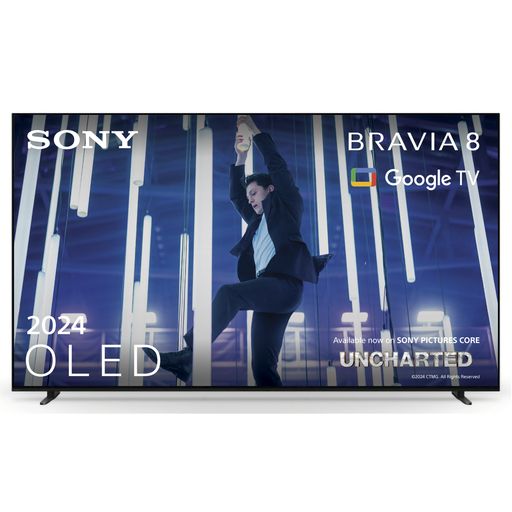 Image unavailable
Sony K-65XR80 BRAVIA 8 65-inch 4K OLED TV
This 65-inch OLED option is worth comparing if you’re looking for a larger screen and want to assess the built-in sound too. Check separately whether the connections suit your recording source.
65 inches, 4K and OLED; the product description lists Acoustic Surface Audio+, Google TV and Chromecast.
View at Joybuy
 Image unavailable
TCL T8D 85-inch 4K QD-Mini LED Smart TV
A large LCD model with mini-LED backlighting to compare with OLED. Check the picture from the seat furthest from the centre, and measure your available space to make sure the screen will fit.
85 inches, 4K and QD-Mini LED; the product name lists 144 Hz, FreeSync Premium, VRR and Onkyo 2.1 sound.
View at Joybuy
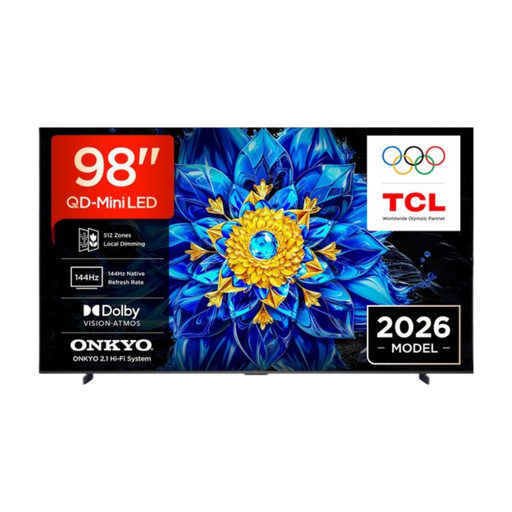 Image unavailable
TCL T8D 98-inch 4K QD-Mini LED Smart TV
This 98-inch LCD TV with mini-LED backlighting is a large-screen option to compare with other screen technologies. Measure the space available and viewing distance, then assess the viewing angle from the side seats.
98 inches, 4K and QD-Mini LED; the product description lists Google TV and Dolby Atmos.
View at Joybuy
Frequently asked questions
How do you choose a screen size when viewers are sitting at different distances from the TV?
Measure the distance from the seats, and check the available width and height too. The Dutch Consumers’ Association suggests around 2.4 times the screen diagonal as a comfortable starting point for viewing distance, rather than a fixed measurement for every viewer.
Can the TV play your recorded performance via USB?
It depends on the file and the exact TV model. For example, Sony publishes a list of USB codecs for the K-65XR8M2. Compare the video and audio codecs used by your recording with the TV’s specifications, or check whether it will work with an external player.
Which picture setting could you try for a dark performance?
Compare picture modes at home in the lighting you normally watch in, and adjust brightness and contrast so details remain visible in both dark and bright areas. The Dutch Consumers’ Association notes that shop settings are often extra bright.
How do you compare the energy use of TVs?
Compare the energy label in kWh per 1000 hours, and take your viewing time and settings into account. The brightness setting affects actual energy consumption.
Are you always entitled to just a two-year warranty on a TV in the Netherlands?
No. According to the Dutch government, there is no fixed statutory warranty period in the Netherlands. You’re entitled to a product that works properly, and can contact the retailer if something goes wrong. A manufacturer’s warranty or extended warranty is in addition to your legal rights.


