Start with the seating arrangement. If viewers are spread out, the viewing angle of the specific TV model matters more than screen size alone. Match the screen size to your viewing distance and assess the sound separately. Brightness and reflections may also be important in a light room. Finally, check that the recording will play from your intended source and that any audio equipment can be connected to the TV.
Who is this buying guide for?
Groups with a wide seating arrangement
You watch with people seated in different places in front of the screen and want those sitting at the sides to enjoy a good picture too. Consumentenbond and RTINGS identify viewing angle as something to consider when choosing a TV.
Listeners who put music first
You want to hear voices and instruments clearly, so you don’t take the TV’s built-in sound as a given without comparing it with other options. Consumentenbond discusses external audio as one way to play TV sound.
Viewers in a bright room
You often watch the recording during the day and weigh up brightness and reflections alongside viewing angle and contrast. Consumentenbond lists brightness and viewing angle as separate points to consider when comparing TVs.
What should you look for when choosing?
First, assess the picture from the seats furthest to the side. Then match the screen size to your viewing distance, before comparing sound and performance in daylight. Consumentenbond and RTINGS treat viewing angle as a separate feature, while Consumentenbond also highlights brightness and screen size as factors to consider.
| Point to consider |
What to look for when buying |
Who should pay particular attention? |
| Viewing angle for everyone |
Check measurements for the exact model or assess the picture from the seats furthest to the side. |
If not everyone sits directly in front of the TV, you’ll want a good view from the side too. This is a key concern for around 29% of consumers. |
| Music and voices |
Compare the sound separately from the picture. If you plan to use external audio equipment, check that both devices have compatible connections. |
If you want to hear voices and instruments clearly, compare the built-in sound with the audio setup you intend to use. Around 29% of consumers prioritise music playback. |
| Screen size and viewing distance |
Measure the distance from your seats and check the screen’s diagonal measurement and the TV’s dimensions. |
From the seat furthest away, you’ll want to see details clearly without choosing a screen that’s too large or small for your viewing distance. Around 24% of consumers prioritise a screen size that suits their seating arrangement. |
| Visibility in bright conditions |
Assess brightness and reflections in lighting similar to the conditions in your room. |
If you often watch during the day, you’ll want to be able to see the recording clearly despite daylight and reflections. Around 18% of consumers prioritise viewing in bright conditions. |
Common mistakes
-
Assessing a TV only from directly in front
Viewers sitting to the side may see a different picture if the viewing angle is limited. Viewing angles vary by model, so don’t base your choice solely on the view from directly in front of the screen.
Assess the exact model from the seats furthest to the side that you use at home too.
-
Assuming a good TV picture means good sound for music
Picture and sound are separate buying criteria. If you want to use external speakers, the connections on your TV and audio equipment need to be compatible.
Compare the sound separately and check the connections in advance. An external audio system may need to be bought separately.
-
Assuming an LCD or Mini LED label guarantees a wide viewing angle
Brightness in daylight and picture quality when viewed from an angle are different features. The screen technology alone doesn’t tell you how a particular TV performs.
For the exact model, compare both reflections and viewing angle.
Brands to consider
LG
The LG OLED55C51LA is an OLED model worth considering if viewing angle and contrast are important to you.
- Consumentenbond generally describes OLED TVs as offering a wider viewing angle and deeper blacks.
- Assess reflections, sound and playback options for the specific model separately.
Philips
According to Philips, the Philips 65OLED910/12 combines an OLED screen with Ambilight and a built-in Bowers & Wilkins sound system.
- This combination is worth considering if you want to compare built-in sound.
- Philips’s claims about the viewing and listening experience are manufacturer claims, not independent measurements of music playback.
Sony
Sony describes the BRAVIA 8 II K-55XR8M2 as a QD-OLED TV with Acoustic Surface Audio+.
- Sound from the screen is a model-specific feature to consider in your comparison.
- This doesn’t prove that the TV sounds better than separate speakers. Compare it using the recording you want to watch and the specific setup you’re considering.
TCL
TCL describes the TCL 65C7K as a QD-Mini LED model worth considering if you also watch in a bright room.
- TCL’s product information lists brightness and dimming among the model’s specifications.
- Don’t treat these specifications as independent test results. If you have a wide seating arrangement, check the model’s viewing angle too.
Samsung
Samsung lists the QE65Q80DATXXN as a 65-inch QLED LCD TV.
- Screen type and size are useful details to compare with your viewing distance and room.
- These features don’t tell you how wide the viewing angle is or whether the built-in sound is suited to music. Assess those features separately.
Joybuy TVs for this viewing setup
This range of Joybuy models includes OLED and LCD options, including QLED and Mini LED models. Compare the picture from different seats, the viewing distance and the connections you need for your recording source or audio equipment.
 No image available
LG OLED65C68LA 65-inch OLED Evo 4K Smart TV
An OLED option to compare if several viewers won’t be sitting directly in front of the screen.
65-inch OLED Evo screen and 4K resolution.
According to the product description: 2.2-channel system, Dolby Atmos, four HDMI connections and eARC.
View on Joybuy
 No image available
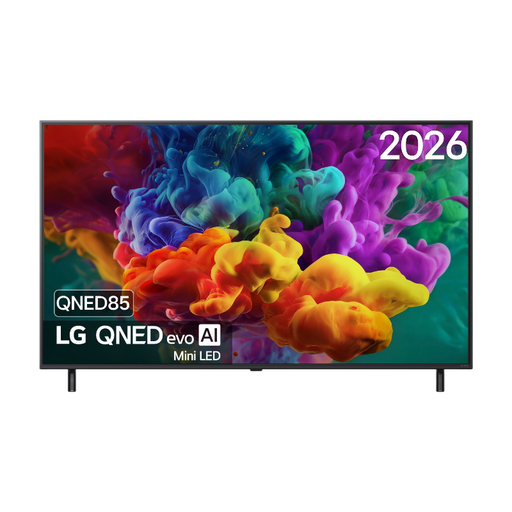
LG 55QNED85B6B 55-inch QNED Evo Mini LED 4K Smart TV
An LCD option to compare if you also want to check the connections for recording sources or external audio.
55-inch QNED Mini LED screen and 4K resolution.
According to the product description: HDMI eARC, USB, Wi-Fi and Bluetooth.
View on Joybuy
 No image available
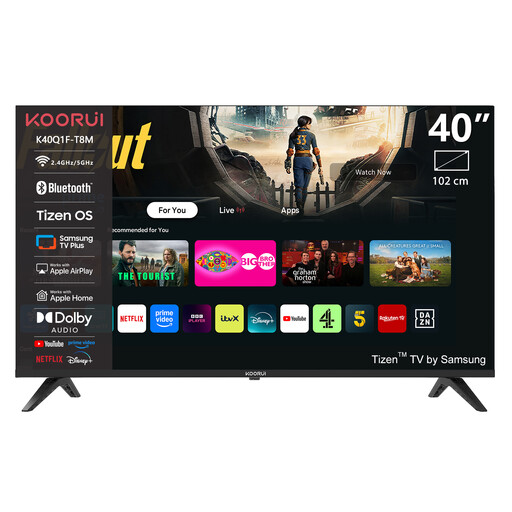
KOORUI K40Q1FQ-T8 40-inch Full HD QLED Smart TV
A 40-inch option to consider if you’re looking for a smaller screen to suit your viewing distance.
Full HD resolution and Tizen OS.
According to the product description: HDMI ARC, Bluetooth and three HDMI connections.
View on Joybuy
 No image available
TCL 65T8D 65-inch QD-Mini LED 4K Smart TV
A 65-inch LCD option to compare if you want to assess screen size and built-in audio together.
65-inch QD-Mini LED screen and 4K resolution.
According to the product description: built-in Onkyo 2.1-channel audio system, Google TV and HDMI 2.1.
View on Joybuy
 No image available
Samsung S85F Series GQ55S85FAU 55-inch OLED 4K TV
An OLED option to compare if viewers will be sitting in different places in front of the screen.
55-inch OLED screen and 4K resolution.
According to the product description: 2-channel speaker system, Wi-Fi and four HDMI connections.
View on Joybuy
Frequently asked questions
Can I play a recording from USB on any TV?
No, this isn’t guaranteed. Check which video and audio formats the exact TV model supports, and if possible, test a representative file. Sony refers users to the model’s manual for details of supported formats.
How do I connect an existing audio system?
Check that the connections on your TV and audio system are compatible. HDMI eARC can send audio to a compatible receiver or soundbar via an HDMI cable. Both devices need to support eARC and be set up correctly.
Is 4K essential for a recorded music performance?
No, not necessarily. To benefit from 4K resolution, the recording and playback setup also need to support it. So check the source file first.
How do I compare TVs’ energy consumption?
Compare the energy label for the specific model and, if needed, check the product details in the European EPREL register. The European energy scale for televisions runs from A to G.


