
Gamers in a sunny living room
You often play during the day and want to keep on-screen clues easy to read. Consider both brightness and reflections in your room. Consumentenbond notes that LCD TVs can often be bright.


In a bright room, an LCD or mini-LED TV could be a sensible choice; OLED generally offers wider viewing angles and deeper blacks. Compare reflections around the room and from the seats where everyone will be playing, then check the screen size and connections you need for your console. A high refresh rate is most relevant when the game and connected source can make use of it.
You often play during the day and want to keep on-screen clues easy to read. Consider both brightness and reflections in your room. Consumentenbond notes that LCD TVs can often be bright.
You play with people sitting at an angle and want everyone to see the game. Check the viewing angle and screen size; Consumentenbond measures viewing angles and reflections on TVs, among other things.
You want to connect your console and any other devices without paying for gaming features you won't use. Check the connections, and make sure a higher refresh rate suits the console and games you play.
Start with the light and seating, then check your console connections and find a size that suits your living room.
| What to consider | What should you check? | Who is this important for? |
|---|---|---|
| Visibility in daylight | Check reflections and brightness for each model, and look out for windows or lamps reflected in the screen. | If I play during the day, I want to read on-screen clues clearly and minimise distracting reflections. Around 36% of consumers prioritise visibility in daylight. |
| Picture quality from every seat | Check the viewing angle from the seats at either end of the sofa, and compare the sofa-to-screen distance with the screen diagonal. | When we sit spread across the sofa, I want everyone to see the game clearly; a bigger screen alone won't solve a limited viewing angle. Around 29% of consumers prioritise visibility from different seats. |
| Console and refresh rate | Count the HDMI inputs you need and check which refresh rates are supported by the console, game and TV input. | If I want to connect my console and other devices, I first check which connections and features I'll actually use. Around 21% of consumers put device compatibility at the top of their list when buying. |
| Screen size and running costs | Measure the viewing distance and available space, and compare the EU energy labels of the exact models. | When I choose a TV for the sofa, I want it to fit the room and take running costs into account. Around 14% of consumers prioritise size and running costs. |
Ambient light, reflections and viewing angles all affect what players can see from their seats. A product label isn't a measure of how the picture will look in your living room.
View the screen from the seats at either end of the sofa, and check independent measurements of the exact model where available.
The stated refresh rate alone doesn't tell you what sort of picture the game and connected devices can output.
First check the game, source and required HDMI input. Then decide whether a higher refresh rate will make a difference for the way you play.
A different full model number may refer to a different version, even if the sales copy mentions a related range.
Compare the full model number, specifications and product documentation before treating two versions as identical.
These examples refer to the product ranges mentioned; a brand mention isn't an assessment of every model or its availability.
The Dutch QN90F range is a mini-LED option worth looking into for a bright room.
The OLED evo C5 range is an OLED option if viewing angle and contrast matter when playing together.
The C7K range includes a mini-LED model you can compare for gaming features and screen technology.
According to Philips, the 55PML9019/12 combines mini-LED with Ambilight, which may be worth considering if that lighting appeals to you.
The Joybuy products below focus on mini-LED and OLED TVs for console gaming, in 55- and 65-inch sizes.
 No image available
An option if you're looking for a 55-inch mini-LED TV with console features.
4K; 120 Hz native; VRR up to 144 Hz; HDMI 2.1; ALLM.
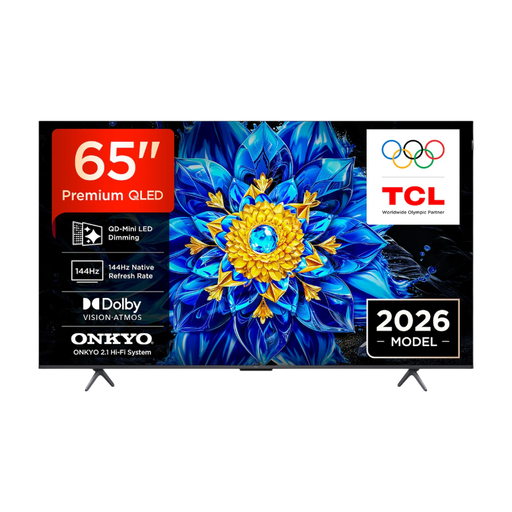 No image available
A 65-inch QD mini-LED option if you want to compare console connections and gaming features.
4K; 144 Hz native; VRR; Game Bar; HDMI 2.1; ALLM.
 No image available
An OLED option to compare if viewing angles and players' seating positions are important to you.
4K; 100 Hz native; anti-reflective screen surface; VRR; four HDMI 2.1 ports.
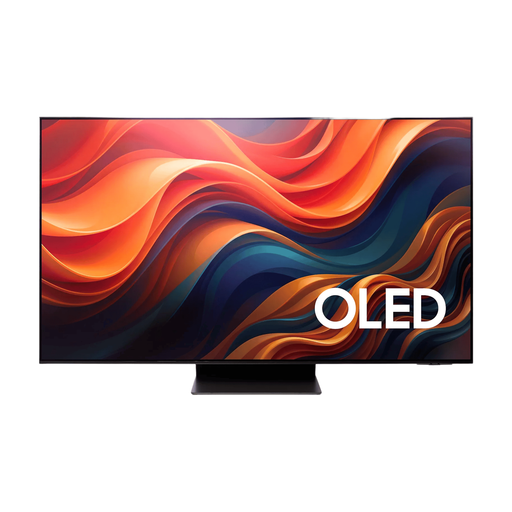 No image available
A 65-inch OLED option if you want to weigh the screen size and listed console features against the space you have available.
165 Hz native; anti-reflective screen; VRR; ALLM; FreeSync Premium Pro; four HDMI 2.1 ports.
 No image available
A 55-inch QD mini-LED TV to compare if console features and connections are important to you.
144 Hz; HDMI 2.1; ALLM; VRR.
No. Consumentenbond says LCD TVs can often be bright, while OLED generally offers wider viewing angles and deeper blacks. Also compare reflections on the exact model and consider the seating positions in your room.
Measure the distance from the sofa to where the TV will go. Based on its own research, Consumentenbond uses around 2.4 times the screen diagonal as a starting point for viewing distance. Also check that the TV fits physically and that players can read on-screen clues from their seats.
Switch off the TV and let it cool down. Use a well-wrung microfibre cloth, lightly dampened with water. Apply minimal pressure and don't spray liquid directly onto the screen. This advice comes from Consumentenbond.
According to ACM ConsuWijzer, when you buy a TV online you generally have a statutory 14-day cooling-off period after delivery. The legal guarantee is separate from any manufacturer's warranty; if a product is faulty, the retailer is your point of contact.
Yes. The European Commission describes an energy label for TVs, with ratings from A to G and separate information about HDR use. Compare the label for the exact model.