
Workshop host with viewers at the back
You want the actions and details of the pottery wheel to remain visible from the back row. So start by checking the viewing distance and the space available for a screen.


First, measure the distance to the viewers at the back and work out which screen size will fit the room. For this kind of screening, a larger screen is generally more important than simply having more pixels. Then assess reflections and picture quality from the seats at the sides, under your usual lighting, and test the film’s sound using the connection you plan to use. The right size and model will depend on the room and your set-up.
You want the actions and details of the pottery wheel to remain visible from the back row. So start by checking the viewing distance and the space available for a screen.
You can’t always dim the lights and want to assess reflections and brightness under your usual lighting.
You have viewers beside as well as in front of the screen, and want to check that the picture is easy to follow from the seats at the sides too.
Choose this when: you can’t always dim the lights and have room for a suitably sized screen. The Consumentenbond notes that LCD TVs can often produce plenty of light.
Keep in mind: the technology name alone doesn’t guarantee a good viewing angle or low reflections. Assess the specific model and its black levels.
Choose this when: you can control the lighting and want to include a suitably sized OLED model in your comparison. Check the picture from the seats at the sides too.
Keep in mind: image retention can be a concern when the picture stays almost unchanged for a long time. The Consumentenbond test mentioned was conducted on older models, so it doesn’t predict the risk for a current model.
| What to consider | What to look for when buying | Who is this important for? |
|---|---|---|
| Visibility from the back | Measure the distance to the back row and compare screen sizes. The Consumentenbond suggests around 2.4 times the screen diagonal as a starting point. For 400 cm, its guide recommends 55–77 inches. Also check the overall dimensions, including the stand. | If I want to follow small movements from the back row, I’ll start with the viewing distance and screen size. Around 34% of consumers give visibility from the back their highest priority. |
| Picture quality under workspace lighting | Assess brightness and reflections with the lighting set as it will be during the film. The Consumentenbond includes both in its test criteria. | If the lights need to stay on during the workshop, I want to check reflections and brightness in that set-up. Around 20% of consumers prioritise picture quality under workspace lighting. |
| Visibility from seats at an angle | Watch a film scene from the seats at the sides and check the colour, brightness and contrast. The Consumentenbond and RTINGS both treat viewing angle as a separate assessment point. | If seats are well to the side of the TV, I want viewers there to be able to follow the scene too. Around 20% of consumers make visibility from angled seats their main priority. |
| Playing your own film | Test the video file via USB or the external player you plan to use. Check the file system and codec requirements for the specific model. | If I want to play an existing video file from my chosen source, I’ll check that the combination works. Around 13% of consumers give reliable file playback their highest priority. |
| Clear sound for the group | Listen to the film from the back row. If you’re using external audio, check that the TV supports the connection you intend to use. | The film’s commentary needs to be clear at the back too. Around 13% of consumers prioritise clear sound for the group. |
More pixels can’t make up for an unsuitable screen size. The Consumentenbond identifies viewing distance as a factor when choosing a screen size.
Measure the distance to the back row and watch a representative clip there on a suitably sized screen.
Viewing angles and reflections vary between screens and set-ups. The technology name alone won’t tell you how the picture will look in your room.
Check the picture under your usual lighting and from the seats at the sides.
A USB port doesn’t guarantee that a video file will play. File system and codec support vary by model.
Test your own film in advance via USB or the external player you plan to use, and check the connections.
When you buy as a consumer in the Netherlands, you have statutory rights as well as any guarantee from the seller or manufacturer, according to ACM ConsuWijzer.
Compare any extra cover with the rights you already have before choosing an additional service plan.
Philips lists the 75MLED820/12 as a 75-inch QD mini-LED TV, making it a model to consider when comparing large screens.
Samsung lists the 75-inch QE75QN90FATXXN as a Neo QLED mini-LED TV and specifies Glare Free for this model.
The Consumentenbond describes the 75C8L as a 75-inch mini-LED TV with four HDMI inputs and one USB port.
Sony lists the K-75XR70 BRAVIA 7 as a 75-inch LCD TV with mini-LED backlighting, four HDMI inputs and two USB ports.
These TVs have a large stated screen diagonal, making them worth considering for screenings where viewers sit further from the screen. Compare the size with the viewing distance and the room, and assess lighting, seating and playback options for each model.
 Image unavailable
The stated screen diagonal suits a set-up where viewers sit further from the screen.
77 inches; 4K; OLED.
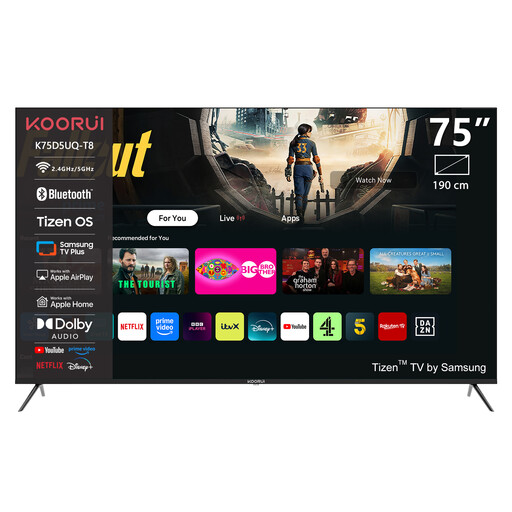 Image unavailable
The stated screen size may suit a screening for viewers seated at a distance; compare it with the space available.
75 inches; 4K UHD; QLED; Smart TV with Tizen OS.
 Image unavailable
The 75-inch version is worth comparing for viewers seated at a distance; check for reflections in your own set-up.
75 inches; 4K; QD-MiniLED. The product description mentions an anti-glare screen; assess how it performs under your lighting.
 Image unavailable
The stated screen diagonal is worth comparing with the distance to viewers at the back.
75 inches; 4K; QLED with QD-Mini LED dimming; 2.1-channel Onkyo audio system.
 Image unavailable
With its stated screen diagonal, this model is worth comparing if the available space and viewing distance allow.
86 inches; QLED; Google TV; 4K; 144 Hz.
No, it depends on the viewing distance and the film. The Consumentenbond suggests around 2.4 times the screen diagonal as a starting point, and a range of 55–77 inches for 400 cm. Try watching small movements in your own film too.
Start with the Home setting and use the lighting that will be on during the workshop. Adjust brightness and contrast using a familiar scene with both light and dark areas, as the Consumentenbond recommends.
Check the model’s full dimensions, including the stand if you plan to use it, and compare them with the space available. For wall mounting, consult the manual and check that the bracket is compatible; the screen diagonal alone won’t tell you this.
No, the USB connection alone doesn’t guarantee playback. Check the supported file systems and codecs for your chosen model, and test your own file in advance. Alternatively, check whether an external player will work via HDMI.
Don’t assume so. According to the Dutch government, you need the creator’s permission to use films protected by copyright. Check the rights and how you plan to show the film. Buying a TV doesn’t give you screening rights.