
Presenters with an audience at the back
You show drawings and explanations to people at different distances, so screen size and a clear slide layout are important considerations.


Measure the distance to the back row and check that the smallest important text in your portfolio is still readable from there. The Consumers' Association gives the usual TV viewing distance as a starting point only. Then compare the light in the room, the viewing angle and how the TV connects to your laptop. LCD or mini-LED may suit a bright room, while OLED is an option if viewing angle and black levels matter more. Bear in mind the effects of displaying a static image for long periods.
You show drawings and explanations to people at different distances, so screen size and a clear slide layout are important considerations.
You show colour work and photos during the day, and want to assess reflections, brightness and how the screen looks in the actual set-up.
You regularly connect a laptop or leave work on screen for longer periods, so connections, aspect ratio and how to manage static images all matter.
A good fit if: readability from a distance and use in a bright room are your priorities. Test your own slides and check for reflections at the venue.
Bear in mind: a large screen needs plenty of space, and LCD models can vary in viewing angle and black levels.
A good fit if: a wide viewing angle and deep blacks are important. The Consumers' Association generally describes these as OLED characteristics.
Bear in mind: assess the light in the room and consider image retention if you display static slides for long periods. LG describes features designed to help prevent it, but these are no guarantee that it will never happen.
A good fit if: the TV will remain on display when you are not presenting, and its appearance is important too.
Bear in mind: an art mode or matte finish does not prove that small text will be readable from the back row. Check the size and connections too.
| Consideration | What should you check? | Who does this matter to? |
|---|---|---|
| Readability from the back | Measure the distance and test the smallest essential text from the furthest seat. The Consumers' Association gives around 2.4 times the screen diagonal as a starting point for comfortable TV viewing, not as a standard for small portfolio text. | If I show drawings and explanations to an audience at different distances, I want to be sure the key text is still readable at the back. Around 33% of consumers give readability from the back row their highest priority. |
| Light and viewing angle | Assess reflections and picture quality from the actual seats and under the room's lighting. The Consumers' Association generally describes OLED as having a wider viewing angle, and QLED/LCD as often offering higher brightness. | If I present photos and colour work during the day, I want to assess the details from the seats without reflections getting in the way. Around 27% of consumers put light in the room and viewing angle first. |
| Laptop and slide display | Check which connection you need and make sure the entire slide fits on screen. The Consumers' Association describes HDMI as a way to display a laptop picture on a TV. | If I present my portfolio from a laptop, I want to be able to test my own files and equipment beforehand. Around 20% of consumers consider the laptop connection and full-slide display their most important consideration. |
| Static images and running costs | Check the guidance on displaying static images for long periods and compare the energy label for each model. The European Commission states that the label shows consumption in kWh per 1,000 hours. | If the TV regularly displays the same slide for longer periods, I want to factor in the usage instructions and energy consumption when choosing. Around 20% of consumers put long-term use and the associated costs first. |
A comfortable viewing distance for TV programmes does not tell you whether subtitles and details in design drawings can be read from the back row.
Bring a sample slide and check it from the furthest seat.
Viewing angle, brightness and reflections affect OLED and LCD differently. The results also depend on the specific model and room.
Compare screens under the lighting and from the seating positions you will actually use, rather than judging by panel type alone.
The connection you choose and the aspect ratio need to work with your own laptop and files.
Test the full set-up and check that the entire slide remains visible before presenting.
You may need a suitable cable or adapter; check what your laptop and set-up require.
The Dutch-market TCL 75C6K is a 75-inch QD mini-LED model worth considering if you are looking for a large screen for a bright presentation room.
According to Philips, the Philips 75PML9009/12 The Xtra combines a 75-inch QD mini-LED screen with Ambilight.
The Dutch-market LG OLED77C5ELB is a 77-inch OLED model for those who value viewing angle and contrast.
The Dutch-market Samsung The Frame Pro QE65LS03FWUXXN is a 65-inch model worth considering if the look of your permanent set-up matters when you are not presenting too.
This selection focuses on large TV screens for viewing portfolios from a distance. For the Samsung WMN8200SF, first check the product's function and suitability for your screen and set-up. For the TVs, test readability, viewing angle and the laptop connection in your own room.
 No image available
The 86-inch screen may suit presentations viewed from further away. Check readability with a sample slide from the back row.
86 inches; 4K; HDR10+; HDMI 2.1.
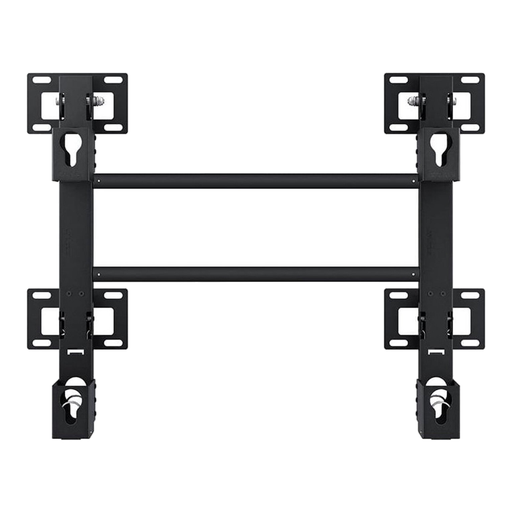 No image available
Before choosing, check the product information to see whether this model is suitable for your TV and intended mounting position.
190.5 cm (75 inches); black.
 No image available
A 75-inch screen may be an option for portfolios viewed from a distance. Check the size against your room and readability from the back.
75 inches; 4K; HDR; 144 Hz VRR; HDMI 2.1.
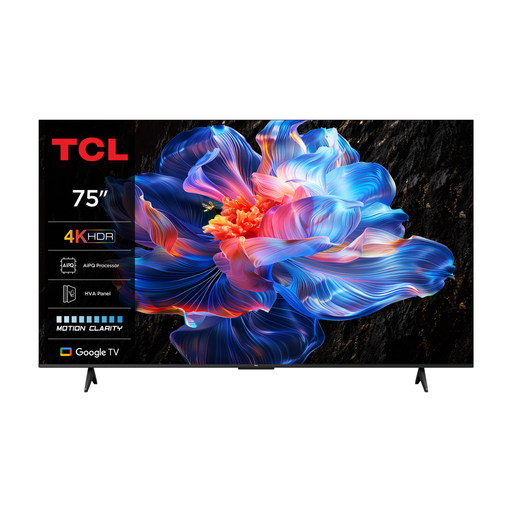 No image available
Use a sample slide to check whether the 75-inch size works for the back row and your chosen slide layout.
75 inches; 4K; 60 Hz.
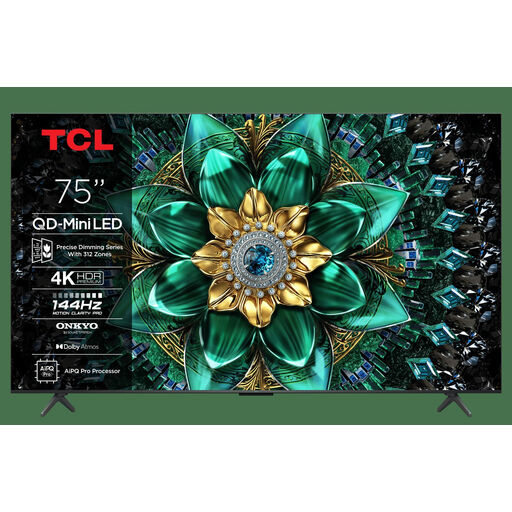 No image available
The 75-inch screen may suit a presentation set-up. Test the smallest important text from the furthest seat.
75 inches; 4K; HDR Premium; 1,000 nits.
No, use it as a starting point only. The Consumers' Association gives around 2.4 times the screen diagonal for comfortable TV viewing. For a portfolio, test the smallest essential text from the back row.
You can send a picture from a laptop to a TV via HDMI; LG also describes wireless sharing as an option. Test your own equipment and files beforehand, and check the aspect ratio, as the required setting can vary by model.
Treat displaying a static image for a long time as something to be mindful of. LG describes features that help prevent permanent image retention, but they are no guarantee that it will never happen. Follow the instructions for your chosen model.
Compare the energy label and product information for the specific TV. The European label shows consumption in kWh per 1,000 hours. In the Netherlands, a product bought by a consumer must meet the expectations you are entitled to have, and the seller is generally your first point of contact if there is a problem. Check what cover any extended warranty adds.
Televisions are covered by European energy labelling rules for electronic displays. The label and accompanying product information help you compare models, but do not require you to choose a particular energy class.