What should you consider when choosing?
Start by checking visibility from the furthest seats and those furthest to the side. Then choose a playback method you can test in advance with your own equipment and photos.
| What to consider |
What should you check? |
Who is this important for? |
| Visibility from a distance and in daylight |
Measure the distance to the rearmost seat and view the screen in similar lighting. Look out for reflections and consider how much room the screen takes up. |
I want the photos to remain recognisable from the back row, even in daylight. Around 31% of consumers planning this presentation put visibility from a distance and in daylight first. |
| Connections and playback |
Check HDMI and USB support for the exact model, and test the whole presentation using your own device and files. For the Cast and AirPlay options described by Sony, the TV and playback device need to be on the same Wi-Fi network. |
I don’t want to rely on Wi-Fi when presenting from a laptop. Around 25% of consumers planning this presentation prioritise a reliable playback method that has been tested in advance. |
| Viewing angle for guests seated around the room |
View the screen from the seats furthest to the side. The Consumers’ Association generally notes that OLED offers a wider viewing angle; Tweakers points out that colour and contrast can change when viewed from an angle. |
I want guests sitting away from the centre line to be able to follow the photos clearly. Around 25% of consumers planning this presentation prioritise visibility from seats at an angle. |
| Purchase, positioning and use |
Compare the EU energy label for the exact model variant and check its dimensions and how it can be positioned. The European Commission describes an A to G energy label scale for electronic displays. |
I want to know in advance whether the TV will fit in the available space and suit the way I’ll use it. Around 19% of consumers planning this presentation prioritise purchase, positioning and use. |
TVs for a photo presentation on Joybuy
This selection includes TVs for a family photo presentation, with screen sizes and connections you can assess against the room layout and your preferred playback method.
 No image available
Philips 55PUS8001 55-inch 4K TV
The 55-inch screen gives you a specific size to compare with the room and the distance to your audience.
The product information lists HDMI, USB photo playback and support for JPEG, PNG, GIF, BMP and HEIF.
View at Joybuy
 No image available
Hisense 55A6S 55-inch 4K UHD TV
The 55-inch screen size is a useful starting point for assessing visibility from the furthest seat.
The product information lists HDMI, USB, AirPlay 2 and playback of JPEG/JPG, PNG, BMP and GIF files. Check that it works with your device and files.
View at Joybuy
 No image available
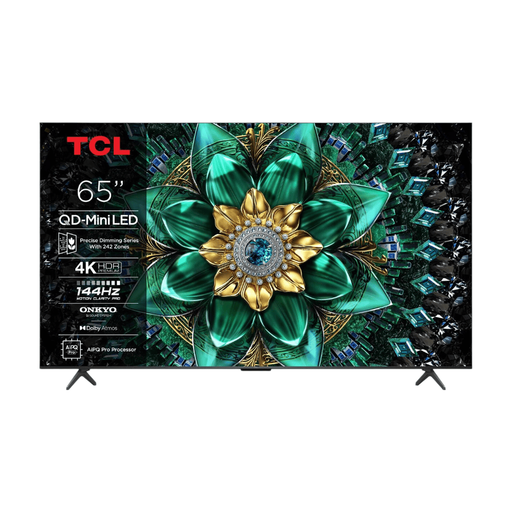
TCL 65Q6C 65-inch QD Mini LED TV
At 65 inches, you can assess whether this screen size suits the available space and viewing distance in the room.
The product information lists 4K HDR and HDMI connections for external devices.
View at Joybuy
 No image available
TCL 75Q7C 75-inch 4K Mini LED TV
The 75-inch size is worth considering when weighing up the available space and distance to the back row.
The product name lists 4K Mini LED and 144 Hz. The product information lists HDMI 2.1.
View at Joybuy
 No image available
Hisense 75E8Q 75-inch 4K Mini LED TV
The 75-inch size gives you a screen measurement to compare with the room and the distance at which guests will be watching.
The product name lists 4K Mini LED and 144 Hz. The product information lists HDMI and a wide viewing angle as features; check the picture from the side too.
View at Joybuy
Frequently asked questions
Can you show your presentation from a laptop without Wi-Fi?
Yes. HDMI is a wired option if your laptop and TV have compatible ports. Check the connections on the exact model and test in advance that your presentation displays correctly on the second screen.
Can you connect a phone via USB and play photos straight away?
Not necessarily. LG explains that, for the relevant connection method, a phone needs to support PTP; MTP isn’t supported. Check the manual for the model variant you’ve chosen and test the connection in advance.
How can you take power consumption into account?
Compare the EU energy labels for the exact models. According to the European Commission, the scale for electronic displays runs from A to G. The label also includes information such as screen size and resolution.
Does the statutory warranty on a TV in the Netherlands always end after two years?
No. ACM ConsuWijzer explains that your statutory rights apply alongside any seller’s or manufacturer’s warranty, and that what you could reasonably expect from the product with normal use is taken into account if it develops a fault. Contact the seller if this happens.
Can the community group also publish identifiable photos online?
Publishing photos online is different from showing family photos on a screen during a gathering. According to the Dutch Data Protection Authority, an organisation needs a lawful basis under the GDPR to take or publish identifiable images. Consider publication separately.


