
Switch party gamers
You want to play with several people on one TV and find out whether each player needs a separate Joy-Con or a full controller. Nintendo Support in the Netherlands lists the controller requirements for each game and game mode.


Start with your console and the specific game: a controller that works with your system won’t necessarily suit every game mode. Some Switch party games require each player to have a separate Joy-Con, while for PS5 or Xbox you’ll need a controller designed for that console. On PC, also check the connection type and whether the game supports it. Count the controllers you already have and check your charging options before deciding what else you need.
You want to play with several people on one TV and find out whether each player needs a separate Joy-Con or a full controller. Nintendo Support in the Netherlands lists the controller requirements for each game and game mode.
You already have a PS5, Xbox or Switch 2 and are looking for an extra controller that suits your console and the game you have in mind. Nintendo Support in the Netherlands, PlayStation and Xbox provide system-specific information on compatibility and use.
You’re connecting a PC to a big screen and want to check in advance that the controller, connection and game will work together, especially if several people are playing. Xbox and 8BitDo explain the platform and connection differences for their controllers.
First, check your console and the controller requirements for the exact game and game mode. Then count the compatible controllers you already own and check that the connection and charging options will work with your setup.
| What to consider | What should you check? | Who is this most relevant to? |
|---|---|---|
| Compatibility | Check your console, the exact controller model and the input requirements of the game you have in mind. | I want to be sure the controller works with both my system and the game mode I’ve chosen. Around 40% of consumers put compatibility first. |
| Controls for every player | Check how many players the game mode supports on one system, and whether each player needs a separate Joy-Con or a full gamepad. | I want to have enough suitable controllers ready for everyone playing. Around 30% of consumers prioritise the number of players and the controls they need. |
| A ready-to-use setup | Count the controllers you already have and check how they charge, as well as whether the game has any additional requirements. | I want to know what I can already use and what charging solution my setup needs. Around 20% of consumers prioritise having a complete, ready-to-use setup. |
| PC connection | Check the connection method for the exact model and test multiple controllers with your PC and game. Xbox warns that Bluetooth performance may drop when using multiple controllers. | I want to connect several controllers to my PC without running into connection problems once we start playing. Around 10% of consumers prioritise PC connectivity. |
Whether players can use a Joy-Con on its own depends on the game and game mode. Joy-Con 2 also work only with Nintendo Switch 2.
First check the controller requirements for the game mode you’ve chosen, then check which generation of Switch you have.
Existing Switch Joy-Con can be paired wirelessly with Switch 2, but you can’t attach them to that console to charge them.
Before relying on your existing controllers, check whether you have an original Switch or a suitable charging solution.
Without a charging option like this, you may need a separate charging accessory to charge your existing Joy-Con.
According to 8BitDo, the Ultimate 2C Wireless and Ultimate 2C Bluetooth differ in their platform compatibility and connection method.
Compare the full model name and platform specifications with your console or PC, rather than looking only for the words Ultimate 2C.
A manufacturer’s or retailer’s warranty is separate from your statutory rights. ACM ConsuWijzer points out that the retailer remains responsible if a product doesn’t meet what you could reasonably expect.
Check what additional cover is offered and what it provides before paying for it.
An additional warranty service may cost extra.
Joy-Con and Pro Controllers for different Switch generations and game modes.
DualSense controllers for adding more local players to an existing PS5 setup.
Wireless Xbox controllers for supported Xbox consoles and Windows PCs.
Different Ultimate 2C models for various platforms; the full model name matters.
A licensed Switch controller worth comparing if you’re looking for a full gamepad.
Below are Joybuy product options for Nintendo Switch and Switch 2, PS5, Xbox and PC. The right controller for you depends on the exact model and what your game requires.
 No image available
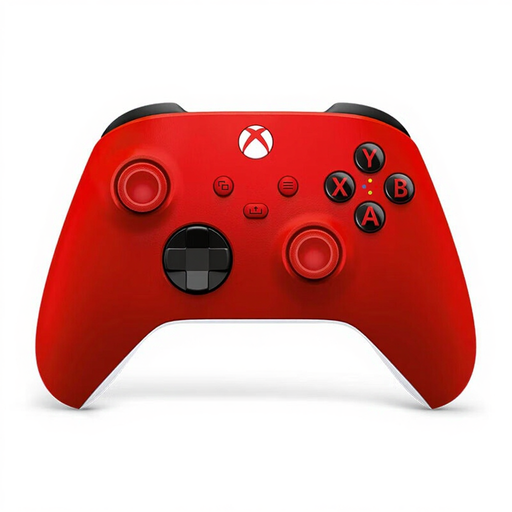
An option for an Xbox or Windows PC setup. Check that the controller and game are suitable for the number of players you have in mind.
Xbox warns that Bluetooth performance may drop when using multiple controllers.
 No image available
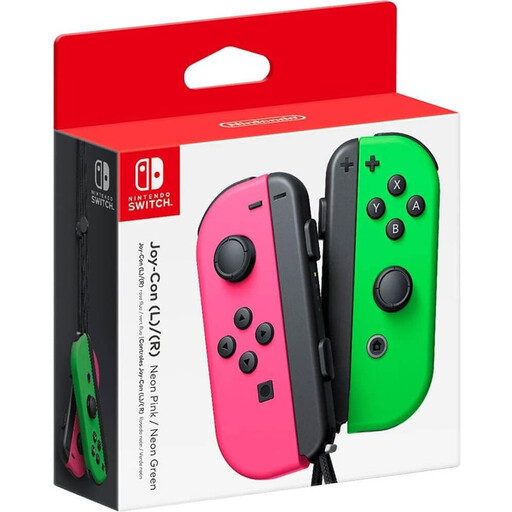
A pair of Joy-Con for Switch game modes where players use one Joy-Con each. Nintendo Support in the Netherlands gives local play in Super Mario Party as an example.
Existing Switch Joy-Con can be used wirelessly with Switch 2, but can’t be attached to that console to charge.
 No image available
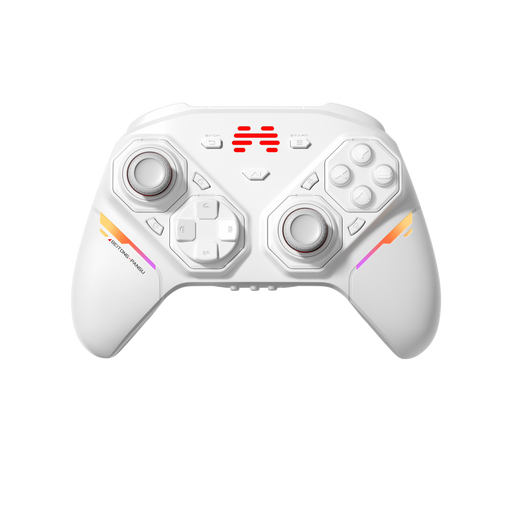
An option to compare for a PC or Switch setup. Check the exact model and whether your game supports it.
The product name mentions interchangeable joysticks, buttons and D-pads, and lists PC, Nintendo Switch and Switch 2.
 No image available
An extra controller for an existing PS5 setup. Check that the game supports local multiplayer for the number of players you want.
PlayStation lists haptic feedback and adaptive triggers as controller features. How useful they are depends on the game.
 No image available
A pair of Joy-Con 2 for Switch 2 game modes that support separate controllers for each player. Nintendo lists Joy-Con 2 as a controller option for each player in Mario Kart 8 Deluxe.
Joy-Con 2 work only with Nintendo Switch 2.
No, it depends on the game and game mode. Nintendo Support in the Netherlands says Super Mario Party requires one Joy-Con per player for local play. For Mario Kart 8 Deluxe, Nintendo also lists a Pro Controller per player as an option when two people play on one system. So check the requirements for the game mode you want to play.
Pair your existing Joy-Con wirelessly with Switch 2. Nintendo Support in the Netherlands says you can’t attach them to Switch 2 to charge them; you’ll need an original Switch or a suitable charging solution. Joy-Con 2 must be detached from Switch 2 for TV mode.
Not necessarily: the game and game mode determine how many people can play on one system at a time. Nintendo lists different player numbers for different game modes in Super Mario Party Jamboree. So PlayStation’s maximum of four controllers for PS5 doesn’t guarantee that every game supports four players.
Wireless controllers placed on the market in the Netherlands as radio equipment must meet the applicable European radio equipment requirements. The Dutch Authority for Digital Infrastructure states that CE marking is required. Check the marking and information for the specific product: a brand name or general product listing doesn’t by itself confirm that every individual item complies.
According to ACM ConsuWijzer, you have statutory rights in addition to any manufacturer’s warranty. If the product doesn’t meet what you could reasonably expect, the retailer is responsible for an appropriate solution, such as a repair or replacement. There isn’t one fixed statutory warranty period that applies to every product in the Netherlands.