What should you look for?
Measure the furthest viewing distance, then consider whether the screen suits the location, the lighting and the way you’ll connect your film and sound. Based on its own research, the Dutch Consumers’ Association suggests a comfortable viewing distance of around 2.4 times the screen’s diagonal measurement.
| What to consider |
What to look for |
Who is this most relevant to? |
| Picture from the back |
Measure the distance to the furthest seat and the width of the available space. Use the viewing distance as a guide and check that subtitles are easy to read. |
If I’m sitting at the back, I want to be able to read the subtitles, so I start by measuring the distance to the screen. Around 31% of consumers prioritise being able to see the screen from the back seats. |
| Outdoor setup |
Check whether the screen will be unsheltered and look at the usage and installation conditions for that exact model. Assess the power supply and connected equipment separately. |
If the screen is outdoors, I want to know whether the model is designed for those conditions and what the rest of the setup requires. Around 25% of consumers prioritise suitability for unsheltered outdoor use. |
| Lighting and viewing angle |
Check for reflections and assess the viewing angle in similar lighting conditions and from the furthest seats. Don’t rely on a brightness claim alone. |
In daylight, or when people are sitting at an angle to the screen, I want the picture to remain easy to follow from those seats. Around 19% of consumers give top priority to visibility in bright conditions or from a side angle. |
| Film and sound |
Check that you can connect your film source to the TV. For external audio, check whether both devices support HDMI-ARC/eARC or which other connection is available. |
For a film night with a group, I want to make sure the player and sound system work together in advance. Around 13% of consumers focus mainly on shared audio and a suitable connection for their film source. |
| Total costs |
Compare energy labels and ask about any delivery and installation costs in advance. Check what an optional extended warranty adds to your existing rights. |
If I use the TV regularly, I want to know the running costs and service conditions in advance. Around 12% of consumers focus mainly on total costs and after-sales support. |
TVs for a sheltered setup
This selection consists of large indoor TVs for a dry, sheltered viewing setup. Check the warnings and conditions for the exact version; these models aren’t designed to be exposed to rain or damp conditions without shelter.
 No image available
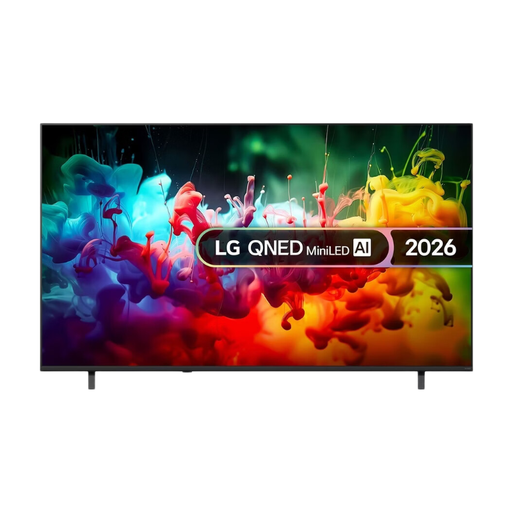
LG QNED70 75-inch 4K Mini LED Smart TV (2026)
The 75-inch size could suit a group screening with viewers seated a long way back. Measure the distance and check that the screen is easy to see from the back.
Specifications in the product name: 75 inches, 4K, Mini LED and Smart TV. The warning for this model says to keep the TV away from water, damp conditions and rain.
View at Joybuy
 No image available
TCL T8D 85-inch 4K QD-Mini LED Smart TV (2026)
The 85-inch size is worth considering when the seats at the back are a long way from the screen. Also check that the TV will fit in your planned location.
Specifications in the product name: 85 inches, 4K, QD-Mini LED, Google TV, 144 Hz, FreeSync Premium and Onkyo 2.1 Sound. The warning for this model says to avoid exposure to rain or damp conditions.
View at Joybuy
 No image available
TCL 85Q7D PRO 85-inch 4K SQD-Mini LED TV
This 85-inch model is worth comparing if you’re looking for a large screen for viewers sitting a long way back. Check the viewing distance and how much light is reflected in your planned setup.
Specifications in the product name: 85 inches, 4K, SQD-Mini LED, 2.000 nits HDR, anti-reflection, 144 Hz, Dolby Vision IQ, Dolby Atmos and Google TV. The warning for this model says not to place it in a damp environment.
View at Joybuy
 No image available
TCL 75T8D 75-inch 4K QD-Mini LED TV
The 75-inch size could be worth comparing for a group with viewers seated a long way back. Check the viewing distance and available space.
Specifications in the product name: 75 inches, QD-Mini LED, 4K, Google TV, 144 Hz, VRR, FreeSync Premium and Onkyo 2.1 Sound. The warning for this model says to avoid exposure to damp conditions or liquids.
View at Joybuy
 No image available
METZ 86MQE8000Z 86-inch QLED Google TV
The 86-inch size is worth considering for a long viewing distance. Measure beforehand to make sure the TV and viewing setup will fit the location.
Specifications in the product name: 86 inches, QLED, 4K, 144 Hz, Dolby Vision Atmos and an integrated 2.1.2 audio system with subwoofer.
View at Joybuy
Frequently asked questions
How do you choose a screen size when people are sitting a long way back?
Measure the distance from the screen to the furthest seat. Based on its own research, the Dutch Consumers’ Association suggests a comfortable viewing distance of around 2.4 times the screen’s diagonal measurement. Use this as a guide, and also check that subtitles are readable from the back.
Can you put a regular TV outdoors for one film night?
Don’t assume a TV is suitable for damp conditions or rain because of its size or brightness. Check the conditions for the exact model and setup. Samsung states that the specific 75-inch The Terrace LST7D is suitable for outdoor use and has an IP56 rating; this specification doesn’t automatically apply to the power supply or other equipment.
How do you connect a player and external speakers?
You can connect a separate player through an HDMI input if both devices support it. For an external sound system, check whether both the TV and sound system support HDMI-ARC or eARC, or which other connection is available, and test the full setup before the screening.
Do you need an extended warranty for a TV?
An extended warranty isn’t automatically necessary. For consumer purchases in the Netherlands, the seller must provide a product that is fit for purpose. Compare the terms of a paid warranty with your existing rights; according to the Dutch government, there is no fixed statutory warranty period in the Netherlands.
Can you show a copyrighted film to a group in the garden?
According to the Dutch government, you need the rights holder’s permission to show a copyrighted film in public; a home copy for personal use can’t be shown publicly. Whether a particular event legally counts as a public screening depends on more than just the location. Check the film rights and screening arrangements before you organise the event.


