
Viewer with limited space
You want to choose a screen that works at a short viewing distance and fits on your furniture or wall. The Consumers’ Association recommends measuring the viewing distance from where your eyes will be.


For opera recordings in a narrow living room, the right TV depends on both your viewing distance and the width available. Measure both before choosing a screen size. The Consumers’ Association uses your viewing distance in centimetres divided by 2.4 as a starting point for the screen’s diagonal measurement in centimetres. OLED can be a good option for dark scenes and viewing from an angle. If your room gets plenty of daylight, LCD or mini LED is also worth considering. For sound, listen to both vocals and orchestra before you decide.
You want to choose a screen that works at a short viewing distance and fits on your furniture or wall. The Consumers’ Association recommends measuring the viewing distance from where your eyes will be.
You care most about dark scenes, contrast and picture quality from different seats. The Consumers’ Association outlines general differences between OLED and LCD, but performance varies by TV.
You want to compare clear vocals and convincing musical sound, perhaps with your existing external audio equipment. According to the Consumers’ Association, sound quality can vary considerably between TVs.
A good fit when: your measured viewing distance and available space suit a smaller size, and you often watch in the evening.
The trade-off: OLED can deliver deep blacks and a wide viewing angle, but check reflections and how each model handles long periods of static images.
A good fit when: you often watch in daylight or want to compare LCD’s features.
The trade-off: LCD can be bright, but black levels, reflections and viewing angle depend on the specific TV.
The Consumers’ Association recommends measuring the viewing distance from your eyes. Divide that distance in centimetres by 2.4 to get a starting point for the screen’s diagonal measurement. Then check that the TV’s actual dimensions will fit your furniture or wall.
| What to consider | What should you check? | Who should give this more weight? |
|---|---|---|
| Screen size and positioning | Measure the viewing distance and the available width on your furniture or wall. Check the dimensions of the exact model, including the stand if you plan to place the TV on furniture. | I want the screen to look comfortable from my seat and fit in the space. Screen size and positioning are the top priority for around 31% of consumers choosing a TV for this situation. |
| Dark scenes and viewing angle | Compare a dark scene and a bright one from the seats you use. Consider how you use your TV when it comes to displaying static images for long periods. | If I often watch stage performances from different seats, I take contrast and viewing angle into account. These features come first for around 25% of consumers making this choice. |
| Vocals, orchestra and connections | Listen to both vocals and orchestra on the TV. If you want to connect existing external audio equipment, check the audio output on the exact model. | I want to assess vocals and orchestra clearly, with or without my existing audio equipment. Sound is the main buying priority for around 25% of consumers choosing a TV for this situation. |
| Daylight and reflections | Consider when daylight falls on the screen and which direction it comes from. Compare the brightness and reflections of specific models in similar conditions. | If I mostly watch during the day, I want to know how the light in my room affects the picture. Daylight and reflections matter most to around 19% of consumers making this choice. |
Your viewing distance won’t tell you how much width you have available on your furniture. The TV’s dimensions, including the stand, may also affect where you can place it.
Measure both the distance from your eyes to the screen position and the space available for the TV. Check the dimensions of the exact version, including the stand.
Light, reflections, viewing angle and picture processing vary by TV. Screen technology alone won’t tell you how a model will perform in your living room.
Compare specific models using scenes similar to what you watch, from the seats you use and in comparable lighting conditions.
According to the Consumers’ Association, sound quality varies considerably between TVs. A picture assessment won’t tell you how vocals and orchestra will sound.
Listen to both on the TV you’re considering. If you use an external audio system, check that the connections on the exact model are compatible with your equipment.
Since 1 March 2021, TV energy labels have used a scale from A to G. Older labels with plus signs use a different scale.
Check the label for the exact model and compare its stated consumption in kWh per 1,000 hours on the same basis.
The OLED48C55LA is a 48-inch OLED option to compare if a more compact screen size could work for you.
According to Philips, the 48OLED810/12 combines a 48-inch 4K OLED screen with Ambilight.
According to Samsung, the QE50QN90FATXXN is a 50-inch Neo QLED mini LED TV to compare with more compact OLED models.
According to Sony’s specifications, the K-55XR5 is a 55-inch LCD TV with mini LED backlighting and local dimming.
This Joybuy selection includes TVs from 32 to 55 inches, including OLED, QLED and mini LED models to compare against your viewing distance, available space and preference for built-in audio features.
 No image available
A 48-inch OLED option to compare with your viewing distance and available space.
The product name lists 120Hz Native, VRR 165Hz, Dolby Vision, Dolby Atmos and webOS 26.
 No image available
A 50-inch mini LED option to compare with OLED models and the space you have available.
The product name lists 4K and 144Hz.
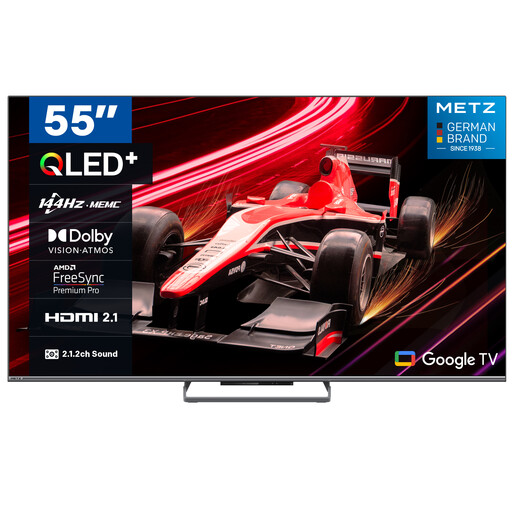 No image available
A 55-inch option to compare only if your viewing distance and available width allow for this size.
The product name lists 144Hz, 4K HDR10+, a 2.1.2 sound system and Dolby Vision Atmos.
 No image available
A smaller screen size to compare with your viewing distance and the space where you plan to put the TV.
The product name lists HDR10, Dolby Audio and Google TV.
 No image available
A 55-inch mini LED option to compare with other screen technologies, if it fits in the space available.
The product name lists 144Hz, 4K HDR10+, a 2.1.2 sound system and Dolby Vision Atmos.
Measure from your eyes to where the TV will go. The Consumers’ Association uses the distance in centimetres divided by 2.4 as a starting point for the screen’s diagonal measurement in centimetres. Also check the actual width and height, including the stand if you plan to put the TV on furniture.
No, watching opera recordings doesn’t automatically mean you need one. The Consumers’ Association has found considerable differences between TV speakers and says a soundbar can often improve the sound. First, listen to vocals and orchestra on the TV you’re considering. If you plan to use external audio, check the connections too.
It depends on the service you use, the file format and the exact TV. The Consumers’ Association points out that not every app is available on every smart TV. Before you buy, check that your app is supported and that the connections are suitable for your external player.
TV energy labels run from A to G. Energielabel.nl also recommends checking consumption per 1,000 hours. Older labels with plus signs use a different scale and can’t be compared directly.
According to ACM ConsuWijzer, when you buy a TV online you generally have up to 14 days after delivery to change your mind. You’re also covered by the statutory guarantee: if the TV doesn’t meet what you could reasonably expect under normal use, the seller must offer a solution.