Who might this TV choice suit?

Presenter with limited shelf space

Wants to show visitors historical photos and needs to balance the TV’s overall dimensions, including the stand, against the viewing distance and caption legibility. The Consumers’ Association advises taking viewing distance into account when choosing a screen size.

Presenter without a dedicated computer

Would prefer to play the presentation directly from storage. Check whether the exact TV model supports your files and preferred controls. LG’s general USB help page warns that supported file extensions can vary by model.

Host with viewers seated around the room

Wants visitors to be able to watch from different seats, so viewing angles and reflections matter as well as screen size. The Consumers’ Association highlights viewing angle as something to consider when several people are watching together.

What should you look for when choosing?

What to consider What should you check? Who is this most relevant to?
Shelf space and legibility Measure the shelf’s width and depth, check the stand’s footprint and assess the slides from the furthest seat. I want the TV to fit on the shelf and the captions to remain readable from the back of the room; around 31% of consumers prioritise shelf space and legibility.
Playback and control Check the HDMI connections on the TV and computer, or confirm USB file format and control support. I want to control my presentation easily from my chosen source; around 31% of consumers give playback and control top priority.
Viewing from different seats Check the picture from the seats furthest to the side, with the lighting you’ll use during the presentation. I want visitors to be able to follow the photos even when sitting at an angle to the screen; around 25% of consumers prioritise visibility from different seats.
Running costs and permissions Compare the energy information for the exact model and check the rights for any photos you plan to share with visitors. I want to know in advance about the running costs and permissions involved in my presentation; around 13% of consumers give running costs and aftercare top priority.

Common pitfalls

  • Measuring only the screen diagonal

    A 32-inch TV doesn’t tell you how much room the stand takes up or whether captions will be readable from where you’ll be watching. The Consumers’ Association also recommends considering viewing distance when choosing a screen size.

    Measure the shelf’s width and depth, check the stand dimensions for the exact model and view a sample slide from the furthest seat.

    If the stand doesn’t fit or the slides are hard to read, you may need a different setup.

  • Assuming a USB port will automatically play a slideshow

    A USB connection alone doesn’t confirm that your photo files, preferred order or automatic playback will work.

    Check the manual for the exact model and test your own slides. If you’re using a computer, check that the TV and computer have compatible HDMI connections.

    For direct playback, you may still need a computer or another playback solution if the model doesn’t support your files or preferred controls.

  • Assuming resolution or screen technology guarantees visibility from every seat

    An HD, Full HD or QLED label alone doesn’t tell you how visible the picture will be from an angle or in the presence of reflections. The METZ 32MQF7000Z product information sheet lists technical model details; it doesn’t assess visibility from every seat.

    Compare the picture from the seats furthest to the side and consider the room’s lighting.

  • Assuming old or online photos are free to show

    A photo’s age or where you found it doesn’t automatically tell you whether you can show it publicly to visitors. According to the Dutch government, you may need permission from the creator to use copyrighted photos; a private copy for personal use doesn’t give you permission to make the photo public.

    Check who holds the rights to each photo and what permission or licence applies to your planned screening.

    You may need permission or a licence to show the photos.

Brands to compare for this TV choice

Philips

The Philips 32PFS6900/12 is a 32-inch Full HD model worth considering if you’re looking for several connections on a compact TV.

  • The Consumers’ Association lists 3 HDMI ports, 2 USB ports and a width of around 73 cm including the stand for this model.
  • These connections don’t confirm that your USB files will work as the slideshow you want. Check the stand depth too.

Samsung

The Samsung UE32F6000F is a 32-inch Full HD model to compare if you want to connect your presentation via HDMI.

  • According to the Consumers’ Association, this model has 2 HDMI ports, 1 USB port and a width of around 73 cm including the stand.
  • The USB port doesn’t prove that your preferred slideshow will work; check the stand depth separately.

LG

The LG 32LQ63006LA is a 32-inch Full HD smart TV. LG’s general support information explains how compatible TVs can play media from USB.

  • LG’s general USB help page gives you a starting point for checking direct playback.
  • LG says supported extensions and codecs can vary by model. This doesn’t confirm that a slideshow will work on the 32LQ63006LA.

METZ blue

The METZ blue 32MQF7000Z is a 32-inch QLED LCD TV to consider if you’re also looking at a compact HD option.

  • The manufacturer’s product information sheet lists a resolution of 1366 × 768 pixels and 26,0 W in SDR mode.
  • These model details don’t tell you how legible historical photos will be. Check the overall dimensions including the stand, and the presentation features separately.

TVs for a compact presentation setup

This selection features 32-inch TVs for presentations in compact spaces. Check each model’s connections and features to make sure they suit your computer, storage device or other source.

KOORUI K32Q1FFQ-T8 32-inch Full HD QLED TV with Tizen OS

KOORUI K32Q1FFQ-T8 32-inch Full HD QLED TV

Its 32-inch size makes this a model worth comparing for a compact presentation setup.

The product information lists Full HD, QLED and Tizen OS. Check the stand dimensions and whether you can connect your preferred presentation source.

Joybuy

CHiQ L32QM10E 32-inch QLED smart TV

CHiQ L32QM10E 32-inch QLED smart TV

This 32-inch model is worth considering if you want to connect a computer presentation via HDMI.

The product information lists QLED, Google TV and HDMI 1.4. Check that the HDMI connection suits your intended source, and measure the stand to make sure it will fit on your shelf.

Joybuy
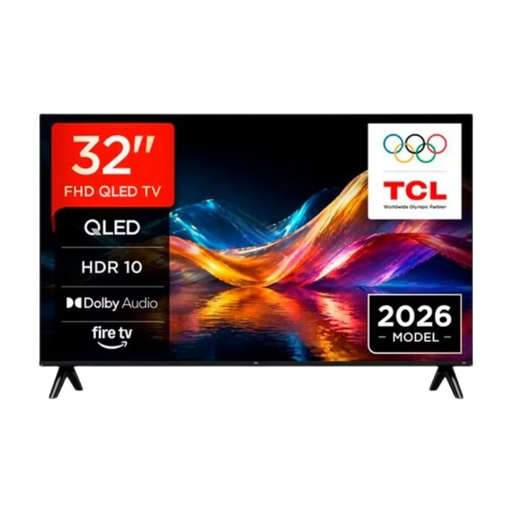
TCL 32V5D 32-inch QLED smart TV

TCL 32V5D 32-inch QLED smart TV

This model is worth considering if you want to mirror a presentation from an Apple device.

The product information lists Apple AirPlay. The title mentions HD-FHD without specifying a single fixed resolution; check the resolution you need and the stand dimensions before buying.

Joybuy

METZ 32MQF7030Z 32-inch QLED smart TV with Google TV

METZ 32MQF7030Z 32-inch QLED smart TV

This 32-inch TV is worth comparing for a compact presentation setup.

The product information lists HD, Google TV and Google Cast. Check that your devices support your preferred presentation method and that the stand will fit on the shelf.

Joybuy
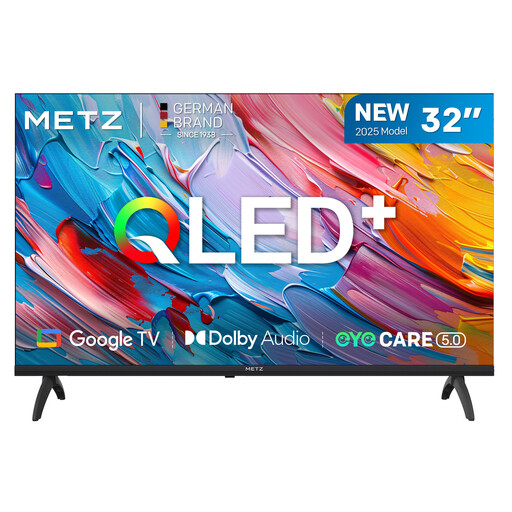
METZ 32MQF7000Z 32-inch QLED Google TV

METZ 32MQF7000Z 32-inch QLED Google TV

This 32-inch model is worth comparing if you’re using a computer as your presentation source.

The product information lists 3 HDMI connections. The resolution details are contradictory, so check the exact resolution of the version on offer. Measure the stand too before placing the TV on a shelf.

Joybuy

Frequently asked questions

Can I show a slideshow from a laptop?

Yes, as long as your laptop has a suitable video output and you connect it to the TV using a compatible connection. Philips explains that HDMI can be used to display computer content on a TV; according to the Consumers’ Association, the Philips and Samsung models reviewed have HDMI inputs. Check the connection on your own laptop.

Does a USB port mean my photos will automatically play as a slideshow?

No, a USB port alone doesn’t confirm this. Check the exact model’s supported storage devices, photo formats and slideshow controls. LG’s general USB help page warns that supported file extensions can vary by model.

What cooling-off period and warranty apply when buying online in the Netherlands?

According to ACM ConsuWijzer, when you buy a new TV online, you’ll generally have a statutory cooling-off period of up to 14 days after delivery. You’re also covered by the statutory guarantee: if the TV doesn’t perform as you could reasonably expect under normal use, contact the retailer to find a solution. The statutory guarantee doesn’t simply have a fixed two-year limit.

Can I show visitors other people’s historical photos?

Not necessarily. According to the Dutch government, you need the creator’s permission to make photos that are still in copyright publicly available. A private copy for personal use doesn’t give you permission to share or make that copy public. Check whether rights still apply to each photo and whether the relevant permission or licence covers your planned screening.

How do I compare the electricity consumption of TVs?

Compare the energy information for the exact models on the same basis, then factor in how long you’ll use each TV and your electricity tariff. For example, the METZ 32MQF7000Z product information sheet lists 26,0 W in SDR mode. That’s not a cost per presentation, and it tells you nothing about the consumption of other models.
