Measure the shelf’s width and depth, including the stand, and choose a screen size that suits your viewing distance; screen size alone isn’t enough. Then compare the sound quality of the specific TV and check that it works with your recording source and any audio equipment you already have. A larger 4K screen needs more space and is most worthwhile when the recording is suitable for it.
Who is this guide for?
Viewer with a narrow shelf
You want to watch a recorded performance without the TV or its stand extending beyond the space available. So measure the space and take your viewing distance into account; the Consumentenbond recommends factoring in viewing distance.
Music lover with limited space for audio equipment
You want vocals and instruments to sound good, but you may not have room for extra speakers. The Consumentenbond points out that smaller TVs don’t always sound very good, so assess the specific TV and its available connections.
Viewer with a recording of their own
You have the performance on a player or storage device, or available through a streaming service, and want to know whether your chosen TV can play it. The Consumentenbond describes HDMI as a standard connection for devices such as standalone players; also check that the required app is available or that the TV supports the file format.
What should you look for when choosing?
Compact TV, around 32 inches
Best for: limited shelf width and a viewing distance that suits a smaller screen.
Trade-off: check the stand dimensions; according to the Consumentenbond, smaller TVs don’t always sound very good.
TV, around 40–43 inches
Best for: a shelf and viewing space that can comfortably accommodate a larger screen.
Trade-off: a larger screen takes up more space. LG lists dimensions of 957 × 609 × 229 mm, including the stand, for the 43UT73006LA; these dimensions apply to that model only.
TV with existing audio equipment
Best for: a set-up where music playback matters and you already have a compatible sound system or headphones.
Trade-off: check that the connections match and that you have enough space; a small soundbar doesn’t guarantee rich-sounding music.
There are four priorities to consider. Decide which matters most for your recording and viewing space.
| What to consider |
What to look for |
Who is this important for? |
| Will the TV fit on the shelf? |
Measure the available width and depth, and check the dimensions including the stand. Also take your viewing distance into account. |
If the shelf sets the limit, you’ll want to make sure the TV and stand fit. Around 36% of consumers prioritise the space available. |
| Will the music sound good enough? |
If possible, listen to music on the specific model and check that it has the output you need for your existing audio equipment. |
If vocals and instruments are your priority, you’ll want to know whether the built-in sound is good enough or whether you can connect your existing system. Around 29% of consumers make music playback their top priority. |
| Will the TV play my recording? |
Make a note of where the recording is stored and check for the HDMI input, app or support for the exact file format you need. |
If you use your own player, storage device or streaming service, you’ll want to keep using that source. Around 21% of consumers give playback options top priority. |
| Is the picture worth the extra space? |
Compare the recording’s resolution with the screen resolution and check whether a larger TV will actually fit on the shelf. |
If you’re mainly interested in seeing the details on stage, weigh picture size against the space available and the quality of your source. Around 14% of consumers prioritise picture quality. |
Avoiding common buying mistakes
-
Comparing screen sizes in inches alone
The screen diagonal doesn’t tell you whether the stand will fit on the shelf. Dimensions vary by model; for example, LG lists dimensions of 957 × 609 × 229 mm, including the stand, for the 43UT73006LA.
Measure the available width and depth, then compare them with the full dimensions of your chosen model, including its stand.
If the stand doesn’t fit, you may need to find another way to position the TV.
-
Assuming a small soundbar will automatically improve the music
The Consumentenbond reports that smaller, lighter soundbars often sound mediocre. Sound quality also varies from one TV model to another.
First assess the TV’s sound, then check that an external system has the right connections and that you have enough room for it.
-
Choosing 4K without considering the recording
A sharper screen won’t offer the same visible benefit with every recording or at every viewing distance.
Check the recording’s resolution and consider it alongside your viewing distance and the extra space a larger screen requires.
-
Assuming an extended warranty replaces your statutory rights
According to the Dutch government, consumers are entitled to a product that meets reasonable expectations. A manufacturer’s warranty or extra cover is separate from your statutory rights.
Read exactly what additional cover includes, and contact the retailer if a product is faulty.
Brands to consider
Samsung
The Dutch model range includes the 32-inch Full HD F6000F, model UE32F6000FUXXN.
- Samsung lists Full HD and Tizen for this model.
- The virtual sound description isn’t an independent assessment of music playback. Check the stand dimensions, connections and sound quality of the exact model.
Philips
According to Philips’ product specifications, the 32PFS6900/12 is a compact Full HD model with Ambilight.
- Philips lists an 80 cm (32-inch) screen, Full HD and Ambilight for this model.
- Ambilight alone says nothing about sound quality or whether the TV will fit on your shelf; the description of the effect comes from Philips.
LG
The models reviewed include a 32-inch Full HD TV and a 43-inch 4K TV.
- For the 43UT73006LA, LG lists dimensions of 957 × 609 × 229 mm including the stand, eARC, an optical audio output and three HDMI inputs.
- These specifications apply to the 43UT73006LA; they don’t confirm whether this model’s sound will give you the music playback you want without external equipment.
TVs for a compact viewing space
These Joybuy products are 32-inch TVs to consider if space is limited. For your recording, check the dimensions, connections and playback options of the specific model.
 No image available
KOORUI K32Q1FFQ-T8 32-inch Full HD QLED Smart TV
A 32-inch model to consider for a compact viewing space and an existing audio set-up.
Full HD, QLED and Tizen; the product information lists HDMI ARC and Bluetooth.
View at Joybuy
 No image available
CHiQ L32QM10E 32-inch QLED Smart TV
A 32-inch model to consider if you’re looking for a compact TV with a smart TV platform.
Full HD and Google TV; the product information lists HDMI and USB. Dolby Audio is mentioned in the title.
View at Joybuy
 No image available
METZ Lifestyle Portable TV 32MQE7100Z 32-inch HD QLED+ Smart TV
The product title describes a portable 32-inch TV for a compact viewing set-up.
The title lists HD, HDR10, dbx-TV, Dolby Audio and Chromecast. The product information mentions Google TV and USB-C power; check that the playback options suit your recording.
View at Joybuy
 No image available
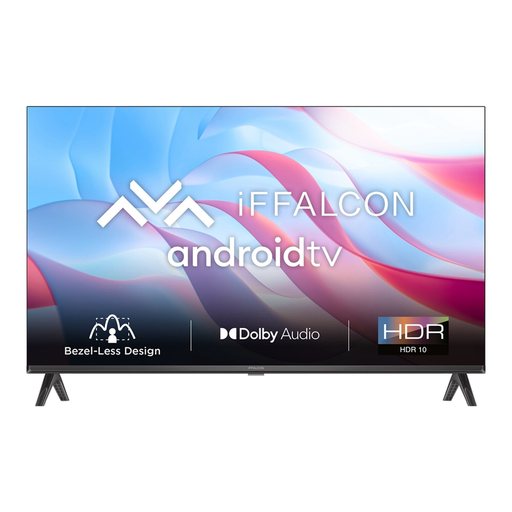
iFFALCON 32S53 32-inch LED Smart TV
A 32-inch model to consider if you’re looking for a compact TV with HDMI inputs for an external player.
The product information lists HD resolution of 1366 × 768, 60 Hz, Android TV and two HDMI inputs. Position the TV securely and keep the ventilation openings clear.
View at Joybuy
 No image available
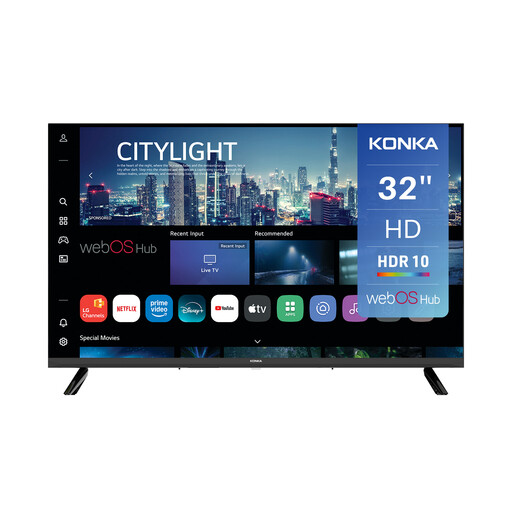
Konka KDG32YR682ANTS 32-inch HD Smart TV
A 32-inch model to consider if you’re looking for a compact TV with audio connections for an existing set-up.
720p HD and webOS; the product information lists three HDMI connections, one of which supports eARC, as well as Bluetooth and SPDIF. Position the TV securely and keep the ventilation openings clear.
View at Joybuy
Frequently asked questions
Is a 32-inch TV automatically the right size for a small shelf?
No. Measure the shelf and check the full dimensions of your chosen model, including the stand. Also consider your viewing distance: the screen diagonal doesn’t tell you how much shelf depth you’ll need.
How do I connect my existing audio system?
Compare the connections on both devices. HDMI ARC or eARC may work if both devices support it; otherwise, an optical connection may be suitable. Check the connections on your specific TV model and sound system.
Can I watch a recording from a Blu-ray player?
According to the Consumentenbond, you would usually connect a Blu-ray player via HDMI. Check that the TV has a spare HDMI input and that your player and recording are compatible for playback.
What statutory warranty applies to purchases in the Netherlands?
According to the Dutch government, you’re entitled to a product that meets reasonable expectations; the Netherlands doesn’t have a fixed statutory warranty period. If a product is faulty, contact the retailer. A manufacturer’s warranty doesn’t replace your statutory rights.
Can I change my mind if I buy a TV online from a business?
According to the Dutch government, distance purchases are often subject to a 14-day cooling-off period. Check the applicable terms and any exceptions for your purchase.


