
Viewer with a narrow shelf
Wants to know whether the TV will fit securely, so checks the stand’s dimensions and position, not just the screen size. The Consumers’ Association discusses both screen size and viewing distance when choosing a TV.


First measure the shelf and your viewing distance. The TV’s width and depth, including its stand, determine whether it will fit, while a small screen may be less comfortable to watch from further away. Then compare how it handles movement using a representative dance broadcast, and check how you’ll receive it. A high motion rating or 4K label alone is no guarantee of a better picture.
Wants to know whether the TV will fit securely, so checks the stand’s dimensions and position, not just the screen size. The Consumers’ Association discusses both screen size and viewing distance when choosing a TV.
Wants to keep track of the movements clearly, so focuses on how the picture looks in motion rather than just the stated refresh rate. The Consumers’ Association points out that image processing doesn’t perform the same way in every situation.
Wants to check in advance whether the broadcast is available through their preferred app, tuner or external receiver. The Consumers’ Association describes HDMI, among other things, as a connection for a separate TV receiver.
First measure the shelf and your viewing distance. Then compare how the TV handles movement and check that you can watch the competition through your preferred service, channel or receiver.
| What to consider | What should you look for? | Who should focus on this? |
|---|---|---|
| Fit and viewing distance | Measure the width, depth and height of the space, the position of the feet and your viewing distance. Compare these measurements with the exact TV model, including its stand. | If my shelf has limited space, I want to be sure the TV and stand will fit. Around 31% of consumers prioritise this. |
| On-screen movement | If possible, compare a dance scene and try the motion settings. Don’t treat a stated frequency or marketing term as a measure of motion clarity. | When watching dance, I want to follow the movements without image processing causing distracting artefacts. Around 26% of consumers put motion handling first. |
| Receiving the competition | First decide which channel, streaming service or provider you’ll use. Then check that the exact model supports it and has the required connection, or that you have the necessary subscription. | I want to know in advance how the competition will appear on my TV. Receiving it through the service or provider I want is the main concern for around 19% of consumers. |
| Sound and space | Assess the built-in sound. If you’re considering an external solution, check that you have enough room and that the TV and sound system support the required connection. | If I want to hear commentary and music without extra equipment, I look at the built-in sound. This is the top priority for around 12% of consumers. |
| Power and extra equipment | Compare the energy label and product information for the exact TV model. Only factor in a receiver, bracket or sound system if your setup needs one. | I want to take the power consumption and components of my complete setup into account. Around 12% of consumers put this overall consideration first. |
The stand may take up more room than you’d expect from the screen size, and the position of the feet also affects whether the TV will stand securely.
Measure the available space and check the dimensions of the exact model, including its stand. Only consider a wall bracket if it’s suitable for that specific TV and wall.
Image processing can make movement look smoother, but the Consumers’ Association says it can also cause image artefacts when movements are unpredictable.
Compare moving scenes and try the settings. Don’t base your choice on a number or product claim alone.
The competition must also be available through your chosen app, channel or provider. A separate receiver also needs a suitable connection.
First decide how you’ll watch, then check that the exact TV model supports the service and has the right connections.
An extra sound device takes up space and needs to connect to the TV.
First assess the built-in sound. If you’re considering an external solution, check whether both devices support HDMI-ARC/eARC, or which other connections are available.
Philips Netherlands describes the Philips 32PFS6900/12 as a compact Full HD TV with Ambilight. As well as checking whether it fits physically, you can weigh up whether its features suit your needs.
Samsung Netherlands describes the UE32F6000FUXXN as a 32-inch Full HD smart TV with Tizen.
LG Netherlands lists a 32-inch Full HD screen and webOS for the 32LQ63006LA.
The Consumers’ Association includes the 32S4K in a Dutch comparison of 32-inch TVs. TCL describes the S4K range on an international product page.
These Joybuy products are compact 32-inch TVs designed to sit on a piece of furniture. For each exact version, check that the TV and stand fit on your shelf and that it has the connections and reception options you need.
 No image available
A compact option to compare if you’re looking for a 32-inch Full HD TV and want to connect an external receiver.
The product information lists Tizen OS, HDMI ARC and a triple tuner (DVB-T/T2/C/S/S2). Measure the exact version, including its stand, before deciding whether it will fit on your shelf.
 No image available
An option if you’re looking for a compact smart TV with Full HD and Google TV.
The product information lists HDR10 and HDMI 1.4. Check that your preferred streaming service is available on the exact version, and measure the TV with its stand.
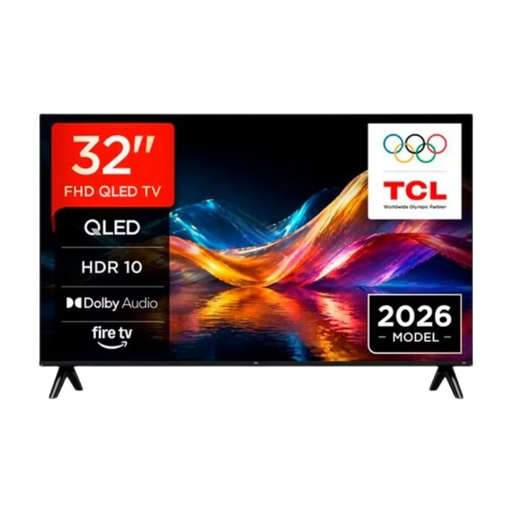 No image available
A compact TV to consider if you want to stream through apps or share your screen wirelessly.
The product information lists streaming apps and Apple AirPlay. Check that your preferred service is available and measure the exact version, including its stand.
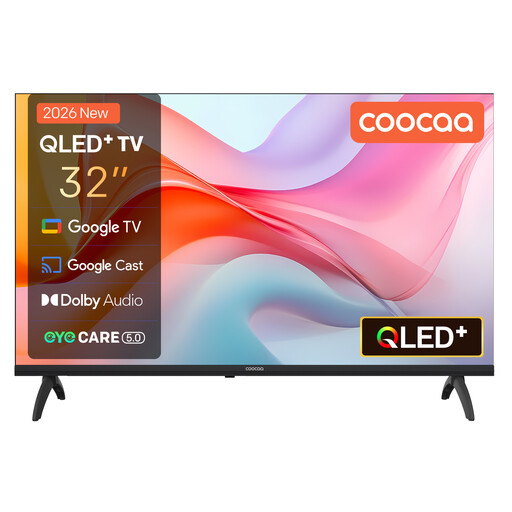 No image available
A compact option if you want to compare Google TV with reception through a built-in tuner.
The product information lists HDR10 and a triple tuner (DVB-T2/C/S2). Check that the tuner is suitable for how you receive TV, and measure the stand before deciding where to put it.
 No image available
A compact option to compare if Google TV and wall-mounting options are relevant to your setup.
The stated resolution is HD Ready (1366 × 768), not Full HD. The product information lists Google TV, a tuner (DVB-T/T2/C/S/S2) and VESA 200 × 100 mm. Check that it supports your preferred reception method and measure the dimensions with the stand.
No. Measure the TV with its stand and take your viewing distance into account. Based on its own research, the Consumers’ Association suggests a comfortable viewing distance of around 2.4 times the screen diagonal. Use this as a guide and compare nearby screen sizes too.
No. The Consumers’ Association explains that image processing can make movement look smoother, but can also cause image artefacts during fast, unpredictable movements. Compare a representative scene and try the settings.
A separate TV receiver usually connects via HDMI. HDMI-ARC or eARC may be suitable for a soundbar if both devices support that connection. Check the connections on the exact TV model.
First find out which channel, streaming service or provider is showing the competition. Then check whether that option is available on the exact TV version and whether you need a subscription, tuner or external receiver.
Yes. According to the European Commission, electronic displays such as televisions require an energy label, rated from A to G. Compare the label and product information for the exact models.