What should you look for when choosing?
Measure the distance from your usual seat and the space available before comparing screen sizes. In advice dated 5 May 2026, the Dutch Consumers’ Association suggests around 2.4 times the screen diagonal as a comfortable viewing distance. Use this as a starting point, not a fixed rule.
| What to consider |
What should you check? |
Who is this most relevant to? |
| Size and positioning |
Measure the viewing distance and check the TV’s width, stand depth and the space available. Compare the full dimensions, not just the diagonal. |
I want the TV to be comfortable to watch from my sofa and to fit in the space; around 29% of consumers in this context give size and positioning top priority. |
| Contrast and film picture quality |
Compare picture-quality ratings for the exact model and watch film footage in lighting conditions similar to those in your room. |
If dark film scenes and contrast matter most to me, I look at how the specific TV performs; around 23% of consumers put film contrast first. |
| Viewing angle |
Look at the screen from the furthest seat to the side, and check the brightness and colours from that position. |
I want to enjoy watching from an angled seat too; around 18% of consumers give viewing angle top priority. |
| Daylight and reflections |
Look out for reflections from windows and lamps, and compare screens in similar lighting conditions. Moving the TV to a different position may also help. |
When I watch during the day, I want to minimise the impact of light on the screen; around 18% of consumers put daylight and reflections first. |
| Energy use and features |
Compare the energy label and stated energy consumption. Also check the connections and whether any accessories you need are sold separately. |
I want to be able to weigh up energy use and the features I need in advance; around 12% of consumers give running costs and features top priority. |
Brands to compare
These brands offer examples of specific screen sizes and technologies to compare. The product features mentioned aren’t general assessments of the brands.
Philips
Philips’ product range includes the 48OLED810/12 and a 55-inch OLED Ambilight model, so size may be a factor in your comparison.
- Philips lists OLED, Dolby Vision and Ambilight for the 48OLED810/12.
- Ambilight is the manufacturer’s description; consider whether the lighting effect and TV suit the intended position.
Sony
The BRAVIA 5 K-55XR5 is a 55-inch mini-LED model to compare with OLED TVs.
- Sony specifies local dimming, a 120 Hz panel and four HDMI inputs for this model.
- This model doesn’t have the stated anti-reflection feature. These specifications alone don’t prove that it offers a better film-watching experience than other TVs.
Samsung
The QE55S90HAEXXN is a 55-inch OLED model to compare with other screen sizes and technologies.
- Samsung lists Glare Free for the QE55S90HAEXXN.
- Glare Free is a model-specific claim from Samsung; it doesn’t mean reflections will disappear in every living room.
LG
LG offers OLED models in various sizes, including the 55-inch OLED55C54LA.
- For the C5, LG describes deep blacks and image processing by the alpha 9 AI Processor Gen8.
- These are LG’s descriptions of this product range. Check the full model number and compare independent picture measurements before drawing conclusions about performance.
TVs at Joybuy
This selection includes 48- and 55-inch OLED TVs and 55- and 75-inch QLED TVs. Before choosing a model, compare its screen size with your viewing distance and the space available.
 No image available
LG OLED55C68LA 55-inch OLED evo AI C6 4K Smart TV
Compare this 55-inch OLED model if you have room for a larger screen and want to consider OLED for films.
The product information lists 120Hz native, VRR up to 165Hz, Dolby Vision, Dolby Atmos and webOS 26.
View at Joybuy
 No image available
LG OLED48G69LS 48-inch OLED evo AI G6 4K Smart TV
At 48 inches, this model is worth comparing if your viewing distance or available width calls for a smaller screen.
The product information lists 120Hz native, VRR 165Hz, Dolby Vision, Dolby Atmos and webOS 26.
View at Joybuy
 No image available
LG OLED55G68LW 55-inch OLED evo AI G6 4K Smart TV
Compare this 55-inch OLED model if a larger screen will fit in your room and you want to consider OLED for films.
The product information lists 120Hz, VRR up to 165Hz, Dolby Vision, Dolby Atmos and webOS 26. The description mentions an integrated wall mount; a table stand isn’t included.
View at Joybuy
 No image available
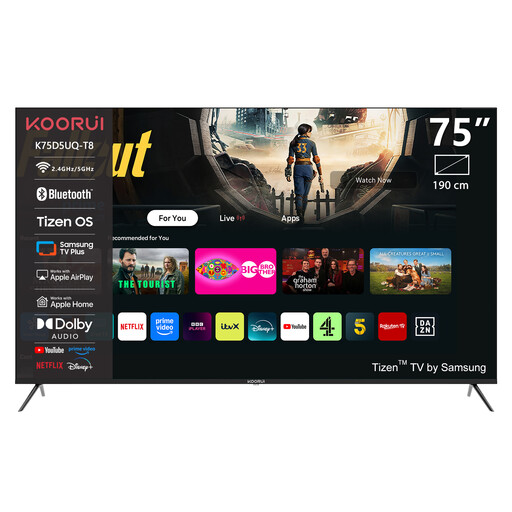
KOORUI K75D5UQ-T8 75-inch 4K UHD QLED Smart TV
Only consider this larger QLED size if your viewing distance and available space suit a 75-inch TV.
The product name lists 4K UHD, QLED and Tizen OS.
View at Joybuy
 No image available
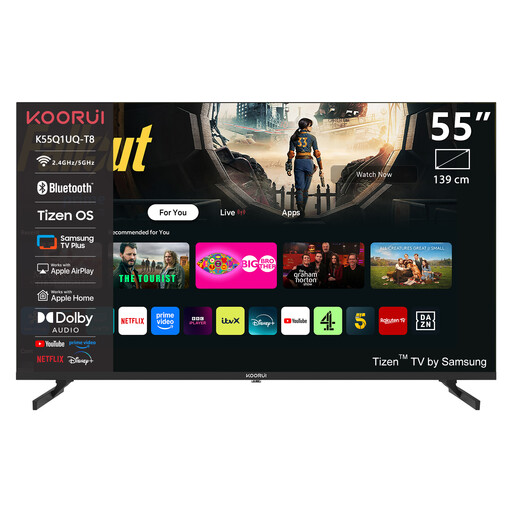
KOORUI K55Q1UQ-T8 55-inch 4K QLED Tizen TV
This 55-inch QLED model is worth comparing with OLED if this screen size suits your living room.
The product information lists 4K and QLED; the description mentions quantum-dot technology and Dolby Audio.
View at Joybuy
Frequently asked questions
How do I choose a size for a narrow living room?
Measure from your usual seat to the planned screen position, and check the available width and depth too. The Dutch Consumers’ Association suggests around 2.4 times the screen diagonal as a comfortable viewing distance. Treat this as a starting point, not a fixed rule.
Should I choose the highest refresh rate for animated films?
Not for that reason alone. According to the Dutch Consumers’ Association, image processing can make movement look smoother, but it can also cause picture artefacts. Compare how the specific TV displays films rather than focusing only on the Hz figure.
What should I check when positioning and maintaining my TV?
Before setting it up, check the dimensions with the stand attached and, if wall-mounting, the mounting measurements for your chosen model. Milieu Centraal advises placing the TV somewhere that won’t get too much daylight on the screen.
How do I compare TVs’ energy consumption?
Compare the energy labels and stated consumption of the specific models. The energy label gives you information about energy use; your actual costs also depend on how long you watch and your electricity tariff.
Do I automatically get exactly two years’ legal warranty on my TV in the Netherlands?
No. According to the Dutch government, there is no fixed statutory warranty period in the Netherlands: you’re entitled to a product that works properly for as long as you can reasonably expect it to. If there’s a problem, contact the seller; a commercial warranty may give you additional rights.


