
Film fans with limited viewing space
You’re looking for a screen that suits both the distance from your sofa and the available width of your furniture or wall. The Consumentenbond recommends factoring in viewing distance when choosing a screen size.


First, measure the distance from your eyes to where you plan to position the screen, then check that the TV, including its stand or wall bracket, will fit in the available space. The Consumentenbond suggests using the viewing distance divided by approximately 2.4 as a starting point for the screen’s diagonal size, based on research published on 5 May 2026. For dark films in a dimly lit room, it’s worth comparing a suitable OLED model; if your room gets plenty of daylight, an LCD model is also worth considering. Compare the specific TV for reflections, viewing angle, HDR support and sound.
You’re looking for a screen that suits both the distance from your sofa and the available width of your furniture or wall. The Consumentenbond recommends factoring in viewing distance when choosing a screen size.
You’re comparing black levels and the view from your seat, as well as the features of the specific OLED or LCD model. The Consumentenbond describes deep blacks and typically wider viewing angles as potential benefits of OLED.
You also watch during the day, so you’ll want to consider brightness and reflections as well as screen size. According to the Consumentenbond, LCD TVs can often be bright, which may be useful in a well-lit room.
| What to consider | What should you check? | Who is this important for? |
|---|---|---|
| Screen size and placement | Measure the distance from your eyes to the screen, along with the available width and height, including the stand. The Consumentenbond uses viewing distance divided by approximately 2.4 as a starting point for the diagonal; this is a guideline, not a required size. | I want the TV to be comfortable to watch and physically fit in the intended spot; around 33% of consumers put fit and placement first. |
| Dark scenes and viewing angle | Compare specific models using a dark film scene, and view the picture from where you’ll actually be sitting. The Consumentenbond describes OLED as a potential way to get deeper blacks and a wider viewing angle; LCD can often be brighter. | If dark scenes and watching from a seat off-centre matter to me, I compare these features model by model; around 27% of consumers give dark film scenes top priority. |
| Daylight and reflections | Assess the specific screen in the lighting conditions you have at home. Consider brightness and reflections separately: a brighter picture doesn’t automatically mean fewer distracting reflections. | I often watch during the day and don’t want reflections to interfere with the film; around 20% of consumers prioritise watching in daylight and dealing with reflections. |
| Dialogue and film sound | Listen to the specific model with dialogue and action scenes. Check the connections if you want to use your existing audio equipment. | I want to follow dialogue without constantly adjusting the volume; sound is the top priority for around 13% of consumers. |
| Power consumption and installation | Check the energy label for the exact model and compare the figures in kWh per 1,000 hours for standard picture settings and HDR. If you’re wall-mounting the TV, also ask which bracket and installation are required. | I want to weigh up power consumption when watching lots of HDR films, along with any installation requirements; around 7% of consumers prioritise running costs and additional requirements. |
Viewing distance and the TV’s dimensions together determine whether it’s comfortable to watch and will fit in the space.
Measure the distance from your eyes to the screen, as well as the available width and height, before choosing a screen size in inches.
OLED, mini-LED and HDR don’t, by themselves, tell you how a specific TV displays scenes. HDR support also needs to match the film and playback source.
Compare specific models with both a bright and a dark scene from your usual viewing position, and check which HDR formats your source supports.
According to the Dutch Government, the Netherlands has no fixed statutory guarantee period. A manufacturer’s guarantee and your statutory rights are not the same thing.
Read exactly what the manufacturer’s guarantee covers and ask the retailer what additional cover it offers alongside your statutory rights.
The features listed relate to the models or product pages mentioned; naming a brand is not a claim about every product from that brand.
The OLED48C56LB is a 48-inch OLED model to compare if you’re considering a more compact screen size.
According to Philips, the 48OLED810/12 combines a 48-inch OLED screen with Ambilight.
The 50C7K is a 50-inch QD mini-LED LCD option to compare with OLED models.
The 50U7Q is a 50-inch mini-LED TV with VIDAA, worth comparing with other LCD models.
The QE48S90FAEXXN is a 48-inch OLED model to compare in terms of size and features.
This selection includes 43-, 48- and 50-inch TVs with different screen types, so you can weigh up their listed sizes and features against your viewing distance, available space and lighting.
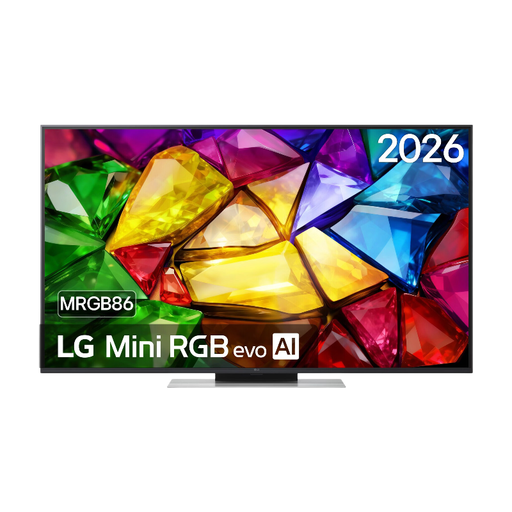 No image available
Check the listed 50-inch size against your viewing distance and the available width of your furniture or wall.
The product name lists 4K, 120Hz, Dolby Vision, HDR10 and webOS 26.
 No image available
If you mainly watch dark films, you can compare this OLED model with other screen types. First, measure whether 48 inches will suit your viewing distance and available space.
The product name lists 4K, 120Hz native, VRR 165Hz, Dolby Vision and Dolby Atmos.
 No image available
This mini-LED model is an LCD option to compare with OLED. Assess the picture in your home’s lighting and from your usual seat.
The product name lists 4K and 144Hz.
 No image available
The listed 50-inch size lets you compare this model with your viewing distance and available space.
The product name lists HDR10, Dolby Vision, Dolby Atmos, MEMC and Google TV.
 No image available
At 43 inches, this is a smaller screen size to consider if space is limited, taking into account the distance from your seat.
The product name lists 4K and 120Hz.
Measure the distance from your eyes to where you plan to position the screen, and check the width and height of the space too. The Consumentenbond suggests using viewing distance divided by approximately 2.4 as a starting point for the diagonal in centimetres. Also compare nearby screen sizes and take the TV’s dimensions, including the stand, into account.
It depends on factors such as the light in your room and where you sit. The Consumentenbond describes OLED as a potential way to get deeper blacks and typically wider viewing angles, while LCD TVs can often be bright. Compare the specific models in your own viewing conditions.
No. Don’t assume the panel specification should be the deciding factor for watching films. Compare the specific TV’s picture using your own films, and check that its features work with the sources you use.
Check the installation instructions for the exact model and make sure the wall and installation area are suitable. LG recommends using a professional technician for wall mounting; this is the manufacturer’s advice, not a general legal requirement in the Netherlands.
Check the energy label for the exact model and compare the individual consumption figures in kWh per 1,000 hours, including the figure for HDR. Energielabel.nl lists this information on the TV label; to work out your personal costs, you’ll also need your viewing time and electricity tariff.