Choose a TV based on both your measured viewing distance and the width of the space where it will go. The biggest screen is not automatically the best choice for a narrow living room. The Consumers' Association suggests using around 2.4 times the screen's diagonal as a comfortable starting point for viewing distance, rather than a fixed rule. If people will be watching from an angle, consider viewing angles and reflections too, and check in advance that the TV can play your pottery film.
Who is this guide for?
Viewers with limited space
You want to follow the film without the TV being too big for your viewing distance or the space available. Measure both before choosing a screen size; the Consumers' Association suggests using around 2.4 times the screen's diagonal as a starting point for viewing distance.
Groups watching a workshop film
Not everyone will be sitting directly in front of the screen, and you want details to remain visible from seats at an angle too. That makes viewing angles and reflections worth considering when comparing models.
Viewers watching their own film footage
You want your pottery film to play and details in the clay and glaze to remain clear. Check the connection or file compatibility, and assess the picture using scenes you know well.
What should you look for when buying?
Start by measuring the viewing area and seating positions. Then check that the film source and picture suit the way you actually plan to use the TV.
| What to consider |
What should you check? |
Who should consider this? |
| Screen size and placement |
Measure the viewing distance and available width; also check the dimensions with the stand attached. The Consumers' Association suggests using around 2.4 times the screen's diagonal as a comfortable starting point for viewing distance. |
I want a screen that suits both my seating position and the stand or wall, without overwhelming my narrow room. Around 28% of consumers prioritise screen size and placement. |
| Viewing angles and reflections |
Compare measurements for the exact model and consider the planned seating positions in your usual room lighting. The Consumers' Association points out that viewing angles can vary between TVs. |
When we watch as a group, I want people sitting at an angle to be able to follow the film too. Around 22% of consumers prioritise visibility from different seating positions. |
| Details and colours |
Watch a familiar scene in the lighting you usually have at home. Picture settings and the processing used in the exact model also matter; a technology name alone does not guarantee natural-looking images. |
When watching a pottery film, I want to be able to distinguish the shapes, clay and glaze clearly. Around 22% of consumers prioritise visible details and recognisable colours. |
| Connections and playback |
Decide whether the film will play via HDMI from a laptop or player, or directly from USB. For USB playback, check the storage format and video and audio codecs supported by the exact model; Sony, for example, publishes this information for the K-43S3. |
I want to know before buying whether my own film will play from the source I plan to use, so I can choose the right connection. Around 17% of consumers prioritise source compatibility. |
| Energy use and aftercare |
Compare the energy label and stated consumption in kWh per 1000 hours. Keep paid-for additional cover separate from your statutory rights; the European Commission explains EU rules on energy label information, while the Dutch government outlines consumers' rights when a product is faulty. |
For regular use, I want to compare energy consumption and know who to contact if something goes wrong. Around 11% of consumers prioritise energy use and aftercare. |
Common buying mistakes
-
Measuring only the screen diagonal
A viewing distance that seems comfortable does not tell you whether the TV will fit on your stand with its base attached.
Measure both the viewing distance and the space available for the TV, then check the dimensions of the exact model, including its stand.
If the stand does not fit, you may need to find another spot or use a separate mounting solution.
-
Assuming a USB port will play every film file
A TV may support specific storage formats and codecs rather than every type of file.
Compare the video and audio file you want to use with the specifications for the exact model.
If they are not compatible, you may need an external player or a different version of the file.
-
Assuming QLED or OLED guarantees good group viewing
Viewing angles can vary between TVs and reflections can affect visibility; a technology label alone does not answer these questions.
Compare measurements for the exact model and take your planned seating positions and lighting into account.
-
Confusing paid-for extended cover with your statutory rights
In the Netherlands, you have statutory rights even if you have not bought extra cover. The Dutch government says there is no fixed statutory warranty period and that the seller must provide a solution if a product is faulty.
Check what additional cover actually includes, and report a faulty product to the seller.
Brands to compare
Sony
The Dutch BRAVIA 3 K-43S3 is a 43-inch model worth comparing if you plan to use an external player or a file on USB.
- Sony lists four HDMI inputs, two USB ports and the codecs supported for USB playback.
- A USB connection does not guarantee that every personal file will work; check the combination of file format, video and audio.
Samsung
The Dutch QE43Q7F2AUXXN is a 43-inch QLED model to compare with other compact TVs.
- Samsung lists 4K and an energy rating of G for this model.
- Samsung's picture claims are not an independent measurement of viewing angles or colour accuracy.
Philips
The Dutch 43PUS8200/12 is a 43-inch 4K model with Ambilight. Compare it with other options if this extra lighting feature matters to you.
- Philips lists Ambilight and Titan OS for this model.
- These features alone do not tell you whether your film file will play or how the screen performs when viewed from an angle.
LG
The Dutch 43UA73006LA is a 43-inch 4K model with webOS to compare with other compact TVs.
- LG describes picture upscaling for this model.
- LG says the result depends on the source resolution; upscaling will not automatically make a low-detail film equivalent to a 4K source.
TCL
According to TCL, the Dutch P7K range includes a 43-inch QLED variant to consider in your comparison.
- TCL lists Dolby Vision and HDR10+ for the range.
- TCL says its colour data comes from its own laboratories and may differ under other test conditions; check the specifications for the size you choose.
TVs at Joybuy
This selection of Joybuy products includes 43-inch TVs you can assess against your measured viewing distance and available space.
 No image available
LG 43NU800B6LC Nano UHD 4K Smart TV
The 43-inch size is a compact option to assess against the space available and your viewing distance.
The product name lists Nano UHD and 4K.
View at Joybuy
 No image available
Philips 43PUS8001/12 43-inch 4K TV
The 43-inch size is a compact option to assess against the space available and your viewing distance.
The product name lists 4K.
View at Joybuy
 No image available
Philips 43-inch PQS7801 4K QLED Smart TV
The 43-inch size is a compact option to assess against the space available and your viewing distance.
The product name lists 4K and QLED.
View at Joybuy
 No image available
METZ 43MQF7500Z QLED 4K UHD TV
The 43-inch size is a compact option to assess against the space available and your viewing distance.
The product name lists QLED and 4K UHD.
View at Joybuy
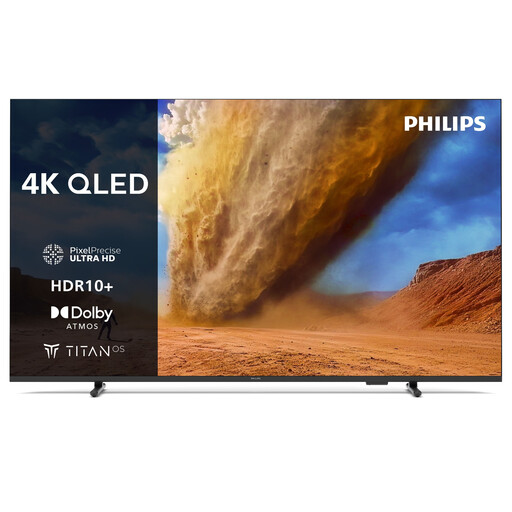 No image available
Philips 43PUS7800 43-inch 4K QLED Smart TV
The 43-inch size is a compact option to assess against the space available and your viewing distance.
The product name lists 4K and QLED.
View at Joybuy
Frequently asked questions
What size should I choose if I do not yet know my room's dimensions?
Measure the distance from your eyes to the screen and the available width. The Consumers' Association suggests using around 2.4 times the screen's diagonal as a starting point for viewing distance. Consider nearby screen sizes too, then check the dimensions of the exact TV.
Can I play a pottery film directly from a USB stick?
That depends on the TV and the file. Sony publishes the USB storage formats and codecs supported by the K-43S3; compare these with your file, or check whether an external player connected via HDMI will work with the TV.
How can I adjust the picture to assess details in clay and glaze?
Use the lighting you usually watch in and try a familiar scene with both light and dark areas. The Consumers' Association recommends using your home lighting when adjusting the picture and notes that picture settings can affect energy consumption.
How do I compare the energy use of TVs?
Compare the stated energy label consumption in kWh per 1000 hours. The European Commission explains this unit of measurement for displays; your expected viewing hours can help you relate the stated consumption to your own use.
Do I need extra cover, and who should I contact if the TV develops a fault?
Extra cover is not a condition of your statutory rights. In the Netherlands, there is no fixed statutory warranty period; according to the Dutch government, the seller must provide a solution if a product is faulty. If you are considering additional cover, compare what it actually adds.


