What should you look for?
First measure your viewing distance and the available width and depth. Then choose a sharing method that works with your devices and check the picture from seats to the side.
| What to consider |
What should you check? |
Who is this most important for? |
| Screen size and placement |
Measure the viewing distance, available width and furniture depth. Compare these with the dimensions of the exact model, including its stand, or check the requirements for wall mounting. |
I want to avoid finding that a TV with the right diagonal measurement is still too wide or deep for the space. Around 31% of consumers put fitting the TV into their space first. |
| Sharing photos |
Check where your photos are stored and whether the TV model supports your chosen method and files. If possible, test it with your own phone or USB stick. |
I want to show our holiday photos directly from our devices without relying on an unsupported connection. Around 25% of consumers put easy photo sharing first. |
| Picture from seats to the side |
View the exact model from seats to the side and look out for reflections at the same time. The Consumentenbond generally notes that OLED TVs have a wider viewing angle. |
I want everyone sitting around the room to be able to follow the photos, not just the person directly in front of the screen. Around 25% of consumers prioritise a clear view from the side. |
| Daylight and usage |
Check for reflections in your own room and compare the energy labels of the exact models. On an OLED TV, use a slideshow rather than leaving one image on screen for a long time. |
I want to take daylight, long photo-viewing sessions and stated energy consumption into account before choosing. Around 19% of consumers put lighting and extended use first. |
Joybuy TVs for sharing photos
These models have a stated screen size of 43 inches and list a wireless content-sharing method for each version. Check the dimensions and compatibility with your own devices before choosing.
 No image available
METZ 43MQF7500Z 43-inch QLED 4K UHD Google TV
Worth comparing if you want to share photos from a device using Chromecast; check that the feature works with your devices.
The product title lists QLED, 4K UHD and Google TV. The product description mentions built-in Chromecast.
View at Joybuy
 No image available
iFFALCON U65A 43-inch 4K LED Smart TV
The stated Google Cast feature makes this model worth considering if you want to share photos from a mobile device; check the connection with your own device.
The product title lists a 43-inch 4K LED screen and a 50 Hz refresh rate.
View at Joybuy
 No image available
Hisense 43E7S 43-inch 4K QLED Smart TV
The product description lists AirPlay 2 as a sharing method; check that it works with the devices you want to use to display your photos.
The product title lists a 43-inch 4K QLED screen and a 120 Hz refresh rate.
View at Joybuy
 No image available
CHiQ U43QM10E 43-inch 4K Ultra HD QLED Smart TV
The product description lists Google Cast and AirPlay; test your preferred method with your own phone or other devices.
The title lists a 43-inch 4K Ultra HD QLED screen. The product description mentions a 178-degree viewing angle.
View at Joybuy
 No image available
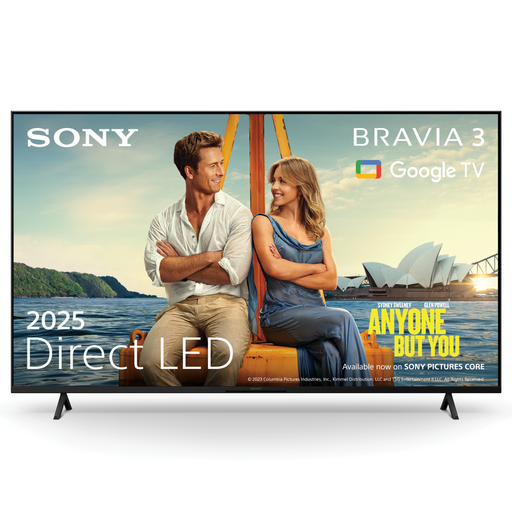
Sony K43S32BP.CEI 43-inch BRAVIA 3 LED 4K Smart TV
The product description lists Google Cast and Apple AirPlay 2; check which method works with your phones.
The title lists a 43-inch LED screen with 4K resolution.
View at Joybuy
Frequently asked questions
How do I choose a size without relying only on inches?
Measure your viewing distance and the space available for the whole TV. The Consumentenbond cites around 2.4 times the screen diagonal as a preference from its own research, not a fixed rule. Also check the width and stand depth of the specific model.
Can I display photos if my phone won’t connect to the TV?
That depends on the TV and the photo files; USB playback may be an alternative if the model supports it. Sony describes USB playback and lists supported USB formats for the KD-43X75WL, so also check whether your own files are compatible.
What should I consider when wall-mounting a TV?
Check the TV model’s mounting measurements, which brackets are suitable and the installation instructions. Sony Netherlands lists a 20,0 × 20,0 cm VESA pattern for the KD-43X75WL and advises following the wall-mounting safety instructions.
Is OLED suitable if our family watches from different parts of the room?
OLED may be worth considering if viewers sit in different places: the Consumentenbond generally describes OLED TVs as having a wider viewing angle. Also assess reflections and the TV’s dimensions in your room. Leaving a static image on screen for a long time is still a usage consideration, and older tests don’t predict what will happen with every current model.
Does a two-year manufacturer’s warranty limit my rights in the Netherlands?
No. Statutory guarantees exist alongside commercial warranties. ACM ConsuWijzer states that the retailer is responsible if a product is faulty; the applicable period also depends on what you could reasonably expect from the product.


