
Viewer with limited space for a screen
You want a TV that fits between your furniture and is easy to see from your usual seat. The Consumers’ Association recommends measuring your viewing distance at home; also check the TV’s width and stand.


Start by measuring your viewing distance and the available width: a bigger screen won’t automatically be more comfortable in a narrow living room. The Consumers’ Association generally describes OLED as a technology that delivers deeper blacks and a wider viewing angle, while LCD models are worth comparing in rooms with lots of ambient light. Check reflections and motion handling with a similar walking video, viewed from your usual seats.
You want a TV that fits between your furniture and is easy to see from your usual seat. The Consumers’ Association recommends measuring your viewing distance at home; also check the TV’s width and stand.
You want to watch coastal scenes while daylight fills the room. Consider the TV’s position and any reflections, and compare specific models in the lighting conditions you watch in.
You want the sea, sky and darker scenes to remain clear and enjoyable from a seat off to the side. Compare viewing angles and motion handling using your own footage; the Consumers’ Association notes that viewing angles vary between screen technologies.
A good fit when: the available width or your measured viewing distance calls for a smaller screen.
Consider: a QLED label alone doesn’t tell you how bright a specific model is or how wide its viewing angle is.
A good fit when: deep blacks and viewing from multiple seats are priorities, provided the screen size suits your room.
Consider: check how OLED handles reflections in your room; an LCD model may be worth considering if there’s a lot of ambient light.
A good fit when: there’s room for your chosen screen size and you often watch in daylight.
Consider: the technology alone doesn’t guarantee a suitable screen size or the viewing angle of OLED; compare specific models.
| What to consider | What should you check? | Who should pay particular attention? |
|---|---|---|
| Screen size and placement | Measure your viewing distance and available space. The Consumers’ Association suggests dividing the distance in centimetres by 6 as a starting point for the diagonal in inches; also check the exact dimensions, including the stand. | I want to make sure the TV fits on my unit and doesn’t look too large from my seat. Around 29% of consumers prioritise fit and viewing distance. |
| Detail and motion | Check the resolution of your film and compare the motion settings using a slow camera pan. The Consumers’ Association cites this type of landscape movement as a situation where differences in refresh rate can be noticeable. | When watching a coastal walk, I want a clear picture and motion that’s comfortable to watch. Around 23% of consumers give detail and motion handling top priority. |
| Daylight and reflections | View the screen from your usual seat and at your usual viewing time; compare reflections and brightness on specific models in those conditions. | If daylight comes into the room while I’m watching, I want to judge how clearly the scene remains visible. Around 18% of consumers prioritise visibility in daylight. |
| Viewing angle | Watch the same scene from directly in front of the TV and from the seat at the side. The Consumers’ Association generally describes OLED as having a wider viewing angle, but it’s still important to assess the specific model. | When we watch from seats next to each other, I want the picture to look good from those seats too. Around 18% of consumers give viewing from the side top priority. |
| Power consumption and extra costs | Compare the energy label and consumption per 1000 hours for models in your chosen size, as recommended by Milieu Centraal. Also check what delivery and any installation include. | As well as the purchase price, I want to consider energy use and any installation costs. Around 12% of consumers prioritise ongoing and additional costs. |
The screen size in inches doesn’t tell you whether the TV and stand will fit on your unit.
Measure your viewing distance and available space, then check the exact model’s dimensions, including the stand.
A different stand or the need for installation can make positioning more complicated.
A high-resolution screen won’t automatically turn footage recorded at a lower resolution into a 4K film.
Check the resolution of your own video file and compare the picture using a representative coastal scene.
Motion processing can change the look of a slow camera pan, but generated intermediate frames can also cause picture artefacts.
Compare the settings using the same walking video and choose the picture that looks best to you.
An extended warranty is separate from your statutory rights. According to the Dutch government, there is no single fixed statutory warranty period for all products in the Netherlands.
Read the terms of an extended warranty, and contact the retailer if you have a problem covered by your statutory rights.
An extended warranty may cost extra; compare its terms with your statutory rights.
The Dutch product page describes the Philips 43PUS9000/12 as a 43-inch 4K QLED TV with Ambilight. It’s worth considering if you’re looking for a compact screen and want to check how much space the lighting behind the TV needs.
LG describes the OLED48B56LA as a 48-inch 4K OLED TV. It’s worth considering if you want to compare OLED models and have enough room for the TV.
The Dutch product page describes the TCL 50C6K as a 50-inch QD-MiniLED LCD TV. Consider this option only if your measured space can accommodate a screen of this size.
Samsung offers a 43-inch Q7FA 4K QLED model. This makes it a compact LCD alternative to compare with OLED and models featuring Ambilight.
These are 43-inch TVs for anyone looking for a compact screen. Measure your viewing distance and available space, and check the exact dimensions before choosing.
 No image available
This 43-inch option is worth considering if you want to start by checking the available width and viewing distance.
The product name lists 4K and QLED.
 No image available
This 43-inch QLED option could suit you if you’re looking for a compact screen and want to test it with your own walking video.
The product name lists 4K UHD, MEMC and VRR; these specifications don’t determine how a particular film will look.
 No image available
This 43-inch TV is one option to compare if you’re looking for a compact screen to suit your viewing distance.
The product title lists 4K and ‘No Glare’; check for reflections yourself from your usual seat. The stated refresh rate is 60 Hz, which may be relevant when watching slow camera pans.
 No image available
This 43-inch TV is worth considering if space is limited and you need a compact screen; check the TV’s dimensions, including the stand.
The product listing mentions 4K UHD and a native refresh rate of 60 Hz.
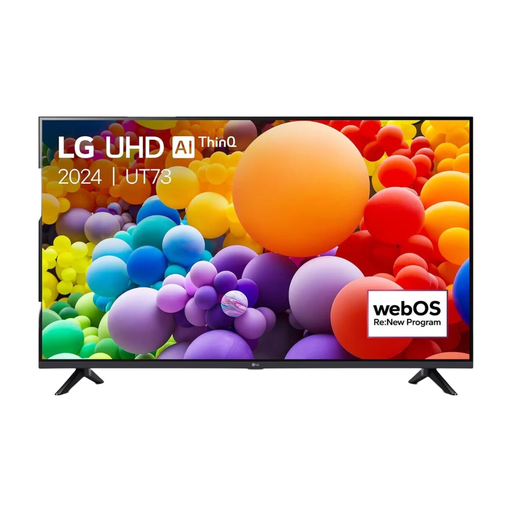 No image available
This 43-inch TV is a compact option to compare against your available space and viewing distance.
The product name lists 4K Ultra HD, LED and 60 Hz.
Measure from your eyes in your usual seat to where the screen will go. The Consumers’ Association uses the distance in centimetres divided by 6 as a starting point for the diagonal in inches. Also measure the available width and check the exact TV dimensions, including the stand.
Test a familiar scene in the lighting conditions you usually watch in, and compare the motion settings using a slow camera pan. Generated intermediate frames can also cause artefacts. The Consumers’ Association notes that shop settings are designed to showcase TVs, so assess the settings at home.
Compare the energy label and stated consumption per 1000 hours for specific TVs; Milieu Centraal recommends this as a comparison point. A larger screen and a higher brightness setting can affect energy use. Your eventual costs also depend on how long you watch and your electricity tariff.
According to the Dutch government, there is no single fixed statutory warranty period for all products in the Netherlands. The retailer is your point of contact for a problem covered by your statutory rights; an extended warranty is separate from those rights.
For distance purchases covered by the relevant rules, the Dutch government states that you have 14 days to change your mind. Before ordering, check the retailer’s information about returns and any installation; the cooling-off period is separate from a remedy for a faulty product.