With subdued evening lighting and guests viewing the screen from an angle, OLED is worth considering. If the room stays bright, compare bright LCD and mini-LED TVs too. The Consumers' Association describes OLED as a technology that generally offers deeper blacks and wider viewing angles, while LCD TVs can often be bright. Also consider sound, reflections, viewing distance and how you’ll play your recording.
Who is this buying guide for?
Guests spread around the room
If guests will be watching from the side too, compare the picture and any reflections from the seats you’ll actually use. The Consumers' Association highlights viewing angle and screen reflections as important factors when assessing a TV.
Listeners who want the music to take centre stage
If vocals and instruments matter most to you, listen to the built-in speakers on the specific model or check that it connects to your existing audio system. The Consumers' Association describes HDMI-ARC and HDMI-eARC as connections for audio equipment.
Viewers with a well-lit living room
If the lights will stay on during the gathering, assess the screen under similar lighting conditions. The Consumers' Association considers visibility in ambient light and reflections when testing televisions.
What should you look for?
OLED TV
A good fit if: you mainly watch in subdued lighting and guests need a clear view from the side too.
Consider: compare reflections in your own room. If images stay on screen for long periods, image retention is another factor to weigh up. An older Consumers' Association test does not give a risk rating for current models.
Mini-LED LCD TV
A good fit if: the room will stay fairly bright during the recital and you want to compare visibility in ambient light.
Consider: a stated peak brightness or anti-reflection feature doesn’t prove how the picture will look in your room or from every seat.
Simpler TV with external audio
A good fit if: you want to compare a straightforward TV and use your existing sound system.
Consider: check that the TV and sound system share a suitable connection. External audio won’t change the viewing angle or whether the screen size is right for you.
| What to consider |
What should you check? |
Who should pay extra attention? |
| Evening viewing and viewing angle |
Watch dark and bright scenes from the centre and outer seats. |
If guests will be sitting to the side and I want to see dark parts of the stage clearly, viewing angle and contrast matter a lot to me. Around 29% of consumers prioritise evening viewing and visibility from different seats. |
| Music playback |
Listen to music and spoken announcements. Check for HDMI-ARC/eARC or the optical connection your existing system needs. |
If vocals and instruments matter more to me than extra picture features, I want to assess the TV’s sound or my existing audio system. Around 23% of consumers prioritise music playback. |
| Light and reflections |
Compare the picture with your usual room lighting on, and assess reflections separately. |
If the lights will stay on, I want to see whether dark scenes remain visible to my guests. Around 18% of consumers prioritise visibility in bright conditions and reflections. |
| Screen size and positioning |
Measure the viewing distance and the space available for the screen and stand. |
If guests will be sitting at different distances, I want a screen size that suits both the furthest seat and the space available. Around 18% of consumers start with screen size and positioning. |
| Playing the recording |
Decide whether you’ll use an HDMI player, streaming service or USB, and check that the exact model supports it and the file. |
If I want to use my existing recording or player, I’ll check in advance that my chosen playback method works. Around 12% of consumers prioritise ease of playback. |
Common buying mistakes
-
Only checking the picture from directly in front of the TV
At a gathering, guests will also sit at an angle to the screen. Viewing angle and reflections can make the picture look different from those seats.
Compare the screen with your usual lighting on and check it from the outer seats.
-
Assuming sound specifications tell you how it will sound
Supported audio formats and speaker configurations don’t automatically tell you how music will sound in your room.
Listen to music and speech on the specific model, and check whether your existing equipment can connect via HDMI-ARC/eARC or an optical connection.
If the built-in speakers don’t suit your preferences, you may need a separate audio system.
-
Choosing a bigger screen without comparing viewing distance and energy use
A larger screen won’t automatically suit every room. According to the Consumers' Association, TVs generally use more energy as screen size increases.
Measure the viewing distance and available space, then compare the energy labels for the exact models.
-
Assuming every recording will play via USB
A USB port doesn’t automatically mean the TV can play a particular video file.
Check which file types the exact model supports, or use an HDMI playback device whose compatibility you’ve checked.
If your chosen playback method doesn’t work, you may need a separate playback device.
Brands to compare
LG
The OLED evo C5 range is worth comparing if you mainly watch in subdued lighting and want to take side seats into account. The model tested is OLED65C5ELB.
- LG lists 4K and OLED contrast for this model.
- LG’s claims about colour and brightness are manufacturer claims. Assess the sound and reflections yourself in the room where you plan to use it.
Samsung
The QN90F mini-LED range is worth comparing if the room will stay bright. The model tested is QE75QN90FATXXN.
- Samsung lists Glare Free for this model.
- That label is not an independent measurement of reflections or viewing angle in your room.
Philips
The 55OLED850/12 is an OLED model with Ambilight to include in your comparison if lighting around the screen matters to you.
- Philips lists Dolby Vision and Dolby Atmos support.
- These specifications don’t tell you how your recording will look or how the built-in speakers will sound with music.
Sony
The BRAVIA 8 II is a QD-OLED option to compare if you also want to assess the built-in sound on the exact model. The model tested is K-65XR8M2.
- Sony lists Acoustic Surface Audio+ with two actuators and two subwoofers for this model.
- The stated speaker configuration is not an independent listening assessment.
TCL
The 55C8L is a mini-LED alternative to compare if the room’s lighting is an important factor.
- For the 55C8L specifically, TCL lists 1,008 dimming zones and HDR peak brightness of up to 3,000 nits.
- These are manufacturer claims for this screen size, not measured performance across all C8L sizes.
Joybuy products
This selection includes OLED, QLED and mini-LED TVs in a range of screen sizes. Compare the size with your viewing distance, and check for each model that your recording and any audio equipment can be connected in the way you want.
 No image available
LG OLED65C68LA OLED evo C6 65-inch 4K Smart TV
Worth comparing if you’re considering OLED for a recital with dark stage scenes. Assess reflections and visibility from side seats in your own room.
65 inch; 4K; OLED evo; 120 Hz; VRR up to 165 Hz; Dolby Vision; Dolby Atmos; webOS 26.
Joybuy
 No image available
Hisense 65A6S 65-inch 4K UHD Smart TV
Worth comparing if you want to weigh up a large screen against your viewing distance and the space available for positioning it.
65 inch (164 cm); 4K UHD; HomeOS U9.5; Dolby Vision HDR; DTS Virtual:X; Energy Class D.
Joybuy
 No image available
Samsung QE55S99HATXXN QD-OLED 55-inch TV
A 55-inch QD-OLED option to include in your comparison for a recital. Check visibility under the lighting in your room.
55 inch; QD-OLED; 2026.
According to the product information, this model does not have a built-in subwoofer.
Joybuy
 No image available
TCL 75Q7C 75-inch 4K Mini-LED Smart TV
A mini-LED option to compare if you’re considering a larger screen. Check your viewing distance and the space available for positioning it first.
75 inch; 4K; Mini-LED; 144 Hz.
Joybuy
 No image available
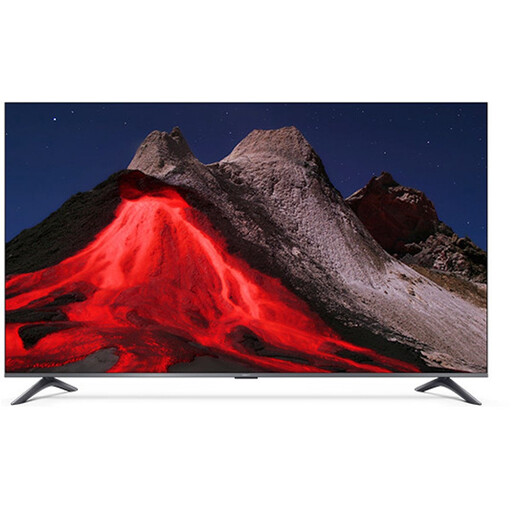
Xiaomi TV A Pro 2026 65-inch 4K QLED Google TV
A 65-inch option to weigh up against your viewing distance and available space. Check that your preferred playback method works with your recording.
65 inch; 4K; QLED; Google TV.
Joybuy
Frequently asked questions
How do I connect my existing sound system to a TV for a recital?
Check whether both the TV and sound system support HDMI-ARC or eARC, and use the designated TV port. If that connection isn’t available, an optical connection may be an alternative; you may need to control the volume separately.
Which picture setting should I use during an evening gathering?
Start with a home setting rather than the often extra-bright shop setting. Watch a familiar scene with the lighting you’ll use during the gathering, and adjust the picture so that both light and dark details remain visible. The Consumers' Association advises against using shop settings at home without adjustment.
How do I clean the TV screen afterwards?
Switch off the TV and let it cool down. The Consumers' Association recommends using a slightly damp, well-wrung microfibre cloth. Don’t press hard or spray liquid directly onto the screen.
What are my rights if the TV doesn’t work properly or I change my mind about an online purchase?
If a product is faulty in the Netherlands, you’re covered by the statutory guarantee, which has no fixed legal time limit; the retailer is your point of contact. For eligible online purchases from a business, you generally have a 14-day cooling-off period. The Dutch Government explains these rules; check the terms of your specific purchase.
What should I consider when it comes to energy use and recycling my old TV?
Compare the energy labels and consumption of the exact models. According to the Consumers' Association, TVs generally use more energy as screen size increases. Televisions are covered by EU energy labelling rules, as explained by the European Commission. When you buy a new TV, the retailer must take back a similar old appliance free of charge, according to the Dutch Government.


