Who should consider this?

Watching together from different seats

You want everyone sitting at the sides to be able to enjoy the performance. The Dutch Consumers’ Association points out that viewing angles vary between TVs, so check the exact model and consider the seats furthest to the sides.

Music lovers who want to hear every detail

Voices and instruments matter just as much to you as the picture, and you want to know whether the TV’s own sound is enough or whether it can connect to your existing sound system. The Dutch Consumers’ Association covers sound quality and TV connections separately in its buying advice.

Watching in a bright, shared room

You often watch in daylight or with the lights on, and want to take reflections and visibility from different seats into account. The Dutch Consumers’ Association notes that LCD TVs can often be bright and recommends considering viewing angles when watching together.

What should you look for?

OLED TV

Best for: mainly watching in subdued lighting and prioritising contrast; assess the exact model from the seats furthest to the sides, too.

Consider: OLED does away with LCD backlighting, but that alone says nothing about reflections, viewing angles or built-in sound. If you’ll regularly leave a static image on screen, such as a pause menu, bear your viewing habits in mind.

Mini LED LCD TV

Best for: including in your comparison if your shared room is bright during the day. The Dutch Consumers’ Association notes that LCD TVs can often be bright.

Consider: local dimming can improve contrast, but it doesn’t tell you how viewing angles or visible bright areas will look on a particular model.

What to consider What to look for when buying Who this matters to
Viewing from seats spread around the room Compare the measured viewing angle of the exact model and check for reflections from the seats furthest to the sides. When we sit spread out, I want everyone to be able to follow the performance from the side, too. Around 29% of consumers say visibility from different seats is their main concern.
Music sound and existing audio equipment Listen to a familiar piece of music; check that both the TV and sound system support HDMI-ARC or HDMI-eARC. I want to hear voices and instruments clearly, and know in advance whether the TV or my existing sound system will do the job. Around 24% of consumers prioritise music playback and connecting to audio equipment.
Visibility in daylight Assess reflections and the model’s brightness in relation to the windows and lights in your room. When we watch during the day, I want to know how much of the room’s windows and lighting will be reflected on screen. Around 18% of consumers say daylight visibility and reflections are their main buying concern.
Screen size for your seating Measure the viewing distance and the space available for the TV. The Dutch Consumers’ Association suggests dividing the viewing distance by 2.4 as a starting point for the screen diagonal in centimetres. I want a screen size that suits the main seats and the space available. Around 17% of consumers put finding the right size at the top of their list.
Playing the recording Check the app, connection or USB file format required for the exact model and your recording source. I want to play my recording from the source I already use, without assuming every file will be supported. Around 12% of consumers say playback compatibility is their main buying concern.

Common buying mistakes

  • Comparing TVs only from directly in front

    Viewing angles vary between TVs, so the performance may look different from a seat at the side.

    Assess viewing angles and reflections from the places where people will actually be sitting.

  • Treating a Dolby Atmos logo or audio brand as proof of good music sound

    A format or system label isn’t a listening test of the exact TV.

    Listen to music you know and check the connections before deciding whether you need additional audio equipment.

    If the built-in sound doesn’t meet your listening needs, you may still need a separate sound system. First, check that it will connect to your existing equipment.

  • Assuming OLED and mini LED guarantee a particular result

    Brightness, reflections, contrast and viewing angles also depend on the specific TV and the room.

    Use the screen technology as a starting point, then compare model-specific information on the features that matter for your seating.

  • Choosing a large screen without measuring first

    A bigger screen won’t necessarily suit your viewing distance or the space available.

    Measure the distance from the main seats and check the width and height of the space where the TV will go.

Brands to compare

LG

The OLED65C68LA is a 65-inch 4K OLED model to consider when comparing screen technology, viewing positions and audio connections. LG lists this model as OLED65C68LA.AEU.

  • The Dutch Consumers’ Association identifies the OLED65C68LA as a 65-inch 4K OLED TV.
  • Those model details don’t prove that its sound or reflection handling will suit your room better. Assess the exact TV against your own needs.

TCL

The 65C7K is a 65-inch mini LED LCD option to include in your comparison for a bright, shared room.

  • TCL lists QD-MiniLED and dimming among its product features.
  • These features aren’t an independent measurement of viewing angles or proof that the model will look brighter than a particular OLED TV.

Philips

Philips describes the 65OLED910/12 as an OLED TV with Ambilight and an integrated Bowers & Wilkins sound system.

  • This combination is worth considering when assessing picture and built-in sound together.
  • An integrated sound system isn’t an independent listening test or a guarantee that you won’t need separate speakers. Also consider whether Ambilight suits your setup.

Sony

The K-65XR5, also known as BRAVIA 5, is a mini LED LCD option with specified connections and USB playback formats.

  • Sony specifies local dimming, HDMI-eARC and several USB codecs.
  • A codec list doesn’t prove that every recording will play, and the specifications don’t include a measured viewing angle.

Samsung

Samsung offers OLED and Neo QLED TVs as different product ranges to compare at model level.

  • The product ranges give you different screen technologies to consider in your comparison.
  • A range name alone doesn’t prove the viewing angle, sound quality or playback compatibility of an individual model.

Joybuy TVs for watching together

This selection of Joybuy products includes OLED TVs and a QNED Mini LED TV. Compare their screen sizes and connections with your seating, lighting and recording source.

OLED77G68LW 77-inch 4K OLED TV

OLED77G68LW 77-inch 4K OLED TV

A 77-inch OLED option to compare if you’re looking for a large screen to watch together.

77-inch 4K OLED with pixel dimming and HDMI eARC; the product description also lists a 4.2-channel 60 W system.

Compare the sound with your listening needs, and bear your viewing habits in mind if you’ll regularly leave a static image on screen, such as a pause menu.

View at Joybuy

LG OLED83C67LA 83-inch 4K OLED TV

LG OLED83C67LA 83-inch 4K OLED TV

An 83-inch OLED option to compare if you have enough space and the viewing distance suits this size.

83-inch 4K OLED with HDMI eARC and 40 W of built-in sound.

Assess the sound and visibility from the seats furthest to the sides in your setup. Bear your viewing habits in mind if you’ll regularly leave a static image on screen.

View at Joybuy

LG OLED65C68LA 65-inch 4K OLED TV

LG OLED65C68LA 65-inch 4K OLED TV

A 65-inch OLED option to compare if this size suits your viewing distance and seating.

65-inch 4K OLED evo with HDMI eARC and a 2.2-channel 40 W system.

Compare the sound and viewing angle for your room. Bear your viewing habits in mind if you’ll regularly leave a static image on screen.

View at Joybuy
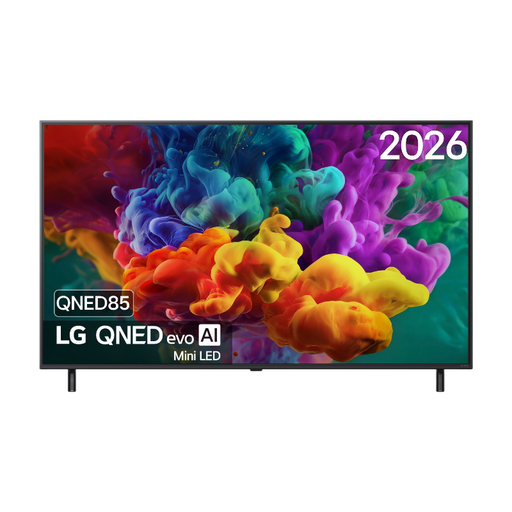
LG 55QNED85B6B 55-inch QNED Mini LED TV

LG 55QNED85B6B 55-inch QNED Mini LED TV

An LCD option with QNED Mini LED to compare if you’re also considering a mini LED TV.

55-inch 4K QNED Mini LED with HDMI eARC.

Screen technology alone won’t determine how reflections and viewing angles work in your room. Compare these features for the exact model.

View at Joybuy
LG OLED55C68LA 55-inch 4K OLED TV

LG OLED55C68LA 55-inch 4K OLED TV

A 55-inch OLED option to compare if your viewing distance and available space call for a more compact screen.

55-inch 4K OLED evo with HDMI eARC and a 2.2-channel 40 W system.

Listen to see whether the built-in sound suits your needs, and bear your viewing habits in mind if you’ll regularly leave a static image on screen.

View at Joybuy

Frequently asked questions

Should I automatically choose OLED for a group of viewers?

No, not automatically: viewing angles vary between TVs. Compare the exact model from the seats furthest to the sides and check for reflections from those positions, too.

How do I choose a screen size when there are several sofas or chairs?

Measure the distance from the main seats to the screen. The Dutch Consumers’ Association suggests dividing the viewing distance in centimetres by 2.4 as a starting point for the screen diagonal in centimetres. Compare nearby sizes, too, and check that you have enough space for the TV.

How do I connect my existing sound system?

Check that both the TV and sound system support HDMI-ARC or HDMI-eARC, then use the connections marked for this purpose. If neither device has ARC, an optical connection may be an alternative; you might then need an extra remote control.

Can I watch any saved recital video via USB?

No, don’t assume universal compatibility. Compare the file format and codec of your recording with the list for the exact TV model, or use a suitable external player connected via HDMI. For example, Sony publishes a model-specific list for the K-65XR5.
