Start by asking whether you’ll be able to hear the music from your viewing position when there’s noise in the kitchen. A different panel type won’t solve that by itself. The Consumentenbond generally describes OLED as offering deeper blacks and a wider viewing angle, while LCD TVs can often be bright. So compare reflections, the sound of the exact model and the connections available for separate audio, if needed.
Who is this TV guide for?
Music lover next to a busy kitchen
You want to follow the recital while someone is working in the kitchen. Assess the sound from where you’ll be watching and consider whether you need separate audio; the Consumentenbond describes HDMI-ARC/eARC as a connection option for a sound system.
Viewer in a bright living room
You watch with daylight or kitchen lighting falling on or around the screen. The Consumentenbond treats visibility in ambient light and screen reflections as separate considerations.
Viewer who moves between the sofa and kitchen
Sometimes you watch directly in front of the TV, and sometimes from an angle in the kitchen. The Consumentenbond identifies viewing angle and contrast as important factors when assessing a television.
What should you look for when choosing?
First compare the sound and visibility from the places where you watch. Then choose a panel type and screen size to suit the light, viewing angle and available space.
OLED TV
A good fit if: you watch from several positions and deep blacks matter to you, with manageable levels of ambient light.
Consider: check reflections and the sound of the exact model; LCD TVs can often be bright.
LCD TV with LED, QLED or mini-LED backlighting
A good fit if: visibility in bright surroundings is a priority.
Consider: viewing angle, reflections and black levels vary by model; the panel type doesn’t tell you how the built-in speakers sound.
TV with a separate sound system
A good fit if: the TV’s built-in audio doesn’t meet your needs from your viewing position and you have room for extra audio equipment.
Consider: check the connections on both devices and allow for the extra space and cost.
| What to consider |
What to look for when buying |
Who should pay particular attention? |
| Making sure you can hear the music |
Compare the sound of the exact TV model. For separate audio, check for HDMI-ARC/eARC and the connections required for your playback device. |
If I want to follow the recital while there’s noise in the kitchen, I want to know whether the TV speakers are good enough from my viewing position. Around 31% of consumers put audibility first. |
| Picture in ambient light |
Compare screen reflections and visibility in ambient light for each model, as well as brightness. |
When daylight or kitchen lighting falls on the screen, I want to be able to see the picture without relying on the brightness figure alone. Around 25% of consumers give ambient light their highest priority. |
| Watching from the kitchen |
Assess the viewing angle from your actual viewing position; check whether the TV’s position or any obstacles affect what you can see. |
If I watch the TV from an angle while cooking, I want to know whether the picture remains comfortable to watch from there. Around 19% of consumers prioritise viewing from the side. |
| Screen size and placement |
Measure the viewing distance from your main seat and the space available. The Consumentenbond suggests around 2.4 times the screen diagonal as a starting point for viewing distance, not a fixed rule. |
When the sofa and kitchen are different distances from the TV, I want to choose a size that suits both the viewing position and the furniture. Around 13% of consumers start with screen size and placement. |
| Running costs and extra audio |
Compare the energy information on the EU energy label for the exact model variant and include any separate audio equipment in your budget. |
If I want to consider electricity use and possible extra equipment as well as the purchase price, I want to compare the details for the exact model variant. Around 12% of consumers prioritise total costs. |
Common buying mistakes
-
Choosing by panel type alone and overlooking the sound of the recital
Picture and sound are separate things to assess. An OLED or mini-LED label doesn’t, by itself, tell you whether you’ll be able to hear music clearly next to the kitchen.
Assess the exact model with music playing from your intended viewing position. Also check the audio connections if you might add a sound system later.
A separate sound system takes up extra space and may add to the cost.
-
Assuming a bright screen won’t have problems with reflections
The Consumentenbond treats visibility in ambient light and screen reflections as separate properties. So a bright LCD TV won’t automatically prevent distracting reflections.
Assess both properties where you plan to put the TV, even if you choose an LCD model.
-
Treating a review ranking as a test for your room and recital
The Kieskeurig ranking is based on visitor reviews, not on how well you can hear music, the effect of ambient light or the viewing angle from a kitchen.
Use a ranking as a starting point for finding models at most, then assess them against your own viewing position and audio needs.
-
Comparing the energy label for a different screen size or model variant
Energy information applies to a specific model variant and screen size. Another version may therefore not be a suitable comparison for the TV you’re considering.
Check the EU energy label and EPREL information for the exact model variant.
Brands to compare
LG
The OLED48G56LS is an OLED option to compare if viewing angle and contrast are important to you.
- The Consumentenbond generally describes OLED TVs as offering a wider viewing angle and deeper blacks.
- LG’s brightness claim for the G5 is based on a comparison chosen by LG itself; it doesn’t tell you whether the built-in audio will overcome kitchen noise.
Samsung
The QE55QN90FATXXN is a Neo QLED model with mini-LED backlighting to compare in bright surroundings.
- The model name indicates mini-LED technology.
- The technology alone doesn’t determine viewing angle, reflections or music playback; assess these features of this model variant separately.
Sony
According to Sony, the BRAVIA 5 K55XR52BP.CEI combines mini-LED with Acoustic Multi Audio.
- The stated audio feature is a model specification.
- A specification isn’t a listening assessment; compare audibility, viewing angle and reflections from your own viewing position.
Philips
The 65OLED860/12 is an OLED model with Ambilight to include when comparing the picture and lighting around the screen.
- Philips lists OLED and Ambilight for this model, as well as support for Dolby Vision and Dolby Atmos.
- These features don’t prove that the built-in sound will overcome kitchen noise; also consider your viewing position and the space available.
Hisense
The 43E7Q is a compact QLED/LCD option to compare with larger screen sizes, if the viewing distance is suitable.
- The product listing specifies 43 inches and 4K QLED.
- These specifications don’t tell you how music will sound from your viewing position; also compare the sound and visibility from the kitchen.
Joybuy products
This selection includes OLED and mini-LED TVs, as well as a TV bundle with a separate soundbar, for comparing picture and music playback when your kitchen is nearby.
 No image available
LG OLED48G69LS OLED Evo AI G6 4K Smart TV
An OLED option for weighing up contrast and built-in TV audio; assess the sound from your own viewing position.
48 inches; 4K; 40 W 2.2-channel system; Dolby Atmos; eARC.
Joybuy
 No image available
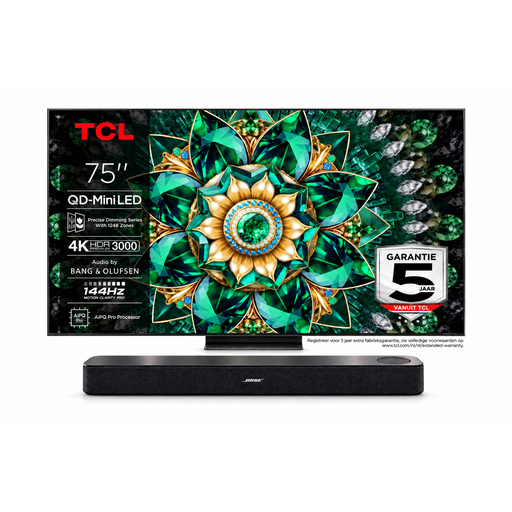
Bose Lifestyle Ultra Soundbar with TCL 75Q7C TV
A bundle to compare if you’re considering a separate soundbar as well as the TV.
TCL TV: 75 inches, 4K Mini-LED. The bundle lists HDMI ARC/eARC for connecting the soundbar.
Joybuy
 No image available
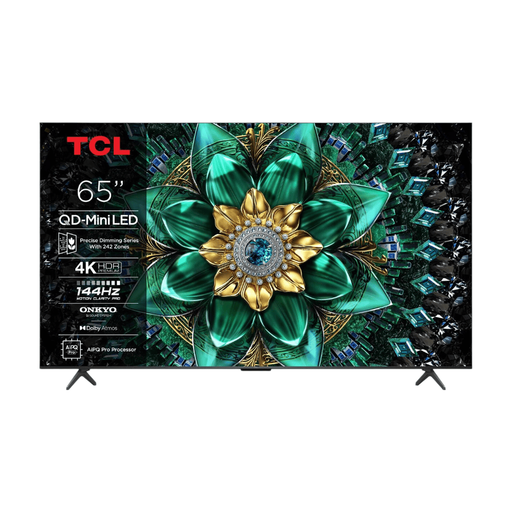
TCL 65Q6C 65-inch 4K QD-Mini LED TV
An LCD TV with mini-LED backlighting to compare if visibility in ambient light is important to you.
65 inches; 4K; listed at 1000 nits; 40 W audio system; HDMI eARC; four HDMI inputs.
Joybuy
 No image available
TCL 75Q7C 75-inch 4K Mini-LED Smart TV
A larger mini-LED model to assess if the viewing distance and available space suit this screen size.
75 inches; 4K; Google TV; adjustable stand; Bang & Olufsen audio with Dolby Atmos and DTS:X.
Joybuy
 No image available
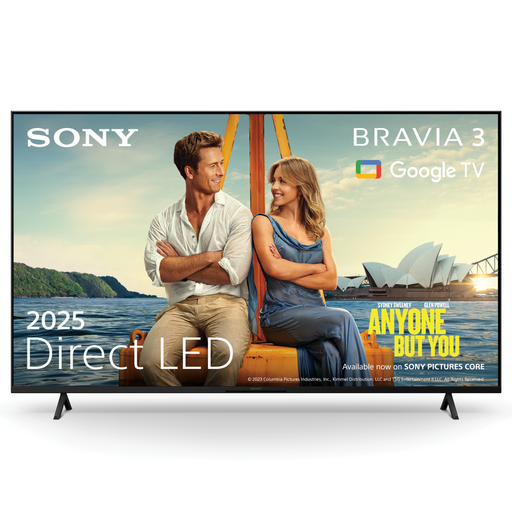
Sony K55S32BP.CEI BRAVIA 3 55-inch 4K LED Smart TV
An LED TV to compare if you’ll be using the built-in speakers or may want to connect separate audio later.
55 inches; 4K; X-Balanced Speaker; eARC; Google TV.
Joybuy
Frequently asked questions
Can I play a recorded recital directly on the TV?
It depends on the recording source and the exact TV model. If necessary, connect a separate player via HDMI and check in advance that the TV supports the playback method and input you need.
How do I connect a sound system later?
Check that both the TV and sound system have HDMI-ARC or HDMI-eARC, and use the TV connection marked for this purpose. If that connection isn’t available, the Consumentenbond suggests an optical connection as an alternative; it may be less straightforward to use.
What should I consider when adjusting the picture and watching content with a static image?
Assess the picture mode under the lighting you normally use. With OLED, long periods of almost completely static images are something to bear in mind. The Consumentenbond reported temporary image retention under extreme conditions, but that test doesn’t predict what will happen with a specific new model.
What does a TV’s energy label tell me?
The EU energy label gives energy information for the specific model variant, including details for HDR use. The European Commission says additional information is available via the QR code in EPREL; compare the model variant and screen size you’re actually considering.
What can I do if my TV is faulty in the Netherlands?
According to the Dutch Government, contact the seller to resolve the issue if a product is faulty. The seller is legally responsible for supplying a product that meets the required standards; a manufacturer’s warranty doesn’t replace those rights.


