
Vandaag of morgen in huis

Kwaliteit gegarandeerd

Welkomstaanbiedingen ontgrendelen: GRATIS bezorging | Tot 80% korting | Gratis 30 dagen JoyPlus-proefperiode
Download de app
Mounting a TV on the wall seems like a simple way to give your living room a sleek, modern look. Yet, the search for the perfect TV mount often leads to frustration. The market is flooded with models that promise the world but don't always deliver in practice. Before you make a purchase, it's important to recognise a few common pitfalls.
Many buyers fall into the trap of "universal" mounts that don't actually fit their TV, or they choose a model unsuitable for their wall type. Another disappointment is a swivel TV mount that offers barely any range of motion. This guide will help you avoid these problems and make an informed decision based on factual specifications.
To prevent your TV mount from ending up as an unused piece of metal in the shed, there are three technical specifications you absolutely must check.
Every modern TV has four screw holes on the back for mounting. The distance between these holes is standardised and is called the VESA size. This is the single most important specification. A mount with a VESA size of 200x200 mm will not fit a TV that requires 400x400 mm.
How to check this?
Besides the VESA size, the maximum weight capacity is crucial. A 55-inch TV mount may support a different weight than a 65-inch TV mount. Always choose a mount that can comfortably handle the weight of your TV. Safety first.
Not every TV wall mount offers the same flexibility. Your choice depends on your viewing preferences and the layout of the room.
A sturdy mount is useless if the wall can't support the weight. In most homes, you'll encounter different types of walls:
Based on objective specifications, we have highlighted a few popular choices that suit different user profiles.
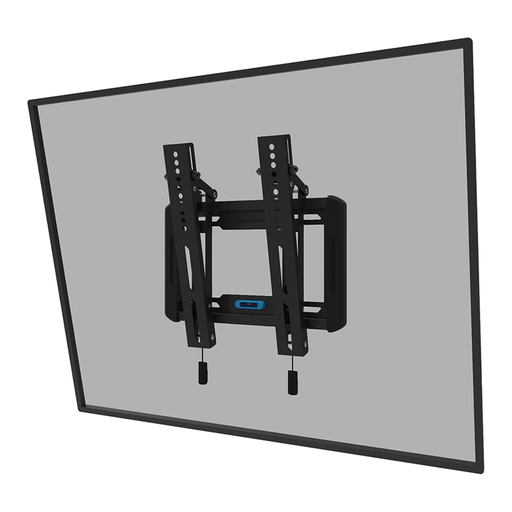
Why This Fits Their Persona: This user wants the TV as flat against the wall as possible for a clean, uncluttered interior. The tilt function is a practical bonus to prevent glare, without the complexity of a full arm.
This model does exactly what it promises: a slim mount with a simple tilt function. No exaggerated claims about freedom of movement, just a clear, functional solution.
Ultra-slim profile: With a distance of only 3.3 cm from the wall. Easy installation: Features a magnetic quick-release system and a built-in spirit level.
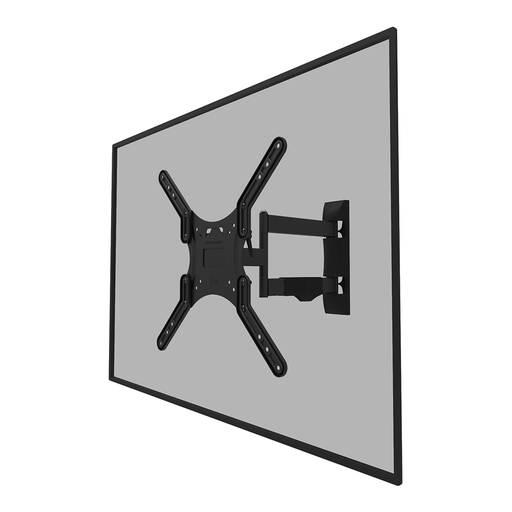
Why This Fits Their Persona: Ideal for those who want to watch TV from both the dining area and the seating area. This full-motion mount offers the freedom to swivel and tilt the screen for the perfect viewing angle, wherever you are in the room.
The specifications are clear: 40° swivel and 14° tilt. This prevents the disappointment of a "swivel" mount that is practically fixed. The wide VESA support (up to 400x400) reduces the chance of a mismatch.
True freedom of movement: The combination of tilting and swivelling provides an optimal viewing angle in any situation. Convenient cable management: Keeps cables neatly bundled behind the screen.
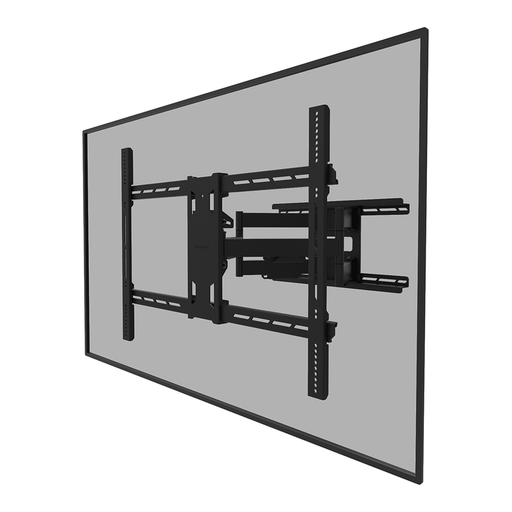
Why This Fits Their Persona: For the home cinema enthusiast with a 75-inch TV or larger, safety and stability are not a luxury, but a necessity. This heavy-duty mount is built to support and move the heaviest screens.
This mount eliminates the fear of a weak construction. With a weight capacity of 125 kg, it is specifically designed for the largest and heaviest consumer TVs, an area where standard mounts fail.
Extreme weight capacity: Suitable for screens up to 110 inches and 125 kg. Full freedom of movement: Offers tilt, swivel, and rotation functions, even for very large screens.
We have compiled a complete, up-to-date list of products that fully meet these strict selection criteria and safety regulations.
VESA is a standard that defines the distance between the four mounting holes on the back of a TV. The size is displayed as 'horizontal distance x vertical distance' in millimetres (e.g., 400x400). You can find your TV's VESA size in the manual, on the manufacturer's website, or by measuring it yourself. Make sure the VESA mount you buy is compatible with your TV's size.
Yes, you can, but it requires extra precautions. Never mount the bracket directly onto the drywall alone. Try to locate the wooden or metal studs (the 'skeleton' of the wall) behind it and drill the bracket into them. If that's not possible, use special hollow-wall anchors designed for heavy loads. Always check if the mount's manufacturer supports installation on a hollow wall and do not exceed the recommended weight. When in doubt, consult a professional.
A good rule of thumb is to hang the centre of the TV screen at eye level from your favourite viewing position (usually the sofa). For most living rooms, this means the bottom of the TV will be somewhere between 50 and 70 centimetres from the floor. However, this is a personal preference. In a bedroom, where you often watch while lying down, it might be more comfortable to hang the TV a bit higher and use a tilting TV mount to angle the screen downwards.
