For a film about a coastal walk that you’ll watch from the living room and possibly the kitchen, LCD, including Mini LED, is a sensible option if ambient light is your main concern. OLED may be a better fit if viewing from an angle and film contrast matter more. Check reflections and viewing angles for each model, measure your viewing distances, then decide on the screen size and connections. No screen technology can, on its own, guarantee a clear view from your kitchen.
Who is this TV guide for?
Watching in a bright kitchen-diner
You want to be able to see the film when daylight from the windows or kitchen lighting brightens the room. So compare both brightness and reflections where you plan to put the TV. The Dutch Consumers’ Association notes that LCD TVs can often be bright, but reflections also play a part.
Watching from the kitchen
You often watch the screen from an angle rather than straight on. Viewing angles vary between models, so assess the picture from your kitchen; the screen technology alone won’t tell you whether the viewing angle is suitable. The Dutch Consumers’ Association points out that viewing angles can differ between TVs.
Watching films from the living room
You’ll watch the coastal scenery mainly from a regular seat. Choose a screen size that suits that viewing distance, and check that the TV works with your film source and any audio equipment.
What should you look for when choosing?
LCD, including Mini LED
Choose this when: daylight or kitchen lighting makes the room bright and visibility is your priority. The Dutch Consumers’ Association says LCD TVs can often be bright.
The trade-off: Mini LED doesn’t automatically prevent reflections, and the technology alone doesn’t determine the viewing angle. Compare the specific model.
OLED
Choose this when: you value film picture quality, particularly in dark scenes, and also watch from an angle at a second viewing spot, provided reflections are acceptable there.
The trade-off: viewing angles and contrast vary by model. The Dutch Consumers’ Association reported image retention on older OLED models after prolonged, unusual use, but did not set a general safe time limit.
| What to consider |
What to look for |
Who should prioritise this? |
| Visibility in ambient light |
Compare brightness and reflections in lighting similar to your home. |
If I watch during the day or with the kitchen lights on, I want the picture to remain visible without distracting reflections. Around 33% of consumers make visibility in ambient light their top priority. |
| Viewing angle from the kitchen |
Watch the same picture from the kitchen and compare the screen position. |
When I watch from the kitchen at an angle, I want to see whether the picture remains comfortable to watch. Around 27% of consumers prioritise viewing angle. |
| Screen size and viewing distance |
Measure the distance from your main seat and check the dimensions of the TV and its stand or bracket. |
If my seating position and available space are key considerations, I want to choose a screen size that suits the actual viewing distance. Around 20% of consumers give screen size and viewing distance top priority. The Dutch Consumers’ Association suggests starting with a viewing distance of around 2.4 times the screen diagonal. |
| Sound and film playback setup |
Check for available HDMI ports and, if you have a soundbar, HDMI-ARC or eARC support on both devices. |
If I want to use an external film source or soundbar, I want to know whether the connections suit my setup. Around 20% of consumers prioritise sound and their playback setup. |
Common pitfalls
-
Assuming Mini LED automatically prevents reflections
Brightness, reflections and viewing angle are separate factors. Your viewing angle from the kitchen may also differ from the one you get from the sofa. The Dutch Consumers’ Association advises taking differences in brightness and viewing angles between TVs into account.
Compare the specific model in similar lighting conditions, and watch the picture from your kitchen too.
-
Ruling out OLED because every moving film image is said to cause burn-in
The Dutch Consumers’ Association found image retention on older OLED models it tested after prolonged, unusual use. That test does not establish a general time limit for current models.
Distinguish between changing film images and a static picture displayed for a long time, and follow the guidance for your chosen model.
-
Choosing a large screen without measuring distances and available space
Screen size alone doesn’t tell you how comfortable the picture will be from your main viewing spot. The Dutch Consumers’ Association suggests starting with a viewing distance of around 2.4 times the screen diagonal.
Measure the distance to where you plan to position the screen, then check the dimensions of the TV, stand and any bracket. You may need a different stand or bracket, so check this for the version you choose.
Brands and models to compare
Philips
The 55MLED810/12 and 55OLED760/12 offer two different screen technologies for the same film-watching setup.
- Philips Netherlands lists the 55MLED810/12 as a 55-inch 4K Mini LED screen with a 60 Hz refresh rate, and the 55OLED760/12 as a 55-inch 4K OLED screen with a 120 Hz refresh rate.
- These specifications don’t measure how much a particular TV reflects light or how clearly you can see it from your kitchen. Philips’ descriptions of picture and sound quality are manufacturer claims.
Samsung
The QE55QN82HAUXXN is an example of Samsung’s Neo QLED Mini LED range.
- Samsung Netherlands lists Quantum Mini LED and energy label E for this model.
- These product specifications don’t establish how the TV handles reflections or viewing angles from a particular kitchen spot. Assess the specific model.
LG
The OLED55C68LA is an OLED model to compare with other options for picture quality, positioning and viewing angle.
- LG Netherlands lists OLED and Brightness Booster for the OLED55C68LA.
- Manufacturer terms such as ‘perfect black’ aren’t an independent test of picture quality in a bright kitchen-diner. Check the product suffix and version when you buy.
Joybuy TVs for this setup
This selection of Joybuy TVs includes LCD and Mini LED models, as well as an OLED model, so you can compare film viewing, viewing positions and connections.
 No image available
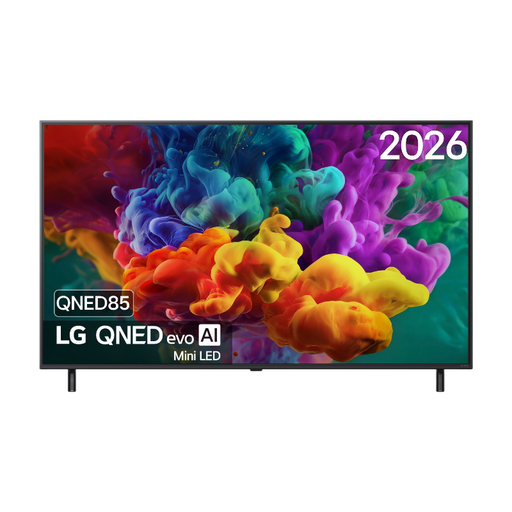
LG 55QNED85B6B 55-inch QNED evo Mini LED 4K TV
An option if you’re looking for a 55-inch 4K screen and want to connect an external film source or soundbar.
The product specifications list a native refresh rate of 120 Hz and VRR up to 144 Hz. Dolby Vision and HDMI eARC are also listed.
View at Joybuy
 No image available
Hisense 55A6S Smart TV 2026 LED, 55-inch, 4K UHD
A good fit if you’re looking for a 55-inch 4K TV for films and content from a compatible device.
The description lists a 60 Hz panel, Dolby Vision, HDMI eARC, a light sensor and AirPlay 2. Energy label E is also listed.
Keep the ventilation openings clear and don’t expose the TV to heat sources or moisture.
View at Joybuy
 No image available
TCL 55T8D 55-inch QD-Mini LED 4K TV
An option if you’re looking for a 55-inch 4K screen with connections for an external film source.
The product information lists 144 Hz VRR and HDMI 2.1. HDR formats and content-casting options are also mentioned.
Leave at least 10 cm of space around the TV for ventilation, and don’t place it near heat sources or in a damp environment.
View at Joybuy
 No image available
Samsung S85F Series GQ55S85FAU, 55-inch OLED 4K TV
A good fit if you’re looking for a 55-inch OLED screen for films and want to connect several HDMI devices.
The product information lists an OLED panel, 4K resolution and four HDMI ports.
Don’t expose the TV to rain or moisture, and keep the ventilation openings clear.
View at Joybuy
 No image available
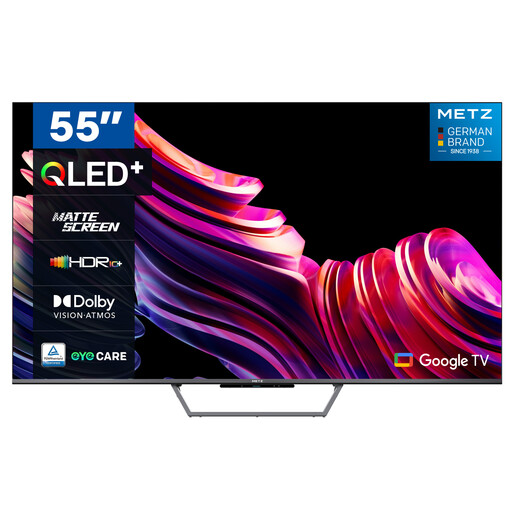
Metz 55MQE7600Y 55-inch QLED+ 4K UHD TV
An option if you want to compare a 55-inch 4K TV with a matt screen.
The product name lists an ambient light sensor. The product information mentions Google TV, HDMI, USB, DVB-T2/S2 and CI+.
View at Joybuy
Frequently asked questions
How do you choose a screen size when the living room and kitchen are at different viewing distances?
Measure the distance from both spots, but base your choice on where you’ll watch the film most often. The Dutch Consumers’ Association suggests starting with a comfortable viewing distance of around 2.4 times the screen diagonal; then compare nearby screen sizes.
Can you place the TV right next to the cooking area?
Not without checking the placement requirements for your chosen model. Before installation, read the instructions on mounting and ventilation, and consider heat, moisture and splashes at the planned location.
How do you connect a player or soundbar for the film?
Check that there’s a free HDMI input for an external film source. HDMI-ARC or eARC may provide a connection to a soundbar if both devices support it; check this for each model.
What does the energy label tell you about power consumption?
According to the European Commission, the EU energy label for televisions runs from A to G and provides information to help you compare models’ energy consumption. Your electricity costs also depend on how long you watch and your electricity tariff.
What are your rights when buying a TV online in the Netherlands?
For a standard online purchase, you generally have a statutory cooling-off period of up to 14 days after delivery, subject to legal exceptions. The seller also remains responsible if a product doesn’t meet what you could reasonably expect during normal use; ACM ConsuWijzer explains these rights.


