
Housemates who mainly listen to music
Want to know whether the TV’s built-in speakers sound good for a live music performance, and compare them with the equipment they already have at home.


Choose a screen size to suit your viewing distance and check the picture from the seats at either end of the room. Test the sound with a piece of music, and decide how you’ll play the recording before you buy. LCD or QLED TVs may be suitable if you’re working to a shared budget or often watch with the lights on. OLED is worth considering if a wide viewing angle and dark scenes matter to you, and the extra cost fits your budget. If you already have a sound system, check the connections before buying any additional audio equipment.
Want to know whether the TV’s built-in speakers sound good for a live music performance, and compare them with the equipment they already have at home.
Watch from the sofa as well as from chairs at an angle to the screen. Consumentenbond highlights viewing distance and screen size as factors to consider; check the picture from the seats at either end of the room too.
Want to pay together and decide in advance which screen size and features they really need, so extra audio equipment doesn’t automatically become part of the purchase.
Start with the recording and the seating arrangement: these determine which playback method, screen size and audio connections matter to you.
| Buying concern | What should you check? | Who is this important to? |
|---|---|---|
| Music playback | Listen to a piece of music on the TV. Check that its connections work with a sound system you already own. | If I mainly want to listen to the performance through the TV, I want to judge the sound on the actual model rather than rely on an audio logo. Around 31% of consumers give music playback their highest priority. |
| A good picture for everyone | Measure the viewing distance and available space. Check the picture from the seats at either end of the room and in your usual lighting conditions. | I want my housemates to be able to follow the performance from different seats, not just the one in the middle. For around 25% of consumers, being able to watch together is the priority. |
| Shared costs and energy use | Agree which features and extra equipment you need. Compare the energy information on the label for the same usage mode. | If we’re paying together, I only want to include features and equipment we’ll actually use. Around 25% of consumers put the total shared cost first. |
| Playing the recording | Decide whether the recording will come from a streaming service, laptop, media player or USB source. Check that the app or connection you need is available for that method. | I want to know in advance exactly how we’ll get this recording on screen, so I’m not relying on an app that isn’t available. For around 19% of consumers, hassle-free playback is their main concern. |
The level of detail you see also depends on the recording quality, viewing distance and conditions in the room.
First consider the source available, your viewing distance and the picture from your seats. Don’t base your choice on the resolution label alone.
Support for an audio format doesn’t, by itself, tell you how music sounds through the built-in speakers. In practice, a TV may sound different from what its specification suggests.
Listen to a piece of music on the model you’re considering. Then decide whether your existing sound system will do or whether you need anything extra.
The apps available vary by model and country, and apps can disappear over time. A smart TV isn’t automatically the right way to play your recording.
Check that the service you want is available on the exact model, and consider playing content through a suitable HDMI source as an alternative.
A different model suffix doesn’t confirm that the version, accessories or terms are the same.
Compare the full model number and product details before treating two offers as the same TV.
The OLED C5 range available in the Netherlands is worth comparing if group viewing and dark scenes are important. Compare the exact size and version.
The 43-inch Q7FA QLED is an LCD option to compare with compact models if space and watching with the lights on are important.
According to Philips, the 43PUS8500/12 combines QLED, Ambilight and Titan OS. Check whether its features and apps suit the way you plan to use it.
According to TCL, the P7K range is available in 43, 50 and 55 inches, among other sizes. Compare your chosen size with the viewing distance and room layout.
The Joybuy options shown include OLED, Nano UHD and LED TVs in a range of screen sizes. Compare the size with your viewing distance, and check the recording and seating arrangement before choosing a version.
 Image unavailable
This 83-inch version is worth considering if your viewing distance and available space suit such a large screen. Check the picture from the side too.
The product name specifies OLED, 4K and Smart TV.
 Image unavailable
Compare the 65-inch size with the distance from your usual seats. Also check whether the recording and the app or playback source suit your needs.
The product name specifies OLED, 4K and Smart TV.
Image unavailable
Compare the 55-inch size with your viewing distance and where your housemates usually sit. Also consider reflections in the room.
The product name specifies OLED, 4K and Smart TV.
 Image unavailable
The 43-inch size is a compact option to compare with your measured viewing distance and available space. Check in advance how you’ll play the recording.
The product name specifies Nano UHD, 4K and Smart TV.
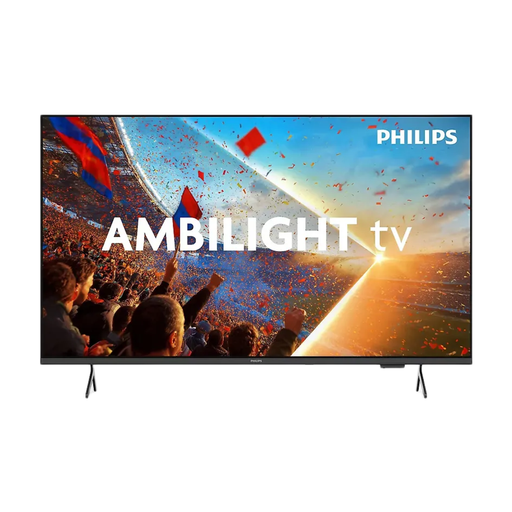 Image unavailable
Compare the 65-inch screen size with your viewing distance and available space. Check that the recording works through the app or playback source you plan to use.
The product name specifies 4K UHD, LED and Ambilight.
Measure the distance from your usual seat to where the TV will go. Consumentenbond suggests a comfortable viewing distance of about 2.4 times the screen diagonal. As a starting point, divide the viewing distance in centimetres by around 2.4 to work out the screen diagonal in centimetres. Also compare nearby sizes and check that the TV, including its stand, will fit on your furniture.
Yes, you can connect a separate media player via HDMI. If you’re using a laptop, check that its output and the cable you need are compatible with the TV. If you want to use a particular streaming service, don’t rely solely on the smart TV’s current range of apps.
First compare the connections on the TV and your existing sound system. HDMI-ARC/eARC can support sound and control via the TV remote. An optical connection may be an alternative if both devices have one, but you might need a second remote.
The EU energy label gives energy information for SDR and HDR. When comparing TVs, use the same viewing mode for each. Your eventual costs also depend on how long you watch, your settings and your electricity tariff.
According to the Dutch government, when you buy at a distance you’ll usually have a 14-day cooling-off period. You’re also entitled to a product that meets reasonable expectations. There’s no fixed statutory warranty period in the Netherlands, and the retailer is your point of contact if something goes wrong.