
A group with side seats
Is your sofa and seating arranged across a wide area? Check the picture from the seats furthest to the side, not just from directly in front of the TV. RTINGS.com discusses how panel type affects viewing angles.


Start by considering the viewing angle from the seats furthest to the side, then measure the distance from the nearest and furthest viewers. RTINGS.com and the Consumentenbond describe OLED as one option for dark scenes and wide seating arrangements; if there’s a lot of daylight, a mini-LED TV may be worth considering. Panel type isn’t the only factor: check how the exact model handles reflections and dialogue clarity, too.
Is your sofa and seating arranged across a wide area? Check the picture from the seats furthest to the side, not just from directly in front of the TV. RTINGS.com discusses how panel type affects viewing angles.
For dark interiors and candlelit scenes, contrast and visible detail matter, as does having a screen large enough for those sitting further back. RTINGS.com and the Consumentenbond describe the picture characteristics of OLED TVs in dark scenes.
If you often watch during the day, compare brightness and reflections, and remember to check the view from the side seats. RTINGS.com and the Consumentenbond highlight brightness as a factor to consider with LCD technologies.
First, consider the seating and the light in the room. Then choose a screen size based on your actual viewing distances. Finally, check that dialogue is easy to follow at your usual volume.
| What to consider | What should you check? | Who is this important for? |
|---|---|---|
| Viewing angle | Compare picture tests for the exact model and view the screen from the furthest planned seats to the side. | If guests are sitting well to the left or right, you’ll want them to be able to follow the picture clearly. Around 29% of consumers in this viewing group prioritise a consistent picture from the side. |
| Dark scenes | Check the exact model’s contrast and black levels in dim lighting; for LCD, also assess the final picture with local dimming enabled. | For evening viewing, dark interiors and candlelit details matter. Around 24% of consumers give contrast and detail in these scenes top priority. |
| Daylight and reflections | Compare brightness and reflections in lighting similar to your living room, as well as the viewing angle. | If you watch during the day, you’ll want to follow scenes clearly despite windows or lamps. Around 18% of consumers prioritise visibility in a bright room. |
| Screen size and viewing distance | Measure the distance from the nearest and furthest seats, and check the dimensions of the TV, stand or wall bracket. | Guests at the back need to be able to follow subtitles and details from their seats, and the screen must fit in the space. Around 17% of consumers start with screen size and viewing distance. |
| Clear dialogue | Compare ratings for voice clarity at your usual listening volume, and check the relevant connections if you’re considering external audio. | If dialogue carries the story, you’ll want to follow conversations without constantly adjusting the volume. Around 12% of consumers put clear voices at the top of their list. |
Some VA LCD panels can look different from an angle than they do straight on. Brightness alone won’t tell you whether guests sitting to the side will be able to enjoy the picture.
Check the exact model’s viewing angle, as well as its brightness and how it handles reflections.
The Consumentenbond describes QLED and QNED as LCD technologies. So the name alone doesn’t prove that a TV has an OLED panel or the picture characteristics associated with it.
Check the actual screen type, then compare the specific model.
When you’re watching with a large group, placement and clear dialogue matter too. A bigger screen won’t automatically make conversations easier to hear.
Plan the layout in advance and check the clarity of the built-in sound before considering external audio.
The European Commission provides separate SDR and HDR information for eligible electronic displays. Power consumption during use also depends on viewing hours and settings.
Compare the exact models’ SDR and HDR figures in kWh per 1,000 hours on the same basis.
The Dutch C5 range includes the 65-inch OLED65C54LA. It’s worth comparing if OLED and a wide seating arrangement are on your list.
The Dutch C6K range includes the 65C6K with QD-Mini LED, a model worth comparing for a bright room.
According to Philips, the 65OLED810/12 combines a 65-inch OLED screen with Ambilight. Compare this model if you’re considering this screen size and these features.
The Dutch BRAVIA 8 model K-65XR80 is a 65-inch OLED with Google TV. It’s worth comparing if OLED and audio features matter to you.
This selection includes OLED models and large LCD models, including versions listed as QLED or QD-Mini LED. Compare the screen size with your seating distances, and assess the viewing angle, dark scenes and daylight performance for each model.
 No image available
This OLED model is worth comparing if dark scenes and seating at different distances are factors; check the viewing angle from the side seats.
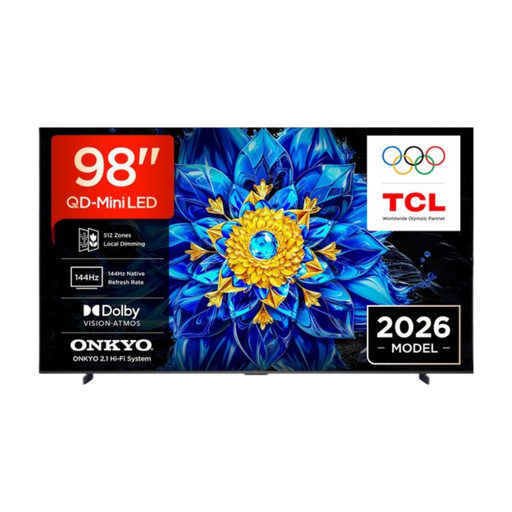 No image available
The 98-inch screen is an option to weigh up against the distance of the furthest seats and the available space for installation.
Specifications in the product name: 98 inch, 4K, QD-Mini LED and Smart TV.
 No image available
The 75-inch screen is worth comparing with the group’s viewing distance and available space for installation.
Specifications in the product name: 75 inch, QLED and QD-Mini LED dimming.
 No image available
This OLED model is worth comparing for dark scenes; also check the picture from the planned side seats.
Specifications in the product name: 77 inch, 4K, OLED and Smart TV.
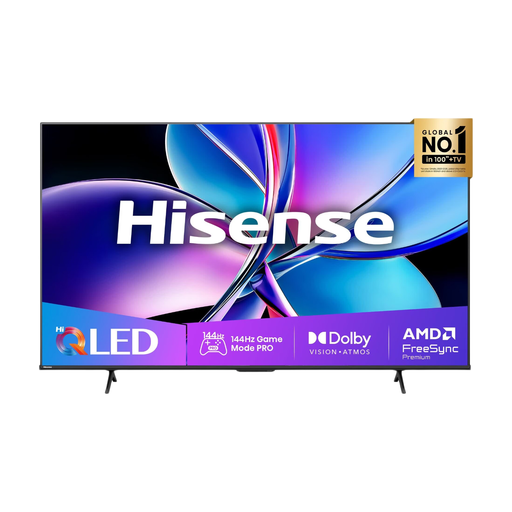 No image available
The 75-inch screen is worth considering for groups with different viewing distances; check that the TV and its placement suit the room.
Specifications in the product name: 75 inch, 4K, QLED and Smart TV.
No, not automatically. The Consumentenbond generally describes OLED TVs as having a wider viewing angle, but compare the exact model’s performance from your planned seats and consider the light and reflections in the room.
Measure the distance from each seat to where you plan to position the screen, and check that your chosen size fits the room. Based on its own research, the Consumentenbond suggests a preferred viewing distance of about 2.4 times the screen diagonal. Use this as a starting point, not as a substitute for measuring your own space.
Compare the exact model’s dimensions and weight with the available space and the weight capacity of the stand or bracket. For wall mounting, check the model’s VESA pattern and follow the installation instructions.
Compare the EU energy labels for the exact models and check the separate figures for SDR and HDR. The European Commission gives power consumption in kWh per 1,000 hours; you’ll also need your usage hours and electricity tariff to calculate your costs.
Compare voice clarity ratings for the exact TV model and look for tests carried out at a typical listening volume. The Consumentenbond highlights clear voices as an important factor; check the connections if you plan to use external audio.