Who is this guide for?

Host with seats spread around the room

You want guests at the side or back of the room to be able to follow what’s on screen. Measure the viewing distance and check the viewing angle of the specific TV. The Consumers’ Association notes that this can vary between TVs.

Viewer who wants to hear the speaker clearly

You prioritise clear speech and check how you’ll play the lecture before considering additional audio. The Consumers’ Association describes differences in sound quality between TVs.

Viewer of slides and subtitles

You want to be able to read text from your usual seat. Compare screen sizes and try a representative slide or subtitle from the furthest seat.

What should you consider when choosing?

OLED TV

A good fit if: you mostly watch in dim light and the model you choose works well for screen size, viewing angle and text display from every seat.

Keep in mind: check reflections and speech on the specific TV. Don’t pay for contrast alone if slides and spoken explanations are what you’ll mainly use it for.

LCD, including QLED and mini LED

A good fit if: you’ll have some lights on, or you’re looking for an LCD model with the screen size and connections you need for your chosen playback method.

Keep in mind: QLED and mini LED are types of LCD. Viewing angles, reflections and speech clarity vary by model.

Consideration What to look for Who is this important for?
Screen size for readability Measure the distance from the furthest seat and try a slide or subtitle from that spot. The Consumers’ Association suggests around 2.4 times the screen diagonal as a starting point for comfortable TV viewing, but this doesn’t guarantee that small lecture text will be easy to read. I want guests at the back to be able to read the text without moving closer. Around 29% of consumers prioritise readability from a distance.
Viewing angle and reflections Check the model from the seats furthest to the side and look out for reflections from lamps. According to the Consumers’ Association, viewing angles can vary between TVs. If guests are sitting beside the screen, I want them to have a clear enough picture from those seats too. Around 24% of consumers prioritise visibility from seats at an angle.
Speech clarity Listen to spoken content on the TV you’re considering. Check which audio outputs are available if you might want to connect additional audio later. I want to follow the speaker without having to keep adjusting the volume. For around 24% of consumers, speech clarity is the main priority.
Playing the lecture Check that your chosen service or connection works, and test the video and subtitles in advance. A smart TV label alone doesn’t confirm that your specific video is available. I want to play my lecture video without a complicated workaround. Around 18% of consumers prioritise compatibility with their own playback method.
Evening lighting and energy use Check for reflections in similar lighting conditions and compare the EU energy labels of TVs in a suitable size. The European Commission uses a scale from A to G for electronic displays. I want to follow the lecture with the lights we have in the room and take energy use into account too. Around 5% of consumers prioritise lighting and energy use together.

Common pitfalls

  • Assuming a recommended screen size guarantees readable slides

    A viewing-distance guideline is about comfortable TV viewing; it doesn’t prove that small text in a history lecture will be easy to read.

    Measure the distances to the seats and view a representative slide or subtitle from the furthest one.

  • Thinking of QLED as a third panel technology alongside OLED and LCD

    QLED is a type of LCD. The name doesn’t tell you how the viewing angle or reflections will work in your room with a specific model.

    Compare OLED and LCD models on the features that matter for your seating arrangement.

  • Assuming picture specifications mean the sound will be good

    A high resolution or refresh rate doesn’t tell you whether voices will be easy to hear. TVs can vary considerably in sound quality, according to the Consumers’ Association.

    Listen to spoken content on the TV you’re considering and check the audio output in case you might need additional sound.

  • Assuming a smart TV will play your lecture video automatically

    An app, phone, computer or other player each offers a different way to play content. The smart TV label alone doesn’t confirm that your service and video will work.

    Check the service and playback method you plan to use, and test them before the event.

    If you use an external playback device, you may need an additional player or connecting cable.

Brands to compare

LG

The LG OLED C5 range offers an OLED option; OLED65C5ELB is a model listed in the Netherlands.

  • LG lists a 65-inch screen, 4K and webOS for the OLED65C5ELB.
  • Claims about improved brightness and picture quality come from LG. The manufacturer says brightness can vary by model, size and market. Check speech clarity, viewing angle and reflections on the TV you choose.

Samsung

The QN90F range offers a mini LED LCD option; QE55QN90FATXXN is a 55-inch model.

  • Samsung specifies Neo QLED 4K and mini LED for this model.
  • These specifications alone don’t show how slides or voices will come across during your lecture.

TCL

The 55C6K is a QD mini LED LCD option to compare for its screen technology, size and built-in sound.

  • TCL lists an HVA panel and ONKYO 2.1 sound for the 55C6K.
  • These model specifications and the manufacturer’s presentation aren’t independent assessments of speech clarity or viewing angles in your room.

Philips

The 55PUS9050/12 is a 55-inch QLED LCD model with Ambilight.

  • Philips lists 4K, QLED and lighting behind the screen.
  • The brand’s presentation of the viewing experience isn’t an independent assessment of how suitable it is for an evening lecture.

Sony

The K-55XR5 is a 55-inch mini LED LCD option with a range of connection options.

  • Sony specifies 4K, local dimming, four HDMI inputs and eARC/ARC for this model.
  • These specifications don’t demonstrate any proven benefit for viewing angles or speech clarity during the event.

TVs for a lecture with multiple viewing positions

This selection includes OLED and LCD TVs in a range of sizes and with features to compare for a lecture with multiple viewing positions.

LG OLED77G68LW TV

LG OLED77G68LW

The 77-inch screen is worth comparing if you’ll be viewing slides with several guests. Check that they’re readable from the furthest seat.

The product information lists a 77-inch 4K OLED screen, a 60 W 4.2-channel audio system and Clear Voice Pro. These details don’t establish how clear the sound will be in your room.

View at Joybuy

TCL T8D 85-inch 4K QD-Mini LED TV

TCL T8D 85-inch 4K QD-Mini LED Smart TV

The 85-inch screen gives you a size to compare for an event with guests sitting further away. Measure the viewing distance and available space first.

The product information lists 4K, QD-Mini LED, 144 Hz, Google TV, casting support and Onkyo 2.1-channel audio. These specifications aren’t a test of picture or speech performance in your room.

View at Joybuy
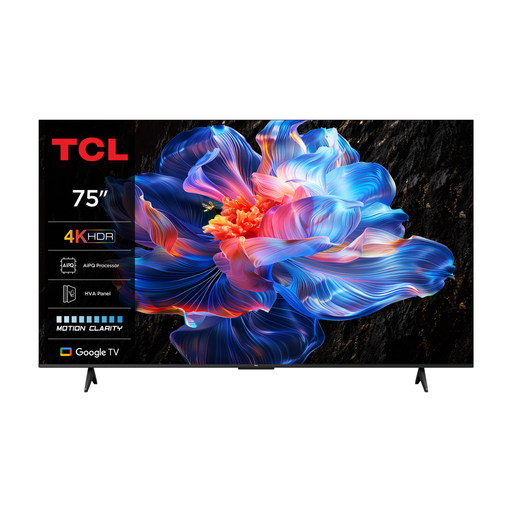
TCL 75V6C 75-inch 4K LED TV

TCL 75V6C 75-inch 4K LED Smart TV

The 75-inch size could be worth considering if you’ll be watching with guests sitting further away. Check that it suits the room and seating arrangement.

The product information lists an HVA panel, Google TV and Chromecast. Check the picture from your own seats and make sure your chosen playback method works.

View at Joybuy
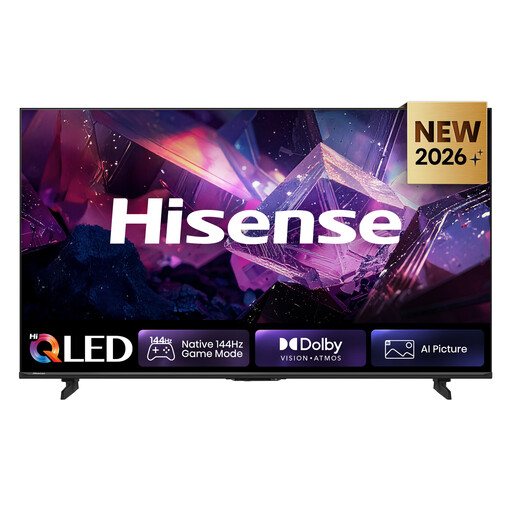
Hisense 65E7S PRO Hi-QLED TV

Hisense 65E7S PRO Hi-QLED TV

The 65-inch size is one to consider when comparing TVs for slides and subtitles. Try reading text from the furthest seat.

The specifications list 4K, a 178° viewing angle, 20 W RMS and eARC. These are product specifications, not confirmation of the viewing experience or speech clarity in your room.

View at Joybuy

Hisense 75E8Q 75-inch 4K Mini-LED TV

Hisense 75E8Q 75-inch 4K Mini-LED Smart TV

The 75-inch size gives you an option to compare for multiple viewing positions. Check whether a slide is readable from the intended distance.

The product information lists 4K, mini LED, 144 Hz, VIDAA Smart TV and Wi-Fi. Check whether your chosen lecture video is available through your playback method.

View at Joybuy

Frequently asked questions

How do I choose a screen size for guests sitting further away?

Measure from their eyes to where you plan to place the screen. The Consumers’ Association suggests around 2.4 times the screen diagonal as a starting point for comfortable TV viewing. For small text, also try an actual slide from the furthest seat.

What can I set up or connect before the event?

Test the video, any subtitles and the sound level in advance. You can connect an external computer or player via HDMI. If you’re playing content through an app or phone, also check that the service, app and network connection work.

Should I buy a soundbar straight away?

Not necessarily: first listen to speech on the TV you’re considering. The Consumers’ Association reports significant differences in TV sound quality. If the built-in sound isn’t enough for your room, check which connection is suitable for additional audio.

What are my rights when buying a TV in the Netherlands?

When you buy as a consumer, the seller must provide a solution if the product is faulty. For distance purchases, you usually have a 14-day cooling-off period. The Dutch Government explains the rules and conditions in the Netherlands. Check the terms that apply to your order, including any exceptions.

Is an energy label required, and does the rating tell me everything about running costs?

New televisions sold on the EU market are subject to EU energy labelling rules for electronic displays. The European Commission uses a scale from A to G. Also compare the sizes and specifications of the models you’re considering.
