What should you look for?
Your choice comes down to the space available, visibility from the seating and a playback method that works with your photos.
The percentages below show, for each row, the proportion of consumers who consider that factor their main priority when choosing.
| What to consider |
What to look for when buying |
Who is this important to? |
| Screen size and space for the TV |
Measure the viewing distance and available width, including the space needed for the stand or bracket. The Consumers’ Association suggests using the viewing distance in centimetres divided by 6 as a starting point for the diagonal in inches. |
If the TV needs to fit in a narrow living room, I want to check its width and the viewing distance in advance. Around 28% of consumers put available space first. |
| Visibility from seats at an angle |
Compare viewing-angle measurements for specific models or look at the same photo from the seats furthest to the side; don’t judge the viewing angle by the panel name alone. |
When guests are sitting to the side, I want to know whether they’ll still be able to see the photos. Around 22% of consumers put visibility from angled seating first. |
| Playing photos |
Check which photo files the exact model supports, along with its USB file system and controls. A suitable HDMI connection to a laptop may be an alternative. |
If I want to show my own archive photos, I want to be able to check the files and controls in advance. Around 22% of consumers put reliable playback first. |
| Visibility in daylight |
Consider windows and reflections, and compare the brightness of specific models in similar lighting conditions. |
For a daytime presentation, I want to know how the screen performs in my living room’s natural light. Around 17% of consumers put daylight visibility first. |
| Static slides and energy use |
Decide how long each slide will stay on screen. To compare energy use, check the energy label and stated consumption of models with a similar screen size. |
If slides stay on screen for a long time or the TV is used often, I want to take image retention and energy use into account. Around 11% of consumers put long-term use first. |
Joybuy products for a compact slideshow
This selection includes 42- and 43-inch models, with OLED, QLED and LED options and a range of connections and playback features.
 No image available
LG OLED42C68LA 42-inch 4K OLED Smart TV
A compact OLED option if you have guests sitting in different places; the Consumers’ Association describes OLED TVs as generally having a wider viewing angle, but this isn’t a measurement for this model.
42 inches, 4K, OLED, Dolby Vision and HDR10. The possibility of image retention is worth bearing in mind if you often display the same slide for a long time.
Joybuy
 No image available
METZ 43MQF7500Z 43-inch QLED 4K UHD Google TV
A 43-inch QLED option to compare if you’re considering a compact screen for photos and a presentation played via a connected device.
The product name lists 4K UHD, Google TV and HDMI 2.1. Check which connection and presentation controls will work with your equipment.
Joybuy
 No image available
iFFALCON U65A 43-inch 4K LED Smart TV
A 43-inch option to consider if you want to take the TV’s width and an external way to show photos into account.
4K LED and 50 Hz. The product description lists a width of 957 mm with the stand, as well as HDMI, USB and Google Cast; check which connection suits your presentation device.
Joybuy
 No image available
Hisense 43E7S 43-inch 4K QLED Smart TV
A 43-inch QLED option if you want to try playing files directly from storage or connect an external device.
4K QLED and 120 Hz. The product information lists USB, HDMI and JPEG, JPG, BMP, PNG and GIF files; test the controls and your own photos too.
Joybuy
 No image available
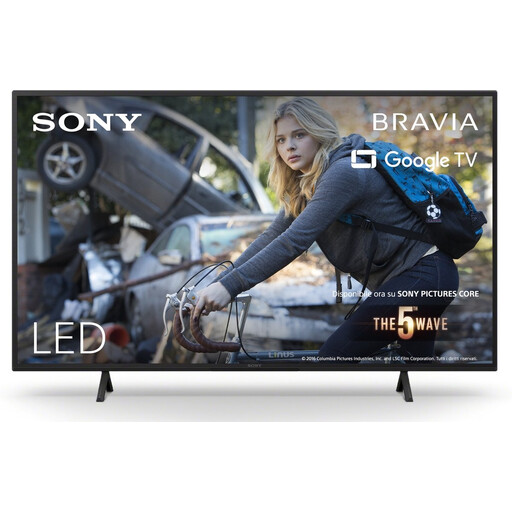
Sony KD-43X75WLP BRAVIA 43-inch 4K LED Smart TV
A 43-inch option to compare if you want to show photos via a connected device or USB and need to check the space available.
4K LED. The product description lists a width of 964 mm, four HDMI inputs and two USB ports; check the manual to see which photo files the model can play.
Joybuy
Frequently asked questions
How do you choose a screen size when people will be sitting at different distances?
Measure from the seating to the planned screen position, and check the available width too. The Consumers’ Association suggests using the viewing distance in centimetres divided by 6 as a starting point for the diagonal in inches; then compare suitable screen sizes from both the nearest and furthest seats.
Can any TV show photos from a USB stick as a slideshow?
No, don’t assume so just because there’s a USB connection. Sony Netherlands refers users to the product manual for supported file types. Check the exact model and test your own files and the controls in advance.
What should you check before placing or wall-mounting the TV?
Compare the exact model’s dimensions with the space available, allowing room for the stand or bracket, and check that the connections will remain accessible. Sony lists a VESA mounting pattern of 20,0 × 20,0 cm for the K-43S3; for other models, check their own specifications.
How do you compare the energy use of TVs?
The European Commission uses an energy label scale from A to G for electronic displays, including televisions. Compare models with a suitable screen size, and bear in mind that your actual costs will also depend on how long you use the TV and your electricity tariff.
Can you show other people’s historical photos during a presentation?
You may need the creator’s permission to use copyrighted photos. The Dutch government states that a private copy for personal use must not be distributed or made available to the public; buying a TV doesn’t give you the right to use the images.


