Who is this relevant to?

For viewers who miss the commentary

Want to follow the spoken commentary more easily without turning up the volume for the whole programme? A system with separate speech settings could be worth comparing. Sennheiser describes a mode like this for the RS 195; check that the system connects to your TV.

For viewers dealing with household noise

If conversations or other sounds at home distract you, compare the fit and noise cancelling of the headphones. Sony and JBL describe noise cancelling on their models; also check how your TV can send audio to the headphones.

For viewers who want a simple connection

Want to know how the sound from your existing TV will reach your headphones? Start by checking your TV’s audio outputs, then compare them with the connections on any transmitter or headphones you’re considering. The connection you need depends on your TV model and the system you choose.

What should you look for?

TV headphones with a transmitter and speech settings

A good fit if: you mainly want to adjust spoken commentary and your TV has a suitable audio output.

Keep in mind: the transmitter needs a compatible connection and a place near your TV. Sennheiser says the RS 195 has a speech mode and listening profiles; this is the manufacturer’s claim, not an independent listening test.

TV headphones with a transmitter

A good fit if: you want to listen to TV audio privately and would rather use a transmitter than connect directly via Bluetooth.

Keep in mind: check the exact connection. Sennheiser lists optical and analogue connections for the RS 175-U; Philips presents the SHD6000BK/12 as having a digital TV connection.

Over-ear headphones with noise cancelling

A good fit if: background noise is your main distraction and you want to use the headphones with other devices too.

Keep in mind: you’ll still need a working audio connection to your TV. A product specification can’t predict how noise cancelling will work at home or how easy the commentary will be to understand.

What to consider What should you check? Who is this important for?
Spoken commentary Check whether the exact model has an adjustable speech mode. If possible, also listen to a clip with both commentary and nature sounds. I want to follow the narrator without unnecessarily drowning out the sounds of nature. Around 36% of consumers put speech clarity first.
Distractions from household noise Compare the fit and noise cancelling in a similar listening environment; the results will vary depending on the situation. If conversations at home distract me, I want to know how the headphones sound in my surroundings. Around 29% of consumers put blocking out household noise first.
Connection to your TV Check the audio outputs, Bluetooth audio function, cables required and TV settings for your exact model. I want to know before buying whether my TV can actually send audio to the headphones. Around 21% of consumers put a working TV connection first.
Comfort and battery life Try on the ear cups if possible, and only compare stated battery life when the usage settings are the same. For a long documentary, I want a comfortable fit that lasts and enough battery life for my listening session. Around 14% of consumers put long-wearing comfort first.

Common buying mistakes

  • Assuming Bluetooth headphones will connect directly to your TV

    Bluetooth headphones won’t automatically work with every TV. Sony states that Bluetooth headphones can’t be used with all Android TVs.

    Before buying, check the Bluetooth audio function and audio outputs on your exact TV model. If there’s no suitable direct connection, you may need a different way to connect.

    A separate connection solution may need extra setup and space near your TV.

  • Assuming all TV headphones have speech enhancement

    According to Sennheiser, the RS 195 has a speech mode. Don’t assume other TV headphones, such as the RS 175-U, have this feature without evidence.

    If commentary is your main concern, look for a clearly listed speech setting and check the exact model you’re considering.

  • Comparing battery life without checking the usage settings

    Sony lists different maximum battery life figures for the WH-1000XM6 with noise cancelling on and off.

    Only compare battery life figures when the settings are the same, and check that they match how you plan to use the headphones.

Brands to consider

Sennheiser

The RS 195 and RS 175-U offer different listening features and connection options for TV use.

  • Sennheiser lists seven profiles and a speech mode for the RS 195.
  • According to Sennheiser, the RS 175-U has bass and surround modes. Don’t attribute the RS 195’s speech mode to this model. Both require a suitable transmitter connection.

Philips

Philips presents the SHD6000BK/12 as wireless over-ear TV headphones.

  • Philips lists a digital TV connection and up to 30 hours of battery life.
  • Check the connection to your TV; the information provided doesn’t confirm a specific speech mode or performance in noisy environments.

Sony

According to Sony, the WH-1000XM6 combines Bluetooth, noise cancelling and a detachable audio cable.

  • Sony lists up to 30 hours of battery life with noise cancelling on and 40 hours with it off.
  • Bluetooth on your headphones doesn’t mean your TV supports Bluetooth headphones; Sony states that this isn’t the case for all compatible TVs.

JBL

According to JBL, the Tune 770NC is wireless over-ear headphones with adaptive noise cancelling.

  • JBL lists multipoint connection with two Bluetooth devices.
  • The listed features don’t tell you how easy the commentary will be to understand in your living room; also check whether your TV can transmit Bluetooth audio.

Headphones on Joybuy

These Joybuy products are wireless headphones for anyone who wants to take household noise into account when listening. Before buying, check whether your TV supports the Bluetooth or wired connection you need.

Sennheiser MOMENTUM 4 Wireless in white

Sennheiser MOMENTUM 4 Wireless, white

An option to compare if household noise distracts you while watching.

The product name describes wireless over-ear headphones with noise cancelling and 60 hours of battery life.

View on Joybuy
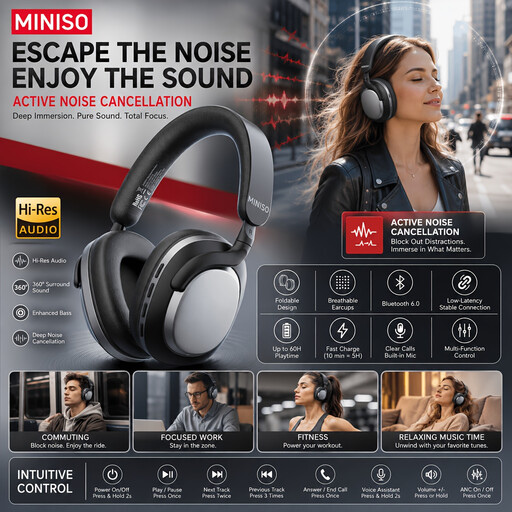
MINISO MG210 wireless headphones, black

MINISO MG210, black

A model to include in your comparison if you want to listen wirelessly in a noisy home.

The product name describes wireless over-ear headphones with noise cancelling and 24 hours of battery life.

View on Joybuy

Bose QuietComfort Ultra Bluetooth Headphones, black

Bose QuietComfort Ultra Bluetooth Headphones, black

An option to compare if you want to account for household noise and are looking for a wireless connection.

The product name lists Bluetooth. Check whether your TV supports Bluetooth audio to headphones.

View on Joybuy
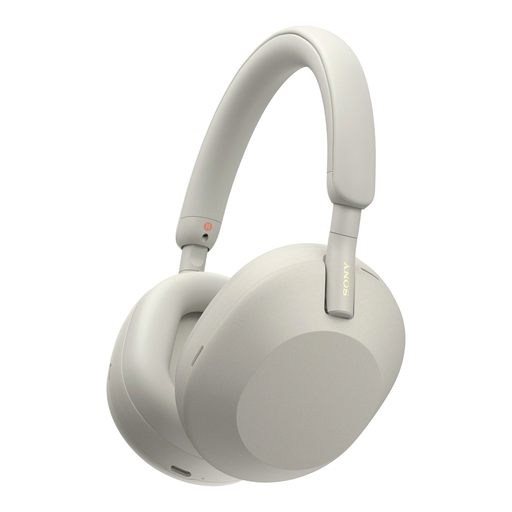
Sony WH-1000XM5 wireless headphones, silver

Sony WH-1000XM5, silver

A model to compare if you’re looking for noise cancelling when listening in a noisy home.

The product name describes wireless headphones with noise cancelling. Check whether your TV supports direct Bluetooth audio.

View on Joybuy
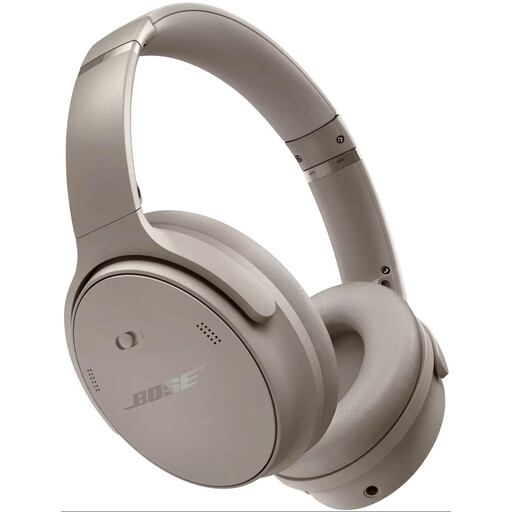
Bose QuietComfort Headphones in Sandstone

Bose QuietComfort Headphones, Sandstone

A version to compare if you want to account for distracting household noise while watching.

View on Joybuy

Frequently asked questions

Is noise cancelling the same as a speech mode?

No. Sony and JBL describe noise cancelling as a headphone feature; Sennheiser describes a separate speech mode for the RS 195 which, according to the manufacturer, improves speech clarity. Check which feature suits what you find difficult to hear while watching.

Can I connect any Bluetooth headphones directly to my TV?

No, it depends on your TV’s Bluetooth audio function. Check the manual for your exact model; Sony states that Bluetooth headphones can’t be used with all Android TVs. A transmitter may offer another way to connect if your TV has a suitable audio output.

How do I connect a TV transmitter?

The connection depends on the system and your TV’s outputs. Sennheiser lists an optical or analogue connection for the RS 175-U; check which output your TV has, which cables you need and which audio settings to use.

Should I turn up the volume to hear commentary over household noise?

First try a suitable connection, fit or listening setting before turning up the volume further. The World Health Organization points out that both sound level and listening duration matter for safe listening.
