TVs at Joybuy
Compare these Joybuy TVs for a documentary night with several viewers. When choosing, focus on viewing distance, light levels, viewing angle and the source you use.
 No image available
Hisense 65A6S 65-inch 4K UHD TV
The 65-inch screen could be worth comparing if your seats are further from the TV; check the available space and viewing distance.
65 inches (164 cm); 4K UHD; Smart TV HomeOS U9.5; Dolby Vision HDR.
Joybuy
 No image available
TCL 65T8D 65-inch QLED TV with QD-Mini LED Dimming
This 65-inch QLED model is worth comparing with other screen technologies; check the viewing angle and reflections from where your guests will be sitting.
4K HDR Ultra HD; Smart Google TV; Dolby Vision, HDR10+ and Atmos.
Joybuy
 No image available
Samsung S85F Series GQ55S85FAU 55-inch OLED 4K TV
A 55-inch OLED model to compare if dark scenes and viewing positions matter to you; assess the TV under the lighting conditions in your living room.
55 inches; OLED; 4K.
Joybuy
 No image available
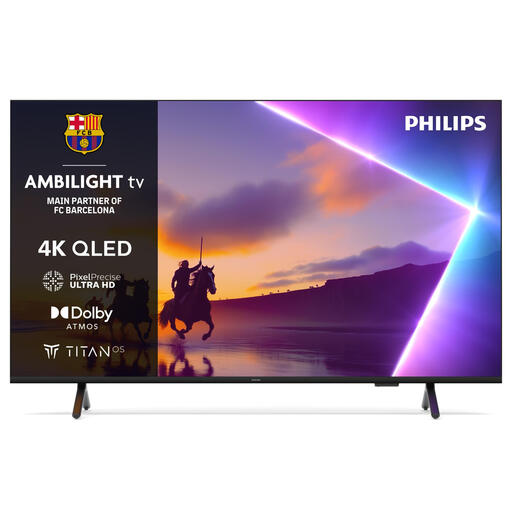
Philips 50PUS8500/12 50-inch 4K Ultra HD Smart TV
The 50-inch size is worth comparing if your space or viewing distance calls for a smaller screen; measure the space for the TV in advance.
50 inches (127 cm); 4K Ultra HD; Smart TV; Wi-Fi.
Joybuy
 No image available
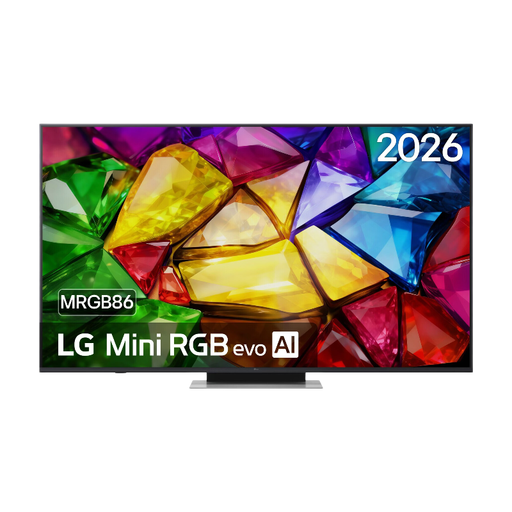
LG 65MRGB86B9A Mini RGB evo TV
Compare this LG Mini RGB evo TV with other models based on the screen size you need, your seating positions and the lighting in your room.
Mini RGB evo TV.
Joybuy
Frequently asked questions
How do I choose a screen size when guests are sitting at different distances?
Measure the distance to the seats and check that the TV, including its stand, will fit in the available space. The Dutch Consumers’ Association suggests around 2.4 times the screen’s diagonal as a viewing distance that people find comfortable on average, but treat this as a guide. Also check that guests furthest away can see the details and that those nearest the screen can watch comfortably.
Do I automatically need a 4K TV for documentaries?
No. You’ll need suitable 4K source material to see the extra detail. The Dutch Consumers’ Association notes that the difference from Full HD isn’t always easy to see in practice, so check the picture quality your streaming service or player actually provides.
What should I check before positioning the TV?
View the screen from the seats furthest to the sides and under the lighting you usually use. Also check the dimensions, including the stand, and test the app or connection you’ll use to play the documentary.
How do I compare the power consumption of TVs?
Compare the EU energy label and information for the exact model. According to the European Commission, the label shows SDR and HDR consumption in kWh per 1,000 hours. Annual costs also depend on how many hours you watch, the picture mode and your electricity tariff.
In the Netherlands, do TVs automatically come with just a two-year legal guarantee?
No. According to the Dutch government, the Netherlands has no fixed legal guarantee period: you’re entitled to a product that works properly, and what you can reasonably expect from the TV is also taken into account. If there’s a fault, the retailer must provide a solution; a manufacturer’s guarantee or extended warranty doesn’t replace this right.


