
Viewers sitting at the sides
If your group is spread out, check how colour and contrast look from the seats at either end.


Start by considering your viewing distance and the seats at the sides. A larger screen can help viewers sitting further away, but it won’t automatically give you a wider viewing angle. Compare how each model handles picture quality and reflections in your room, and check that voices are clear and your preferred streaming service is available.
If your group is spread out, check how colour and contrast look from the seats at either end.
Measure the viewing distance before choosing a screen size, so people at the back of the room can follow the picture too.
If you watch with guests in daylight, assess both the screen’s brightness and reflections.
| What to consider | What should you check? | Who is this most important for? |
|---|---|---|
| Viewing from angled seats | Assess colour and contrast from the seats at either end; look for a viewing-angle test for the specific model. | If I’m watching from the side, I want to be able to judge colour and contrast clearly. Around 28% of consumers give visibility from side seats top priority. |
| Screen size and viewing distance | Measure from the seats to the screen. The Dutch Consumers’ Association suggests dividing the viewing distance by 2.4 as a starting point for the screen’s diagonal in centimetres. | For viewers at the back of a deep room, the picture needs to remain easy to follow from a distance. Around 22% of consumers prioritise viewing distance. |
| Visibility in daylight | Compare brightness and reflections on the screen; if possible, assess them in lighting similar to that in your room. | When we watch during the day, I want to take both incoming light and screen reflections into account. Around 22% of consumers give visibility in daylight top priority. |
| Clear speech | Listen to dialogue in a sound test for the specific model. If you want to use external speakers, also check which audio output you’ll need. | When there’s commentary and conversation, I want to hear the presenter clearly without relying solely on the stated speaker power. Around 17% of consumers prioritise speech clarity. |
| Programmes and running costs | Check that the app or playback method you want to use works with the specific TV model. To compare energy use, check the models’ EU energy label information. | If I want to watch a particular gardening programme through a streaming service, I want to know in advance whether my chosen playback method is available. Around 11% of consumers give access to programmes and running costs top priority. |
A large screen diagonal doesn’t tell you whether people sitting at the sides will get a good picture, and the size needs to suit the viewing distances.
First measure the distances from the seats, then assess the viewing angles of the specific model.
According to the Dutch Consumers’ Association, LCD TVs can often be very bright, but their viewing angle is usually narrower. A technology label doesn’t show how a specific model looks from the seats at either end.
Compare each model’s viewing angle and visibility in incoming light.
A paid subscription isn’t necessary for everyone. An extended warranty doesn’t replace your statutory guarantee.
Check which programmes and features you need, and read the terms of any extended warranty alongside your statutory rights.
The Dutch Consumers’ Association cites the 65-inch LG OLED65G36LA as an example of an OLED model to compare with LCD TVs.
The Dutch Consumers’ Association includes the 65-inch OLED QE65S99H in its range of models available for comparison in the Netherlands.
The Dutch Consumers’ Association describes the TCL 65C79K as a 65-inch Mini LED LCD TV.
The Dutch Consumers’ Association describes the Philips 75MLED810/12 as a 75-inch Mini LED LCD option.
The Dutch Consumers’ Association’s comparison of 65-inch TVs in the Netherlands includes LCD models from Hisense.
These TVs come in a range of screen sizes and specifications to compare with your room’s seating positions, viewing distance and lighting conditions.
 No image available
A 65-inch option to consider in relation to your viewing distance and the group’s spread-out seating.
The product information lists a 178° viewing angle and HomeOS U9.5. Check the picture from your own seating positions.
 No image available
A 75-inch option for a group with viewers sitting further from the screen, provided it suits your measured viewing distance and available space.
The product name lists QD-Mini LED dimming and Google TV. The product information mentions an Onkyo 2.1-channel audio system.
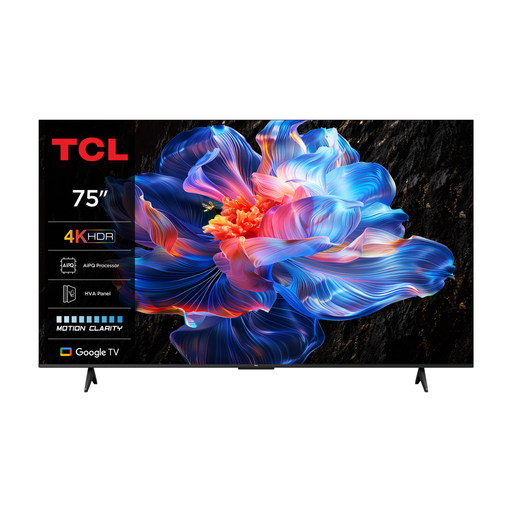 No image available
The 75-inch size is an option for viewers sitting further away; also measure the room and the distance from the front seats.
The product information lists an HVA panel and Google TV. Check the picture from the seats at either end of your group.
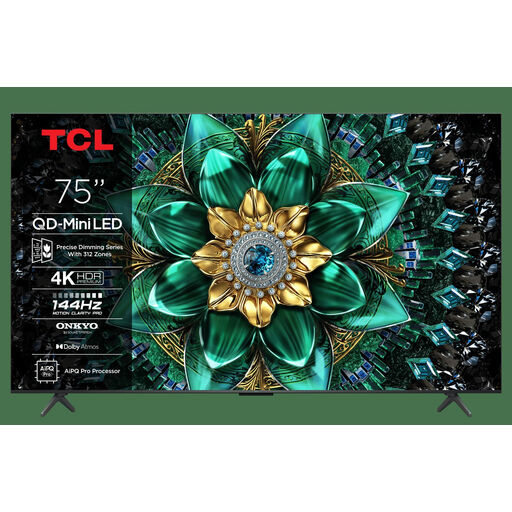 No image available
Compare this 75-inch size with your viewing distance and available space before choosing a larger screen.
The product name lists 4K and Google TV. The product information claims 1000 nits of brightness and mentions an Onkyo 2.1 audio system; these details alone don’t tell you how the picture will look from every seat.
 No image available
Compare this larger size with your group’s viewing distance and available space.
The product name lists 144 Hz. The product information claims a brightness of 3,000 cd/m²; also compare the model’s visibility in daylight and viewing angle.
Measure the distance from your eyes to the planned screen position, including the front and back seats. The Dutch Consumers’ Association suggests dividing the distance by 2.4 as a starting point for the screen’s diagonal in centimetres; also check that the picture remains comfortable to watch for those sitting at the front.
That depends on the programme, the service and support on the specific device. NPO lists TV apps for various smart TVs, as well as Chromecast and AirPlay. Before buying, check that your programme and preferred playback method are available.
Measure the available width and check the dimensions of your chosen model, including its stand. If you want to use external audio, check which connection you’ll need; HDMI-ARC/eARC is listed for the TCL 65C79K and Philips 75MLED810/12.
Check that the specific programme is available through the app or playback method you want to use on the TV model. To compare energy use, you can compare the SDR and HDR figures on the EU energy labels for the specific models.
According to the Dutch Government, distance purchases often come with a 14-day cooling-off period. You also have a statutory guarantee that the product will be fit for purpose; if there’s a problem, the seller must provide a solution. Check the applicable returns policy and any exceptions before placing your order.