
Host with a wide seating arrangement
You arrange chairs around the room and want guests sitting at the sides to follow the rally easily. Check the viewing angle from those seats.


Start by measuring the distance to the seats at the back, then choose a TV that’s easy to watch from the seats at the sides too. The Dutch Consumers’ Association generally describes OLED as a technology with a wider viewing angle. However, in daylight, reflections and brightness still vary by model, and a high refresh rate alone won’t tell you what a tennis broadcast will look like.
You arrange chairs around the room and want guests sitting at the sides to follow the rally easily. Check the viewing angle from those seats.
You often watch during the day, and have windows or lights that could reflect on the screen. Compare reflections and brightness where you plan to put the TV.
Some of your group will be sitting at the back of the room. Measure the distance from those seats before choosing a screen size.
First, measure the distance from the seats at the back, then consider how far off-centre the guests at the sides will be. Next, compare reflections and brightness, and check the picture using the match source you plan to watch.
| What to consider | What should you check? | Who is this for? |
|---|---|---|
| Viewing from the side | Assess the exact model from the outermost seats you’re planning to use; compare its measured viewing angle where possible. | When I’m watching with guests spread around the room, I want to be able to follow the rally from the sides. Around 28% of consumers prioritise side viewing. |
| Screen size for seats at the back | Measure the distance from the furthest seats and check how much space is available. The Dutch Consumers’ Association cites around 2.4 times the screen’s diagonal as a comfortable viewing distance, based on its own research—not as a fixed rule for every room. | When guests are sitting at the back, I want them to be able to follow the players and the score from those seats too. Around 22% of consumers prioritise viewing distance and screen size. |
| Reflections and daylight | Compare the reflection handling and brightness of the same model, and consider where your windows and lights are positioned. | When I’m watching during the day in a bright living room, I don’t want reflections to get in the way of the match. Around 22% of consumers prioritise daytime viewing. |
| Motion and match source | Look for a test of the exact model’s motion handling, and check the quality of the source you’ll be using. | When I want to follow fast rallies, I want to assess the TV with a suitable match source rather than relying on the refresh rate alone. Around 17% of consumers prioritise motion and source quality. |
| Running costs and installation | Check the dimensions, mounting requirements and energy label in kWh per 1,000 hours. | When I choose a large TV, I also want to know whether installation and running costs suit my room and plans. Around 11% of consumers prioritise total running costs and installation. |
Guests sitting at the sides view the screen from a different angle to someone sitting directly in front of the TV.
Assess the specific TV from the furthest seats you’re planning to use for your group.
The TV’s resolution doesn’t determine the quality in which the match is filmed and broadcast.
Check the match source and assess the picture using content similar to what you’ll be watching. The Dutch Consumers’ Association points out that the programme must also be filmed and broadcast in 4K to provide that level of detail.
The right bracket and installation method depend on the TV model and the surface it’s being mounted on.
Check the dimensions, wall type and installation instructions for the exact model in advance.
Samsung’s S95H range in the Netherlands includes OLED models for anyone considering anti-reflection features too. Compare the exact version before assuming that features of one model apply to another.
LG’s OLED G6 range in the Netherlands includes a 77-inch model for anyone considering a large OLED screen.
The 77OLED810/12 is a 77-inch OLED model with Ambilight, for anyone who wants to factor in this lighting feature.
Sony’s BRAVIA 7 range in the Netherlands includes a 75-inch mini-LED model to compare if screen size and daylight are important to you.
The 75C6K in Europe is a large QD mini-LED model with a stated native refresh rate of 144 Hz.
This Joybuy selection includes large-screen OLED, QLED and QD mini-LED TVs. Compare the screen size with the distance to the seats at the back, and check the viewing angle and reflections in your own room too.
 Image unavailable
If you’re hosting a large group, OLED could be an option to compare. Check this model’s viewing angle and how reflections behave in your room.
83 inch; 4K; native 120 Hz; VRR up to 165 Hz.
 Image unavailable
If guests will be sitting further away, weigh up the 86-inch screen against the viewing distance and the space available.
QLED; 4K HDR10+; 144 Hz.
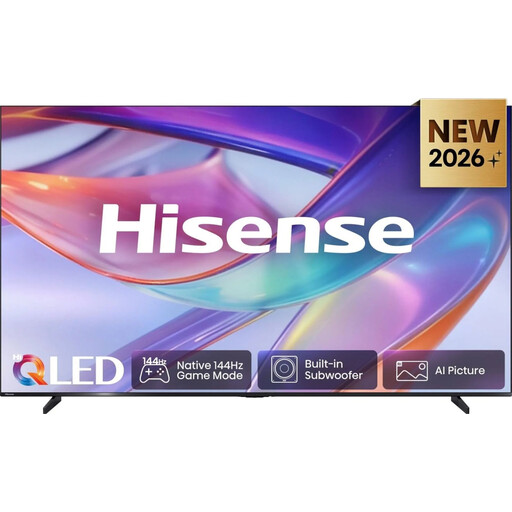 Image unavailable
Weigh up the 98-inch screen against the distance to the seats at the back and the space available for the TV.
4K signals up to 144 Hz require a suitable HDMI input, source, cable and connected equipment.
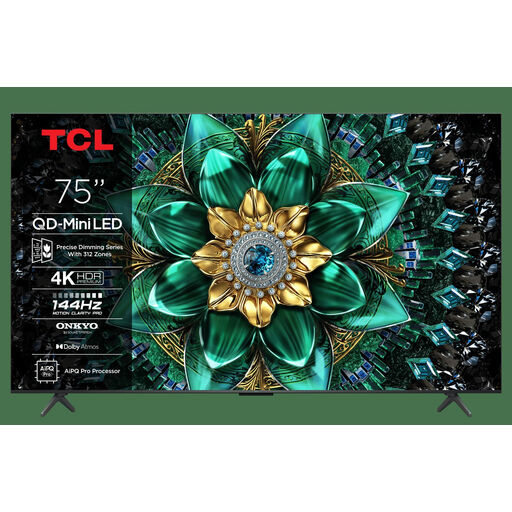 Image unavailable
The 75-inch screen is worth comparing with the distance from which your group will be watching. Check the viewing angle of this particular TV too.
4K; QD-Mini LED; 144 Hz.
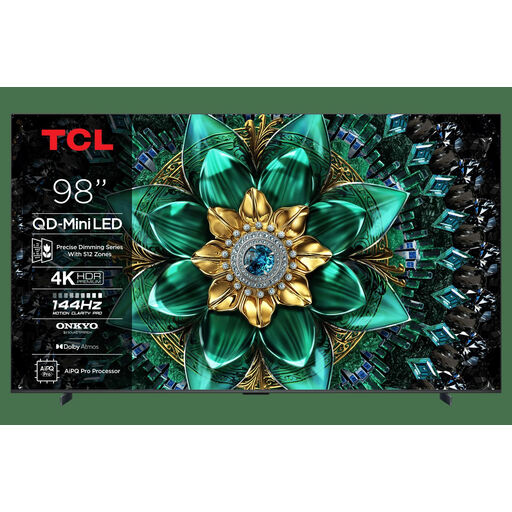 Image unavailable
Weigh up the 98-inch screen against the viewing distance and the space the TV will take up; screen size alone doesn’t determine how clearly you can see the picture from the sides.
4K; QD-Mini LED; 144 Hz.
Measure the distance from the furthest seat and check how much space the TV takes up, including its stand. The Dutch Consumers’ Association cites around 2.4 times the screen’s diagonal as a comfortable viewing distance, based on its own research. Also check that the score and play are easy to follow from the back of the room.
No. Check the exact model, the suitable bracket and the type of wall before choosing how to mount it. LG recommends using a professional technician for wall mounting, as requirements vary by TV and surface.
No. The match must also have been filmed and broadcast in 4K. Check the quality of the source you’re using; the Dutch Consumers’ Association points out that the broadcast itself must also be in 4K to show that level of detail.
A large screen alone doesn’t mean you can show a match to other people. Videma explains that a licence is required to show TV programmes in places such as cafés or sports clubs, and an events licence may be needed for screenings at events. This applies to business or public screenings and doesn’t necessarily apply to a private gathering at home.