For a large group, the viewing angle matters if people need a good picture from the sides too; the distance to the furthest seat can help you choose the screen size. OLED generally offers a wider viewing angle and deeper blacks, while brightness, reflections and energy consumption should be compared for each model and room. So choose based on the seats furthest from the screen and your usual lighting, not just the panel name or screen size.
Who should consider this?
Viewers spread around the room
If guests will be sitting at the edges, compare the picture from those seats, not just from directly in front of the screen. RTINGS.com explains that wide viewing angles are important for viewers who do not sit directly in front of the TV.
A group with seats further away
If you have several rows of seats or a deep living room, measure the distance from the furthest viewers to the screen. The Consumers’ Association recommends around 2.4 times the screen diagonal as a starting point for viewing distance, not a fixed rule.
Documentary viewers in daylight
If you often watch with the lights on or daylight in the room, consider reflections and how visible dark scenes are. The Consumers’ Association highlights reflections and viewing angle as factors to consider when comparing TVs.
What should you look for when choosing?
OLED TV
A good fit if: your group sits spread out and you value dark nature scenes, even in dim lighting.
Consider: compare reflections, brightness and energy consumption for the exact model; image retention can be a concern when displaying static images for long periods.
Mini LED/LCD or QLED TV
A good fit if: you mainly watch during the day and want to compare the brightness and reflection handling of specific models.
Consider: LCD panels vary in picture quality when viewed from the side; a mini LED or QLED label alone does not guarantee a wide viewing angle.
The Consumers’ Association generally describes OLED TVs as offering a wider viewing angle and deeper blacks; according to the Consumers’ Association, QLED TVs can often produce higher brightness. Compare specific models under similar conditions, as these general differences alone won’t determine which TV is right for your room.
| Factor to consider |
What should you check? |
Who should pay extra attention? |
| Viewing angle |
Compare the picture from the furthest seats to the sides, paying attention to colour, brightness and contrast. |
If I want guests sitting at the sides to follow the picture just as well as those at the front, I focus on the horizontal viewing angle. Around 33% of consumers prioritise viewing angle. |
| Screen size |
Measure the distance to the furthest viewers and check the TV’s external dimensions, including the stand. |
If you want to see the details from the back row, distance is a useful starting point when choosing the screen diagonal. Around 27% of consumers prioritise screen size. |
| Daylight and reflections |
Check for reflections and how dark scenes look in lighting similar to that in your own room. |
If I usually watch in a bright room, I want to know whether reflections interfere with the picture and whether dark scenes remain visible. Around 20% of consumers prioritise visibility in daylight. |
| Picture detail and dialogue |
Check the quality of your documentary sources and assess dialogue from where the group will be listening. |
For consumers who value both nature footage and spoken commentary, source quality and dialogue clarity matter. These are the top priority for around 13% of consumers. |
| Energy consumption |
Compare the consumption of individual models and check the information for SDR and HDR. |
If I use a large TV often, I want to take the specific model’s energy consumption into account. Around 7% of consumers make energy consumption their main consideration. |
How to avoid common buying mistakes
-
Judging the picture only from directly in front of the TV
With a wide seating arrangement, the picture may look different for viewers sitting at the edges.
Compare the exact model from the furthest seat you plan to use as well.
-
Assuming QLED guarantees a wide viewing angle
QLED is a type of LCD, and side-viewing picture quality varies between panels and models.
Check the viewing angle of the exact TV, whatever its panel name.
-
Assuming a 4K screen guarantees 4K detail
The documentary source itself needs to contain enough detail; what you see also depends on your viewing distance.
Check which sources you use and assess the picture from the seats in your room.
-
Judging energy consumption by the energy rating or panel technology alone
The European Commission explains that the EU energy label also provides information about energy consumption with HDR content. Actual consumption also depends on the model and how you use it.
Compare model specifications on the same basis and consider how long you watch for and which picture mode you use.
Brands to consider
LG
LG lists the OLED65G56LS as a 65-inch OLED screen with pixel-level control of black levels.
- The screen size listed can serve as a comparison point for a large viewing group.
- Check the exact model’s performance in daylight, its reflection handling and whether it suits your intended placement; manufacturer specifications are not an independent viewing-angle test.
Samsung
Samsung describes the 65-inch S95F OLED as having a Glare Free screen.
- This listed feature is worth considering for a bright room.
- Glare Free does not mean reflections disappear in every room; also compare the picture from the side and the HDR support of the exact model.
Sony
Sony’s support information describes the BRAVIA 8 II K-65XR8M2 as a 65-inch OLED model.
- The model specifications include dimensions with the stand and HDMI connections.
- Check that the TV and its connections suit your available setup and sources; the specifications are not an independent comparison with other brands.
Philips
Philips lists the 65OLED910/12 as a 65-inch OLED screen with four-sided Ambilight and integrated Bowers & Wilkins sound.
- This combination may be worth considering if you’re looking at lighting around the screen and built-in sound, as well as the screen itself.
- Check how much space you need and assess dialogue clarity in your own setup; the description of the viewing experience comes from the manufacturer.
TCL
According to TCL, the C8K series also includes a 65-inch QD mini LED/LCD option.
- The series offers an LCD option to compare with OLED models.
- Series claims about brightness or dimming zones do not necessarily apply to every screen size; be sure to check the viewing angle of the specific model you choose.
TVs for different viewing arrangements
These Joybuy models include OLED and mini LED TVs in different screen sizes; compare them with your room’s seating distance, viewing angle and lighting.
 No image available
LG OLED65C68LA 65-inch OLED evo AI C6 4K Smart TV
A 65-inch OLED option to compare if black levels and documentary footage viewed from several seats are important to you.
The product title lists 4K, Dolby Vision, Dolby Atmos and an α11 AI Processor 4K Gen3. Compare the viewing angle and reflections of this exact model in conditions similar to those in your room.
View at Joybuy
 No image available
TCL T8D 85-inch 4K QD-Mini LED Smart TV
An 85-inch option to consider if you’re looking for a large screen; first measure the distance to the furthest seat and the space available.
The product information lists 4K, QD-Mini LED, 144 Hz, Dolby Vision, HDR10+, Google TV and Onkyo 2.1 sound. Check the picture from the side in your own setup.
View at Joybuy
 No image available
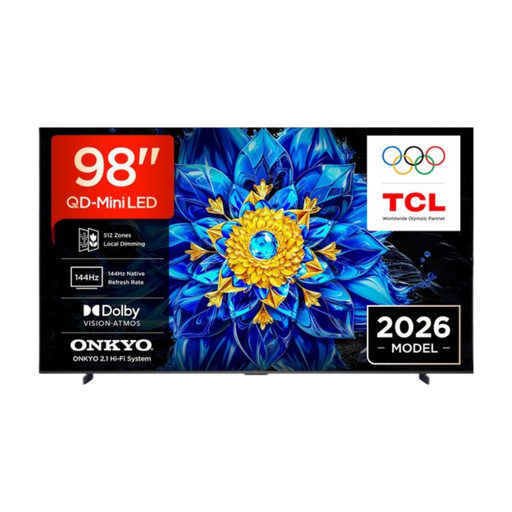
TCL T8D 98-inch 4K QD-Mini LED Smart TV
The 98-inch size is worth considering if you’re looking for a very large screen; measure the viewing distance and where you plan to place the TV first.
The product information lists 4K, QD-Mini LED, Google TV, Dolby Vision and HDR10. Check the viewing angle from the seats at the edges.
View at Joybuy
 No image available
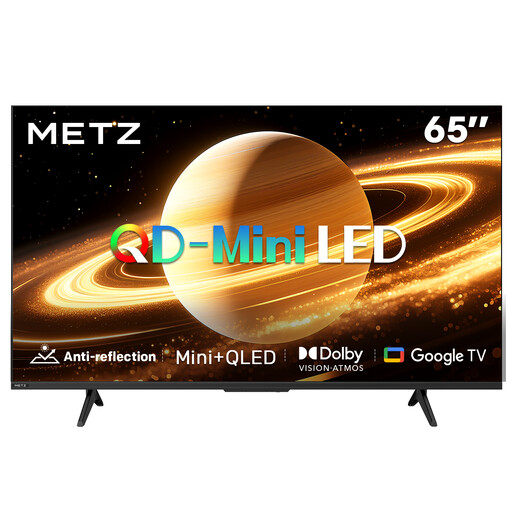
METZ 65MNH7000Z 65-inch QD-MiniLED TV
A 65-inch option to include in your comparison if you’re also considering a matte screen for a room with incoming daylight.
The product title lists a matte screen, 60 Hz, Dolby Vision, Dolby Atmos, Google TV and HDMI 2.1. Assess reflections and the view from the side in your own setup.
View at Joybuy
 No image available
LG OLED77B68LA 77-inch 4K OLED Smart TV
A 77-inch OLED option to compare for longer viewing distances; check that the screen size suits the distance and space available.
The product information lists 4K, Dolby Vision, Dolby Atmos, a 120Hz screen and VRR up to 144Hz. Compare the picture from the furthest seats.
View at Joybuy
Frequently asked questions
How do you choose a screen size when not everyone sits the same distance from the TV?
Measure the distance from the eyes of the furthest viewers who will usually be watching. The Consumers’ Association suggests around 2.4 times the screen diagonal as a starting point, not a required measurement; compare nearby screen sizes and check the TV’s external dimensions too.
How should you set up the TV for a documentary night?
Choose home settings rather than the typically brighter shop mode. The Consumers’ Association recommends assessing picture settings at home; watch scenes with light and dark areas in the lighting you usually use and adjust the picture accordingly.
Does an OLED TV need special care?
According to the Consumers’ Association, the risk of permanent image retention was low, but not ruled out, during a 2022 test using varied content; that test does not predict how new models will perform. LG describes pixel cleaning for the OLED models concerned and recommends checking the source and connection first if you see visible marks.
What should you know about energy consumption and warranties in the Netherlands?
Compare the EU energy label and consumption information for each model, including HDR. For a faulty product, the retailer is your point of contact under Dutch statutory warranty; there is no fixed statutory time limit. Check the terms of any additional warranty to see what extra cover it provides.
Do you have a cooling-off period when buying a TV online?
According to the Dutch government, online purchases from a business generally come with a 14-day cooling-off period. Check the terms for your order; purchases from a private seller are not covered by the same distance-selling rules.


