What should you look for when choosing?
Start by checking whether the smallest important details are readable from the back row. Then check the view from the sides, incoming light, sound and practical connections.
| What to consider |
What should you check? |
Who is this important for? |
| Readability from the back |
Measure the distance to the furthest seat and show a representative slide at the intended screen size. Check that the smallest important text is readable. |
If I want the back row to follow place names, dates and captions, I test this with the actual slides. Around 36% of consumers put readability first. |
| Seats at the sides and lighting |
View the same slide from the seats at the sides, with the usual lighting and any sunlight coming in. |
With a wide seating layout or windows, I want to see whether text remains easy to read from an angle. Around 29% of consumers prioritise side viewing and performance in bright conditions. |
| Speech clarity |
Play a representative clip and listen from the furthest and most challenging seats. Check in advance that the intended sound system can be connected to the TV. |
If spoken explanations are essential, I want to know whether everyone can follow the video or speaker. Around 21% of consumers make speech clarity their top priority when choosing. |
| Connections and positioning |
Check the connections on the exact TV variant and test both picture and sound with your own source. Also compare the dimensions and mounting details with the room. |
When my laptop or video source and planned installation are key, I check in advance that everything will fit and work in the intended position. Around 14% of consumers prioritise connections and set-up. |
Joybuy product picks for group viewing
These TVs are potential large screens for watching lecture footage together. Assess readability, connections and speech clarity with your own source and seating layout.
 No image available
TCL T8D 85 inch 4K QD-Mini LED Smart TV (2026)
The 85-inch screen makes this model a candidate to assess from the furthest seat, using actual lecture text.
85 inch; 4K; QD-Mini LED; 144 Hz; HDMI 2.1; Onkyo 2.1 sound.
Place it on a stable surface or use a suitable wall bracket, and allow plenty of ventilation.
View at Joybuy
 No image available
TCL 85Q7D PRO 85 inch 4K SQD-Mini LED TV
Use the 85-inch screen size as a starting point, then check whether the smallest important text is readable from the back row.
85 inch; 4K; SQD-Mini LED; 1,056 local dimming zones; HDR up to 2,000 nits; anti-reflective; 144 Hz.
For wall mounting, check that the wall and fixings are suitable, and keep the ventilation openings clear.
View at Joybuy
 No image available
METZ 86MQE8000Z 86-inch QLED Google TV
The stated 86-inch size makes this model suitable for testing at your intended viewing distance, using the slides you plan to show.
86 inch; 4K; QLED; 144 Hz; HDMI 2.1; 2.1.2 sound system with integrated subwoofer.
The product information advises using two or more people to handle it safely. Place the TV securely or use a suitable wall bracket.
View at Joybuy
 No image available
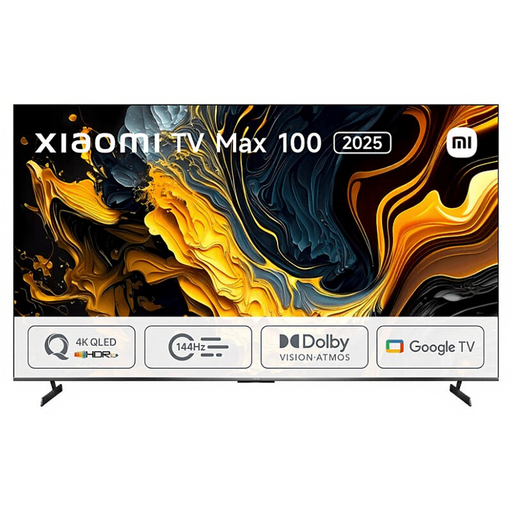
Xiaomi TV Max 2025 100 NGZEU1N
The product information lists a 100-inch TV. Check whether this size will fit in your room and whether it’s readable from the furthest seat.
100 inch; 4K UHD; QLED; HDR10+; three HDMI ports; 30 W RMS sound.
The stated width is 222,9 cm; compare this with the available space.
View at Joybuy
 No image available
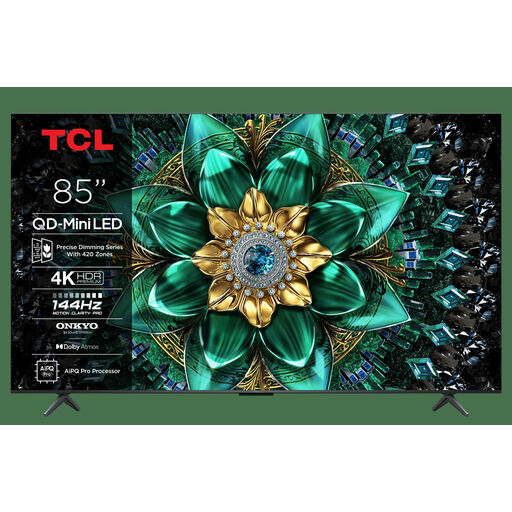
TCL 85Q6C 85-inch QD-Mini LED TV
The 85-inch screen size gives you a starting point for testing from the furthest seat, using your actual lecture source.
85 inch; 4K; HDR Premium 1000 nits; matte HVA panel; Onkyo 2.1 audio; 144 Hz.
Make sure the TV is positioned securely or safely mounted, and keep the ventilation openings clear.
View at Joybuy
Frequently asked questions
How can you tell whether 85 or 86 inch is big enough?
Measure the distance to the furthest seat and assess the smallest important text on the actual lecture slides. AVIXA takes the furthest viewer, active image height and content into account when assessing a display. Without this information, 85 or 86 inch is no guarantee that everything will be readable.
How should you test a TV before showing content to a group?
Use the planned source and show a representative clip with both text and spoken explanations. Check picture and sound from the furthest seats and those at the sides, using the lighting you’ll have during the lecture.
What do the energy label and statutory guarantee mean when buying in the Netherlands?
The EU energy label for televisions uses a scale from A to G. The European Commission includes details such as screen size and resolution, so compare the label for the exact variant. For a consumer purchase, the Netherlands Authority for Consumers and Markets says the seller is responsible for the statutory guarantee if a product doesn’t meet what the consumer can reasonably expect. For online consumer purchases, there is generally a 14-day cooling-off period after delivery; check the applicable exceptions and returns policy.
Can you show a recorded history lecture to a large group without further permission?
No. The number of people present or owning a TV doesn’t in itself give you permission. The Dutch Government highlights copyright rules on making protected material available to the public. The Copyright Guide describes specific exceptions, including certain types of teaching in the classroom. Whether an exception applies depends on the organiser, location, source and screening rights. Check the terms for your particular event.


