TVs at Joybuy
This selection at Joybuy includes TVs with different screen sizes and technologies. Choose a screen size to suit the furthest seat, and check the viewing angle and motion handling on the model itself.
 No image available
Hisense 65A6S 65-inch 4K UHD Smart TV
This 65-inch TV is one to consider when weighing up viewing distance and seating positions.
Stated features: 4K UHD, HomeOS U9.5 and VRR 60 Hz.
View at Joybuy
 No image available
TCL 75T8D 75-inch QLED QD-Mini LED 4K TV
Compare the stated 75-inch diagonal with the distance to the back row; check the picture from side seats separately.
Stated features: QLED, QD-Mini LED, 4K HDR and 144 Hz VRR.
View at Joybuy
 No image available
METZ 86MQE8000Z 86-inch QLED Google TV
Consider this screen size only if it suits your viewing distance and the available space.
Stated features: 86 inches, QLED, 4K HDR10+ and 144 Hz.
View at Joybuy
 No image available
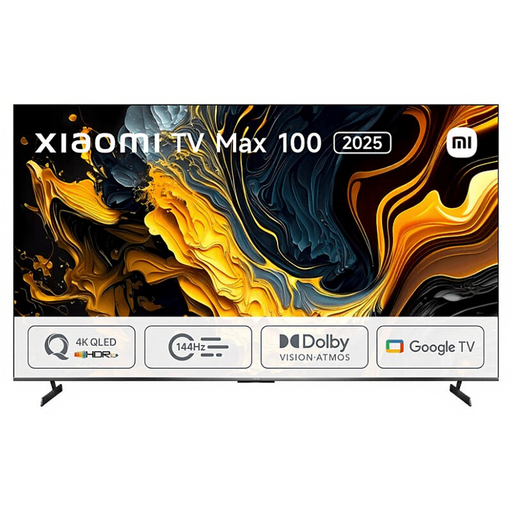
Xiaomi TV Max 2025 100 NGZEU1N
Check this model’s screen size and external dimensions, and make sure they suit your viewing distance and where you plan to put the TV.
The product name includes the model designation TV Max 2025 100 NGZEU1N and QLED.
View at Joybuy
 No image available
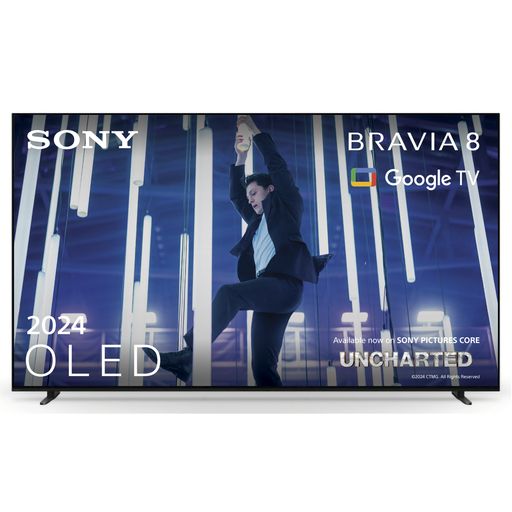
Sony K-65XR80 BRAVIA 8 65-inch 4K OLED TV
According to the Dutch Consumers’ Association, OLED is generally worth comparing when viewers sit at an angle to the screen; check the picture from your own seats.
Stated features: 65 inches, 4K, OLED and model year 2024.
View at Joybuy
Frequently asked questions
How do you choose a screen size when guests are sitting at different distances?
Measure the distance from the eye position of the viewers in the back row. The Dutch Consumers’ Association suggests around 2.4 times the screen diagonal as a starting point for a comfortable viewing distance. Compare nearby screen sizes, then assess the other seats as well.
Should you always choose the highest refresh rate for a dance competition?
No. A higher stated refresh rate doesn’t guarantee better picture quality for fast dance moves. According to the Dutch Consumers’ Association, calculating extra frames can cause picture artefacts with fast, irregular movement. So compare the picture using your own viewing source and settings.
What should you check when positioning and setting up the TV?
Check that the TV’s dimensions, including the stand, will fit on your furniture. Try the picture settings with familiar light and dark scenes. If you’re wall-mounting the TV, check the mounting instructions and model compatibility.
How do you compare energy use and the guarantee?
Compare the EU energy labels for the specific models; according to the Dutch Consumers’ Association, a larger screen generally uses more energy. In the Netherlands, your statutory guarantee is separate from any manufacturer’s guarantee: ACM ConsuWijzer states that you always have a statutory guarantee. If a TV develops a fault too soon under normal use, the retailer is responsible for providing an appropriate solution.


