When you’re watching cricket with a large group, a good viewing angle matters if guests are sitting to the sides of the screen. Measure the distance to the furthest seats before choosing a screen size, too. The Consumentenbond generally describes OLED TVs as having wider viewing angles and QLED TVs as often offering higher brightness, but performance varies by model. So compare reflections and motion handling for the specific model, and check whether you can watch the match via an app, receiver or HDMI source.
Who is this relevant for?
A group with a wide seating arrangement
If guests are sitting well to the left and right of the screen, the viewing angle of the specific model is an important point to compare. RTINGS describes wide viewing angles as useful for a wide seating arrangement.
Viewers in a bright room
If you watch during the day or opposite windows, compare models for reflections and brightness. The Consumentenbond notes that QLED TVs can often offer higher brightness.
A group with seats further away
Measure the distance to the back row and consider it alongside the available space. Simply choosing the largest screen diagonal won’t tell you whether everyone will be able to follow the game clearly.
What should you look for when choosing?
Start by considering the furthest seats and viewing distance. Then compare daylight conditions and how you’ll watch the match, so screen type or refresh rate isn’t your only reason for choosing a TV.
| Buying consideration |
What to look for |
Who is this important for? |
| Viewing from the side |
Check independent viewing-angle measurements or assess the exact model from the furthest seats. |
If I’m watching from the side, I want to be able to follow the game clearly without relying on the panel name alone. Around 28% of consumers give viewing angle their top priority. |
| Screen size for the furthest seats |
Measure the viewing distance and available space. The Consumentenbond gives distance divided by 2.4 as a general guide to the diagonal in centimetres. |
What matters to me is whether the back row can follow the game and whether the TV fits in the room. Around 22% of consumers put choosing a suitable screen size first. |
| Daylight and reflections |
Compare reflection handling and brightness for the exact model, and consider where the windows are in relation to the screen. |
If I mainly watch during the day, I want to reduce distracting reflections and see the picture clearly. Around 22% of consumers make visibility in a bright room their top priority. |
| Motion handling |
Look for an independent assessment of motion handling for the exact model; the stated panel refresh rate alone doesn’t tell you how well it displays sport. |
During fast-paced moments, I want to follow the action clearly, rather than just see a high figure on the specifications list. Around 17% of consumers prioritise motion handling. |
| How you’ll watch the match |
Check whether your preferred provider and app are available on the TV model, or whether you can use a suitable receiver or external player via HDMI. |
I want to know in advance how I can watch the match on my TV, without assuming that a particular app is available. Around 11% of consumers prioritise the match source and connections. |
Buying pitfalls
-
Assessing the picture only from directly in front
With a wide seating arrangement, viewers at the sides may see a different picture from someone sitting directly in front of the TV.
Check the viewing angle of the specific model from the furthest seats.
-
Assuming a 4K TV will show the match in 4K
The match itself must be available in 4K for the TV to display that level of detail from the source.
Check the quality in which the match is broadcast or streamed. Don’t choose screen size and viewing angle based solely on the TV’s resolution.
-
Choosing a TV based on a single streaming app
The apps available vary by TV model and can change, so your preferred match service may not be available.
Check the app and provider for the model you’ve chosen. A compatible external media player connected via HDMI may be an alternative.
-
Leaving installation and energy use out of the comparison
A TV needs to fit in the space available, and the EU energy label provides information to help you compare the energy efficiency of specific models.
Check what’s included in an installation service and compare the energy labels of the models you’re considering.
Sony states that wall mounting for the BRAVIA 7 II does not include a wall bracket. Check which parts are included with your chosen TV and installation service.
TV brands to compare
Samsung
The Neo QLED QN90F range is one option to consider when comparing TVs for group viewing.
- Samsung lists Glare Free as a feature of the QN90F.
- This manufacturer specification isn’t an independent viewing-angle measurement, and it doesn’t mean that all Samsung TVs perform equally well in daylight.
LG
LG offers large OLED TVs, including the 77-inch OLED77G67LW.
- LG lists reflection handling as a feature of this specific model.
- Assess reflections and brightness for the TV and room you’re considering. Features of this size model don’t automatically apply to other LG models.
Sony
The BRAVIA 7 Mini-LED range includes the 75-inch K75XR70PAEP, which you can compare if viewers will be sitting further away.
- Sony specifies 4K and Google TV for this model.
- These specifications alone don’t determine how its viewing angle or motion handling compares with other models.
TCL
The 75C7K sold in the Netherlands is a 75-inch QD-MiniLED model to compare if you’re looking for a large LCD screen.
- TCL lists a native refresh rate of 144 Hz.
- That specification isn’t an independent test of cricket picture quality. Also assess the viewing angle for guests sitting at the sides.
Philips
The 75PQS8611/12 sold in the Netherlands combines a 75-inch QLED screen with Ambilight.
- Ambilight is an extra lighting effect to consider if you’re looking for this feature.
- Philips says that the apps available vary by TV model and country. So check separately whether your preferred match service is available.
TVs on Joybuy
These TVs on Joybuy are options for comparing screen size, viewing angle and OLED or LCD technology when watching cricket with a group.
 No image available
OLED77G68LW 77-inch 4K OLED TV
This 77-inch OLED TV is an option to compare for screen size and the viewing angle of the specific model.
77 inches; 4K OLED; native 120 Hz; VRR up to 165 Hz; webOS; Google Cast.
View on Joybuy
 No image available
METZ 86MQE8000Z 86-inch QLED Google TV
The 86-inch diagonal is worth considering if guests will be sitting further away; make sure you measure the available space, too.
86 inches; 4K; 144 Hz; HDR10+; Dolby Vision and Atmos; HDMI 2.1; 2.1.2 sound system.
View on Joybuy
 No image available
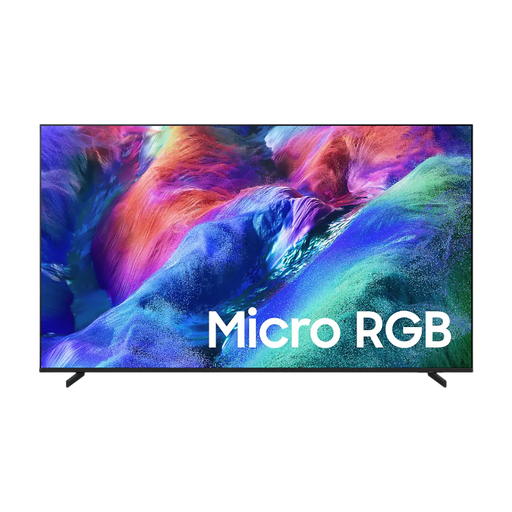
Samsung 75-inch Micro RGB R85H 4K TV
This 75-inch TV is an option to compare for screen size and its stated viewing angle for viewers sitting at the sides.
75 inches; 4K; Micro RGB; 144 Hz; VRR; Tizen; Google Cast. The product description states that it has a wide viewing angle.
View on Joybuy
 No image available
TCL 75Q7C 75-inch 4K Mini-LED TV
This 75-inch TV is an option for comparing screen size and stated refresh rate; that figure alone doesn’t prove how a cricket broadcast will look.
75 inches; 4K Mini-LED; 144 Hz; Google TV; adjustable stand.
View on Joybuy
 No image available
Hisense 75E8Q 75-inch 4K Mini-LED TV
This 75-inch TV is worth including in a comparison of screen size and its stated viewing angle for a wide seating arrangement.
75 inches; 4K Mini-LED; 144 Hz; VIDAA. The product description states that it has a wide viewing angle.
View on Joybuy
Frequently asked questions
What size TV is suitable if some guests will be sitting at the back?
First measure the viewing distance and the space available. The Consumentenbond gives distance divided by 2.4 as a general guide to screen diagonal in centimetres. For a group, also consider whether people in the back row will be able to follow the game.
Will a cricket stream automatically work on every smart TV?
No, it depends on the provider and TV model. The apps available vary by system and can change, so check your preferred service in advance. A compatible external player connected via HDMI may be an alternative.
What should you check when positioning or wall-mounting a TV?
Check the dimensions of the TV and stand, the space available and what any installation service includes. Sony states that the wall-mounting service offered for the BRAVIA 7 II does not include a wall bracket; this doesn’t automatically apply to other models or providers.
How do you compare energy use and the warranty if something goes wrong?
Compare the EU energy label for the exact TV. It shows the energy class, among other details, and separate information for HDR. In the Netherlands, you’re also entitled to a legal guarantee covering what you could reasonably expect from the product under normal use. According to ACM ConsuWijzer, there isn’t one fixed legal guarantee period of two years for every TV.


