What should you look for?
LCD or mini-LED TV
A good choice when: daylight is your biggest challenge and most guests will be sitting directly in front of the screen. Compare the brightness and reflection handling of specific models.
The trade-off: according to the Consumers’ Association, LCD TVs can often be bright, but they generally have a more limited viewing angle. The mini-LED label alone doesn’t tell you how the screen handles reflections from windows.
OLED TV
A good choice when: guests will be sitting at a noticeable angle and viewing angle is a key consideration. OLED may be worth comparing with specific LCD or mini-LED models.
The trade-off: according to the Consumers’ Association, OLED generally offers a wider viewing angle and deeper blacks, while LCD and QLED models can often be brighter. Reflection handling varies by model.
| What to consider |
What should you check? |
Who is this important for? |
| Visibility in daylight |
Check model-specific information about brightness and reflections, and identify which windows will be in view from the planned screen position. |
If the windows are directly opposite the TV, I want to minimise distracting reflections and keep the picture easy to see during the film. Around 33% of consumers prioritise visibility in daylight above all else. |
| Picture from seats to the side |
Map out the seating and compare how specific models look from the angled positions. |
If guests are sitting beside the centre of the screen, I want to consider in advance what the picture will look like from those seats. Around 27% of consumers prioritise viewing angle. |
| Screen size and viewing distance |
Measure the distance from the viewing positions to where the screen will go, and check that the TV will physically fit there. |
If the group will be sitting further from the screen, I want to choose a size that suits the distance and the space available. Around 20% of consumers prioritise the relationship between screen size and viewing distance. |
| Film playback and sound |
Check the connection and file format required for your chosen source, and test the entire playback set-up in advance. |
If I want to show my own film file, I want to know whether my laptop or another source will work with the TV, and whether the sound will suit the gathering. Around 20% of consumers prioritise reliable film playback. |
The Consumers’ Association gives a viewing distance of around 2.4 times the screen diagonal as a starting point, not a fixed rule for every group. Measure from the actual seating positions and compare screen sizes around that distance.
TVs at Joybuy
The Joybuy models below feature a range of screen technologies, including QNED and mini-LED, QLED and OLED, giving you options to compare for daylight viewing and seating around the screen. Check each model’s suitability for your window position, viewing distance and video source.
 No image available
LG QNED85B6B QNED Evo Mini LED 4K Smart TV
A model to compare if you’re considering an LCD or mini-LED screen for a daytime screening. Check how it handles reflections in your set-up.
86 inch; 4K; VESA 600 × 400 mm.
Joybuy
 No image available
KOORUI K65N3UQ-T8 65-inch 4K UHD QLED Smart TV
A QLED model to compare with other screen types if daylight brightness is a consideration. Check the exact model’s reflection handling too.
65 inch; 4K UHD; Tizen OS.
Joybuy
 No image available
TCL 50Q6C QD-Mini LED 4K Smart TV
A smaller mini-LED model to compare if space and viewing distance are important. Check separately how the screen handles reflections.
50 inch; 4K; Google TV.
Joybuy
 No image available
Samsung S85F Series GQ55S85FAU 55-inch OLED 4K
An OLED model to compare if guests will be viewing the screen at an angle. According to the Consumers’ Association, OLED TVs generally have a wider viewing angle.
55 inch; 4K; four HDMI ports.
Joybuy
 No image available
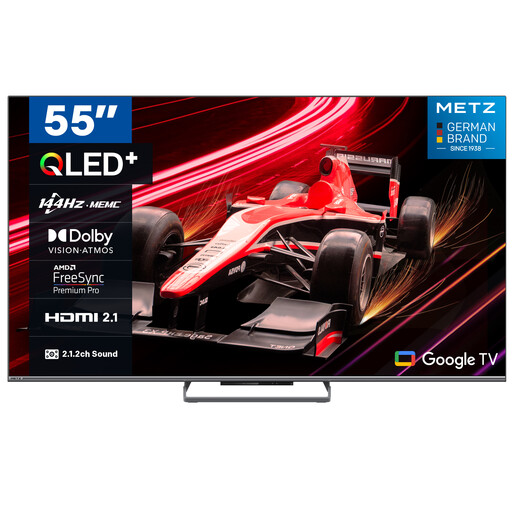
METZ 55MQE8000Z 55-inch QLED Google TV
A QLED model to compare with other screen types if you want to show the film during the day. Check the brightness and reflection handling of this version.
55 inch; 4K; HDMI 2.1; Google Cast.
Joybuy
Frequently asked questions
Can I play the film directly from my laptop?
You can do this via HDMI if your laptop and TV have the right connections. Check your devices and test the film in advance. A smart TV app doesn’t guarantee that a locally stored file will play.
How should I clean the screen after a gathering?
The Consumers’ Association advises switching off the TV and letting it cool down before gently cleaning the screen with a slightly damp, well-wrung-out microfibre cloth.
What does the energy label tell me about consumption?
The EU energy label for televisions shows information including the energy class and consumption; usage is given in kWh per 1,000 hours. Compare models on the same basis. Your personal costs also depend on how many hours you use the TV and your electricity tariff.
What if the TV breaks sooner than expected?
When you buy as a consumer in the Netherlands, you have statutory rights in addition to any commercial guarantee. If a product is faulty despite normal use, the retailer must provide an appropriate remedy at no cost. If you’re buying on behalf of an association or another organisation, check separately which rights apply to that purchase.
Can I show a film at a gathering?
Buying a TV doesn’t in itself give you the right to show a film. According to the Dutch Government, you need permission to make other people’s copyright-protected films, photographs or music available to the public. A private association event isn’t automatically covered by the limited exception for domestic use, according to Auteursrecht.nl. Also check whether your own film includes third-party material.


