What should you look for when choosing?
Start with the screening location and seating layout. These determine whether you need to focus on daylight, group viewing, outdoor use or playing the film.
| What to consider |
What should you check? |
Who is this important for? |
| Visibility in daylight |
Look at assessments of visibility in ambient light and screen reflections. Take windows, the screen’s position and viewers’ seats into account. |
If I’m screening a film in a bright room during the day, I want to assess reflections and make sure the picture can be seen from the seats. Around 29% of consumers give visibility in daylight top priority. |
| Screen size and audibility |
Measure the distance to the back row and the space available for the screen. Listen to a dialogue scene at the expected volume. |
For a group screening, I want people at the back to be able to follow the film and hear the dialogue. Around 29% of consumers prioritise screen size and audibility for the group. |
| Genuine outdoor setup |
Decide whether the TV will be indoors, under cover or fully exposed outdoors. Then check the instructions and specifications for the exact model and the complete installation. |
If the TV will actually be outdoors, I want to know whether the specific model is designed for that and how to set it up safely. Around 21% of consumers give outdoor use top priority. |
| Playing your own film |
Check that the source and connections are compatible. If you’re playing the film via USB, check the file formats supported by the exact model and test the film in advance. |
For a screening using my own film file, I want to know in advance that the picture and sound work with the playback method I’ve chosen. Around 21% of consumers prioritise ease of playback. |
Joybuy products
These Joybuy product picks are aimed at indoor film screenings, with a range of screen sizes and technologies. For a bright room, check for yourself how the reflections and visibility suit your screening location. If the TV will be outdoors, you’ll need a model specifically designed for outdoor use.
 No image available
LG OLED65C68LA 65-inch OLED evo AI C6 4K Smart TV
A 65-inch screen for a sheltered indoor screening, where you can match the screen size to the viewing setup.
65-inch 4K OLED evo screen and a 40 W 2.2-channel audio system. The product description also mentions Clear Voice Pro and four HDMI inputs.
View at Joybuy
 No image available
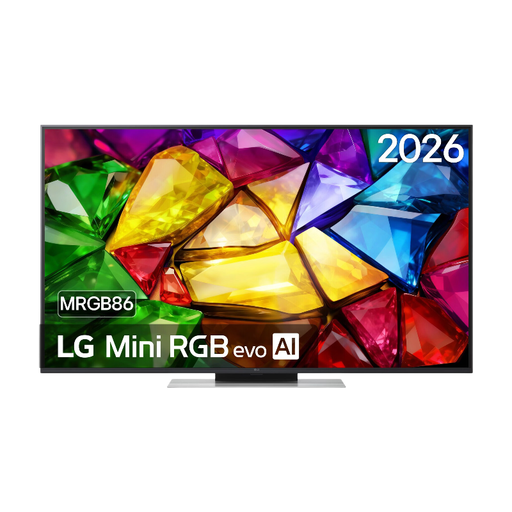
LG 50MRGB8669A 50-inch 4K Mini RGB LED Smart TV
A 50-inch option for an indoor setup. Measure the viewing distance and space for the screen in advance.
50-inch 4K Mini RGB LED, 20 W audio and four HDMI inputs. The product description also mentions two USB inputs.
View at Joybuy
 No image available
LG 65NU800B6LA 65-inch NANO 4K UHD AI Smart TV
A 65-inch model to compare with the distance to viewers at the back and the space available for setting it up.
65-inch 4K resolution and 20 W 2.0-channel audio. The product description mentions three HDMI inputs and Clear Voice Pro.
View at Joybuy
 No image available
LG QNED85B6B 86-inch QNED Evo Mini LED 4K Smart TV
An 86-inch model to consider only if the viewing distance and available space are suitable for such a large screen.
86-inch 4K QNED Mini LED and 2,040 dimming zones. The product description lists a weight of 50.0 kg; at least two people are recommended to move or install it.
View at Joybuy
 No image available
Hisense 65A6S 65-inch 4K UHD Smart TV
A 65-inch model for an indoor setup where viewers will be watching from different angles.
65-inch 4K, a stated horizontal and vertical viewing angle of 178°, and 2 × 10 W audio. The product description mentions three HDMI inputs. This TV is intended for indoor use only.
View at Joybuy
Frequently asked questions
How do you choose a TV size when several people will be watching?
Measure the distance from the screen position to the seats, and check the space available for the screen as well. In a publication dated 5 May 2026, the Consumers’ Association cites its own research and gives around 2.4 times the screen diagonal as a comfortable viewing distance. Use this as a starting point, not a fixed rule for every group setup.
Can a standard living room TV be left outside for the screening?
Don’t assume a TV is suitable for outdoor use because of its brightness or the film’s subject. Samsung describes the specific The Terrace QE65LST7DATXXN as an outdoor TV with IP56. For every model, check its own usage and installation instructions, including those for the power supply.
How can you avoid problems playing the film?
Check that your source is compatible with an available input, and test the final file with sound. If you want to play the film directly via USB, check the formats supported by the exact model; Sony, for example, publishes this information for the K-65XR5.
Can you show a film to a group without permission?
This depends on the rights to the film and the images and music used. The Dutch Government states that copyrighted work belonging to others may not be made available to the public without permission. FilmService describes screening licences for films in its catalogue; this doesn’t establish that such a licence is required for every entirely original production.
How do you compare the energy consumption of two TVs?
Compare the energy label figures in kWh per 1,000 hours, separately for standard picture and HDR. Energielabel.nl lists this consumption information on the television label. To calculate the cost, you’ll also need your expected hours of use and electricity tariff.


