
The viewer on the distant sofa
You want to follow the plants, subtitles and presenters clearly from your usual seat. So start by measuring your viewing distance and comparing screen sizes that suit it.


First, measure the distance between your seat and the screen, then compare suitable screen sizes. For example, the Consumers’ Association suggests considering a range of 55–77 inches at a distance of 4 metres; this is a guide, not a fixed requirement. Next, think about daylight and where you sit. LCD, including mini-LED, and OLED have different characteristics, but you should assess features such as reflections and viewing angle for each model. A 4K label also doesn’t mean that a regular garden programme is broadcast in 4K.
You want to follow the plants, subtitles and presenters clearly from your usual seat. So start by measuring your viewing distance and comparing screen sizes that suit it.
You often watch garden programmes during the day and want to assess the picture in the light conditions and room with windows that you have at home.
You watch from different seats and want to know not only which screen size to choose, but also how the picture looks from seats at the side.
Could suit anyone considering a large screen who also wants to compare picture quality in a bright room. The Consumers’ Association notes that LCD TVs can often be bright.
Bear in mind a large screen size or mini-LED label alone tells you nothing about reflections, viewing angle or picture processing on a specific TV.
Could suit anyone sitting in different places who values viewing angle and deep blacks. Check that the available screen size is right for your viewing distance. The Consumers’ Association generally describes OLED as offering a wider viewing angle than LCD.
Bear in mind OLED isn’t better than LCD in every respect; prolonged display of static images can be a concern because of image retention.
| What to consider | What should you check? | Who is this for? |
|---|---|---|
| Screen size and placement | Measure from your eyes to where the screen will go. As a starting point, the Consumers’ Association advises dividing the distance in centimetres by 2.4 to find the diagonal in centimetres. Also check the overall dimensions, including the stand. | I want to follow faces and subtitles from my usual seat, while making sure the TV will fit on my unit. Around 42% of consumers prioritise getting the right screen size. |
| Picture in daylight | Compare a familiar scene in lighting similar to your living room, paying attention to the brightness and reflections of the specific model. | I often watch during the day and want to assess the picture in my usual light. Around 25% of consumers give comfortable viewing in daylight their top priority. |
| Viewing angle | Watch the picture from the seats furthest to the side. The Consumers’ Association generally describes OLED as having a wider viewing angle than LCD, but this doesn’t guarantee the same result for every model. | I want to watch with others from different seats, rather than judging the TV only from the middle seat. Around 17% of consumers prioritise being able to watch from multiple seats. |
| Programmes and energy use | Check that you can watch programmes through your provider, receiver or preferred app on the exact TV model. Compare the EU energy labels of models with similar screen sizes. | I want to watch my usual programmes and take the TV’s energy use into account when comparing options. Around 16% of consumers focus mainly on access to programmes and running costs. |
The right screen size depends on your viewing distance, while the overall dimensions determine whether the TV, including its stand, will fit in the space.
Measure the distance from your seat and check the available width and height before you buy. Compare sizes that suit your room and viewing position.
4K, QLED or mini-LED doesn’t automatically mean a regular garden programme will look sharper or that reflections will disappear in your room. The source of the picture and the performance of the specific model also matter.
Compare the TV using your usual source and lighting similar to that in your living room.
An additional warranty offer is separate from the seller’s responsibility under the statutory guarantee.
First, check what solution the seller must offer if the product breaks sooner than you could reasonably expect under normal use. Then assess the terms of any optional package separately.
The Consumers’ Association describes the 75P7L as a 75-inch LCD LED TV with Google TV and three HDMI inputs. These are features of that model, not a verdict on the brand as a whole.
According to its model specifications, the 75U7Q is a 75-inch, 4K mini-LED TV with four HDMI inputs, as described by the Consumers’ Association.
The Consumers’ Association describes the OLED65C54LA as a 65-inch OLED TV. Compare its screen size with your own viewing distance.
According to the Consumers’ Association, the QE75QN73F is a 75-inch, 4K mini-LED TV with four HDMI inputs.
The Consumers’ Association lists Philips TVs in various sizes, including the 75MLED810/12 and 65PUS8001/12.
These large-screen Joybuy models are options to compare with your measured viewing distance. Also check which features suit the light in your room and where you sit.
 No image available
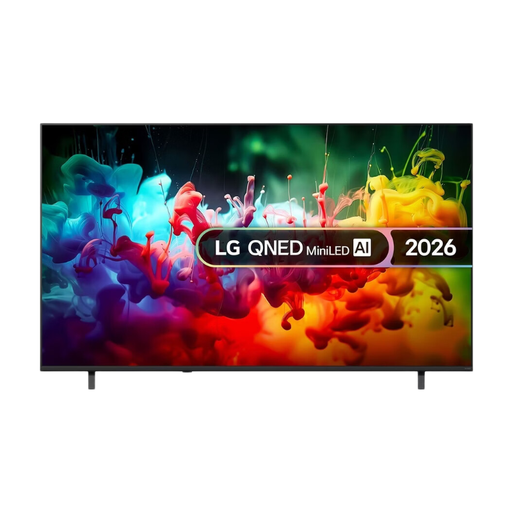
The 75-inch screen size is one option to consider for a distant seat. Measure the distance before deciding whether it’s right for your room.
The product name lists Mini LED, 4K, Smart TV and model year 2026.
 No image available
Compare the 75-inch screen size with the distance from your seat, and check that the TV will fit in the space available.
The product name lists QD-Mini LED and 4K. The product description mentions an anti-reflection screen; still, assess the picture in the lighting conditions in your own room.
 No image available
This 75-inch TV is a large-screen option to compare with your measured viewing distance and available space.
The product name lists QLED, QD-Mini LED Dimming, 4K, HDR, 144 Hz VRR and Google TV.
 No image available
At 86 inches, this is a large screen size to weigh carefully against your viewing distance and available space.
The product name lists QLED, 4K, HDR10+, 144 Hz and Google TV.
 No image available
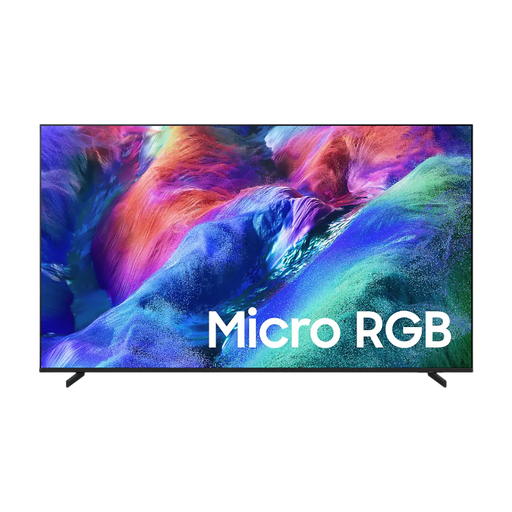
Compare the 75-inch screen size with your measured viewing distance, and check how the picture looks from seats at the side.
The product name lists Micro RGB, 4K and Vision AI. The product description mentions a wide viewing angle; assess this claim from the seats you’ll use.
Measure the distance from your eyes in your usual seat to where you plan to put the screen. As a starting point, divide that distance in centimetres by 2.4 to find the diagonal in centimetres, then compare nearby sizes. The Consumers’ Association also advises allowing for the overall dimensions, including the stand.
No. A 4K TV doesn’t automatically make a regular TV broadcast 4K. According to the Consumers’ Association, regular programmes from NPO and RTL aren’t necessarily available in 4K, so also assess the picture from the source you actually use.
Use the lighting you normally have on and compare a familiar scene with light and dark areas. The Consumers’ Association advises assessing the picture in your usual viewing conditions; changing the settings won’t automatically make a reflective screen suitable for every room.
Compare the EU energy labels for the exact models, including the information for SDR and HDR. In the Netherlands, statutory rights are separate from an additional warranty: according to ACM ConsuWijzer, the seller is responsible for providing a suitable solution free of charge if the product breaks sooner than you could reasonably expect under normal use.
Energy label information must be provided when electronic displays covered by EU rules are offered for sale. The European Commission describes a scale from A to G, with information for SDR and HDR; this doesn’t mean that buyers have to choose a particular minimum energy class.