
Viewer in a bright room
You watch during the day with windows or lamps in view and want to know whether reflections could spoil the match. RTINGS highlights reflection handling as something to consider in a bright room.


Start by considering the light in your room: compare how each model handles reflections, then assess the picture from where your guests will be sitting. Mini LED LCD and OLED are both worth considering; viewing angle, screen size and motion handling can all help determine which option suits your needs. RTINGS discusses reflections and viewing angles as separate factors to consider.
You watch during the day with windows or lamps in view and want to know whether reflections could spoil the match. RTINGS highlights reflection handling as something to consider in a bright room.
You watch with others and want the ball and scoreboard to remain clear from the side as well. RTINGS highlights viewing angles for different seating positions; the Consumers’ Association discusses the relationship between viewing distance and screen diagonal.
You want camera movements to look smooth during future matches too, and need to assess a refresh rate in the context of your TV signal. The Consumers’ Association explains how motion handling relates to a typical TV signal.
| What to consider | What should you look for? | Who is this most important for? |
|---|---|---|
| Visibility in daylight | Compare the reflection handling and brightness of the specific model; also consider the position of windows and lamps. | If I watch during the day with windows or lamps opposite the screen, I want to take both reflections and visibility into account. Around 33% of consumers prioritise visibility in daylight. |
| Picture from side seats | Assess the viewing angle from the furthest seats and check that the screen size suits the layout. | When I watch with others, I want to be able to follow the match clearly from the side too. Around 27% of consumers give picture quality from multiple seating positions top priority. |
| Fast-moving sports | Watch camera pans and players using comparable source material; test the motion settings. According to the Consumers’ Association, a 50Hz signal contains 50 individual frames per second. | If smooth sports footage is my main priority, I want to assess motion handling myself using comparable footage. Around 20% of consumers prioritise the display of fast-moving sports. |
| Screen size and viewing distance | Measure the distance from the seats and the space available for the TV. The Consumers’ Association suggests around 2.4 times the screen diagonal as a starting point for a comfortable viewing distance. | I want a size that suits the distance from the sofa and the space around the TV. Around 13% of consumers give the right screen size the most weight. |
| Energy use and everyday use | Compare the energy label’s SDR and HDR consumption figures, and check whether the match you want to watch is available through your provider or app. | If I’ll use the TV regularly after the final, I want to check energy use and access to the broadcast in advance. Around 7% of consumers prioritise cost and usability after the final. |
A brightness figure or terms such as matt and anti-reflective don’t, on their own, tell you how a specific screen handles direct and indirect reflections.
Compare tests of the exact model and check where the windows and lamps are in relation to the screen.
According to the Consumers’ Association, a typical TV signal contains 50 frames per second. Motion handling can create intermediate frames, but it doesn’t always work equally well.
Watch comparable sports footage with and without motion handling before factoring this feature into your decision.
Viewing distance and viewing angle both matter when people are sitting in different places. A larger screen also generally uses more energy.
Measure the distance from the sofa and the space available, compare nearby screen sizes and check the energy label for the model you choose.
Samsung lists Glare Free as a feature of the Dutch 65-inch S95H. This makes the model worth considering when weighing up OLED and reflections.
According to Philips, the Philips 65MLED910/12 combines QD Mini-LED with Ambilight. You can assess these features alongside the specific model’s sports performance.
The LG OLED65G56LS is an OLED option to compare if, as well as sport, you value contrast and other types of TV viewing.
The C855 range described on the Dutch website includes QD-Mini LED models, including a 65-inch option, which you can compare as an LCD alternative by model and size.
These Joybuy TVs are suited to watching TV in your living room, with options including 55- and 65-inch models and a portable 32-inch model.
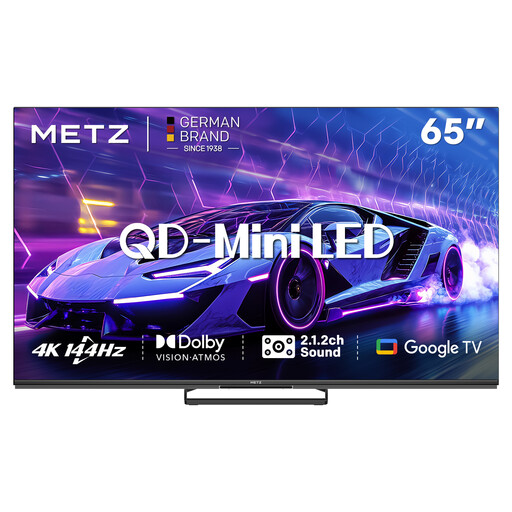 No image available
A 65-inch option to compare if you’re looking for a large screen for your living room.
The product name lists 144 Hz, 4K HDR 10+ and a 2.1.2 sound system.
 No image available
A 65-inch option to assess alongside other screen sizes for your living room.
The product name lists 144 Hz, 4K HDR 10+ and a 2.1.2 sound system.
 No image available
A 55-inch model to compare if you’re considering a different screen size.
The product name lists 144 Hz, 4K HDR 10+ and a 2.1.2 sound system.
 No image available
A portable model to include in your comparison if being able to move it around is important.
The product name lists QLED+, HDR10 and a DVB-T/T2/C/S/S2 tuner.
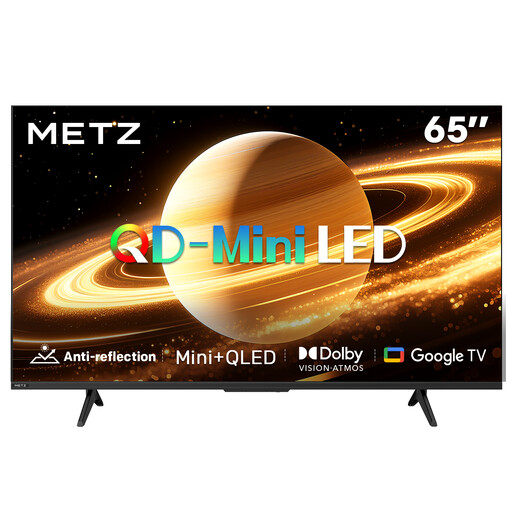 No image available
A 65-inch option to consider alongside the viewing distance and available space in your living room.
The product name lists a matt screen, 60 Hz and Dolby Vision & Atmos.
No, not necessarily. The Consumers’ Association explains that a typical TV signal contains 50 frames per second; a TV can create intermediate frames, but this doesn’t always work equally well. So watch comparable sports footage using the settings you plan to use.
Measure the viewing distance from the seats and check how much space is available for the TV. The Consumers’ Association suggests around 2.4 times the screen diagonal as a starting point for a comfortable viewing distance; also assess the furthest seats at the sides.
Check whether the match is available through your provider or app, and try the motion settings with comparable footage. According to the Consumers’ Association, you’ll also need a suitable 4K signal to see genuine 4K detail.
Follow the instructions for your model. For its OLED technology, LG describes features including Logo Luminance Adjustment and Pixel Refresher to help manage static picture elements; this doesn’t mean every model has the same features.
According to the European Commission, the energy label for electronic displays includes information such as energy consumption in SDR and HDR, screen resolution and diagonal size. Compare the label for the model you’re considering.