Who is this choice relevant to?

Housemates sitting in different parts of the room

If you watch together from a sofa and chairs beside it, the viewing angle can affect how clearly everyone sees the performance. RTINGS.com describes wide viewing angles as useful for seating arrangements that spread across the room.

Housemates sharing a TV budget

You’ll want to choose a suitable size without paying for features that add little when watching filmed theatre performances. Milieu Centraal recommends comparing energy use per 1,000 hours on the energy label.

Viewers who want to follow the dialogue

Clear dialogue and a working connection to the recording source may matter more than extra picture features. The Consumentenbond explains the connections available and how to stream to a TV from other devices.

What should you consider when choosing?

OLED TV

A good fit for: seating spread around the room and dark scenes, if the specific model fits your shared budget.

Consider: prolonged static images. Check the chosen size and model in the lighting conditions of your own room.

Mini LED LCD TV

A good fit for: a bright room where visibility during the day is important.

Consider: viewing angles and reflections vary by model; check the picture from the seats furthest from the screen.

More affordable LCD or QLED TV

A good fit for: a shared budget and a set-up where most viewers sit fairly directly in front of the screen.

Consider: compare each model’s side view, contrast, reflections and sound; don’t treat QLED as another name for OLED.

What to consider What to check before buying Who should pay particular attention?
Picture from different seats View the specific TV from the seats furthest from the screen and compare viewing angles, contrast and reflections in your usual room lighting. If I’m watching from the side, I want to be able to follow the performance without judging the picture only from directly in front of the TV. Around 27% of consumers prioritise being able to see the screen clearly from different seats.
Shared purchase and running costs Compare models in a suitable size and check energy use per 1,000 hours on the energy label. When we’re paying together, I don’t want to spend more on a bigger screen or features we rarely use. Around 20% of consumers prioritise shared costs.
Size for the room and viewing distance Measure the distance from your usual seat and check the TV’s dimensions, stand and available space. If space is limited, I want a screen that suits both the viewing distance and the room. Around 20% of consumers give top priority to finding the right size.
Clear dialogue Start by assessing the TV’s sound; if you’re using a soundbar, check that both devices support HDMI-(e)ARC. For performances with lots of spoken text, I want to follow the dialogue at our usual volume. Around 20% of consumers prioritise clear speech.
Playing the recordings you have Check the recording source, the connection or streaming method you’ll need, and any subtitle options in the app or file you’re using. If we’re watching recordings from our own device, I want to know in advance how it will work with the TV. Around 13% of consumers prioritise how they’ll play their content.

Common buying mistakes

  • Treating QLED as if it were the same as OLED

    QLED and OLED are not interchangeable names for the same panel type. Viewing angles and reflections also vary by TV. In its review of the TCL C6K series, Tweakers described brightness dropping off quickly when viewed from a wider angle.

    Check the specific model from the seats furthest from the screen and in the lighting you usually use.

  • Focusing only on screen size

    Viewing distance and available space both help determine what size will work well in your room. Milieu Centraal points out that larger screens generally use more electricity.

    Measure the viewing distance and the space available. Then compare the energy label and energy use per 1,000 hours.

  • Assuming every smart TV will play your recording

    The recording, playback app and connection you use all affect how the content gets onto the TV.

    Before buying, check the source, the connection or streaming method you’ll need, and whether subtitles are available.

  • Confusing an extended warranty with your statutory rights

    Any extra cover offered does not replace your statutory rights if a product is faulty. The Rijksoverheid explains that the retailer is your point of contact when they are responsible for the fault.

    Check any additional cover and exclusions separately, and remember your statutory rights.

Brands to compare

LG

The G6 series is an OLED option to compare if you’re considering a high-end screen.

  • LG lists OLED and webOS for the G6.
  • Check the specific version, size and reflections in your viewing room; features of one version don’t necessarily apply to every model.

TCL

The C6K and C7K series offer Mini LED LCD options for comparing brightness, viewing angles and cost.

  • In Tweakers’ test of 24 July 2025, the C7K performed better than the C6K with HDR.
  • Tweakers reported reflections and a sharp drop in brightness when viewing the C6K from a wider angle; the C7K’s viewing angles weren’t perfect either.

Philips

The Dutch 55OLED760/12 is an OLED Ambilight model to include when comparing screen size and viewing environment.

  • Philips lists several sizes for this version.
  • Check that the apps or inputs you use for your recordings are available, and assess the sound quality of the specific TV.

Samsung

The Dutch QE55S90HAEXXN is a 55-inch OLED model to compare.

  • Samsung lists OLED and Glare Free for this specific model.
  • Those specifications don’t tell you how the TV will perform in your room; check the conditions where you’ll use it.

Sony

The BRAVIA 5 is a Mini LED option to include when comparing screen technology and platform.

  • Sony lists a 55-inch version with Google TV among the models in this range.
  • Check the viewing angle, dialogue clarity and availability of the apps you need separately.

TVs at Joybuy

These TVs offer OLED, Mini LED and QLED options to compare for nights watching together. Choose a size to suit your viewing distance and check how you’ll play your recordings.

TCL 50Q6C QD-Mini LED 4K HDR TV

TCL 50Q6C QD-Mini LED 4K HDR

A QD-Mini LED option to compare if you’re considering Mini LED for watching filmed theatre performances.

The product name lists QD-Mini LED, 4K and HDR.

Joybuy

Samsung S85F Series GQ55S85FAU 55-inch OLED 4K TV

Samsung S85F Series GQ55S85FAU 55" OLED 4K

An OLED option to compare if you watch together from different seats.

The product name lists 55 inches, OLED and 4K. With OLED, bear prolonged static images in mind when considering how you’ll use the TV.

Joybuy
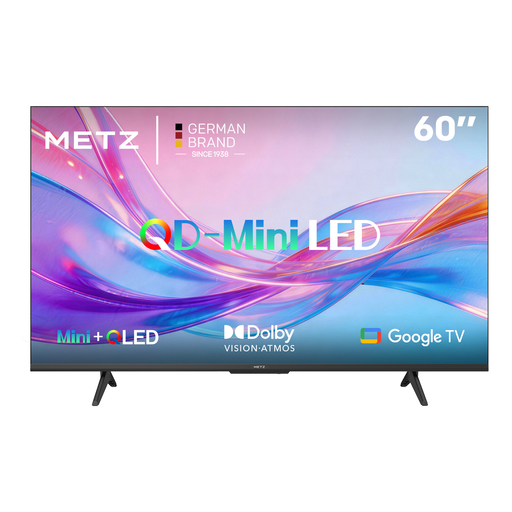
METZ 60MNH7000Z QD-MiniLED TV

METZ 60MNH7000Z QD-MiniLED

A QD-MiniLED model to compare with an OLED option when weighing up screen technology for your room.

The product name lists Google TV, HDMI 2.1 and a 60 Hz refresh rate.

Joybuy

Hisense 43E7S 43-inch 4K QLED TV

Hisense 43E7S 43-inch 4K QLED

A 43-inch QLED option to compare if size and available space are important.

The product name lists 43 inches, 4K UHD, Vidaa and three HDMI 2.1 connections.

Joybuy

CHiQ U43QM10E 43-inch 4K Ultra HD QLED TV

CHiQ U43QM10E 43-inch 4K Ultra HD QLED

A 43-inch QLED option to compare with the viewing distance and available space in your shared room.

The product name lists 43 inches, 4K Ultra HD and Google TV.

Joybuy

Frequently asked questions

How do you choose a TV size without guessing the viewing distance?

Measure from your usual seat to where the TV will go. The Consumentenbond suggests around 2.4 times the screen diagonal as a comfortable starting point; compare other sizes too and measure the space available.

Should you buy a soundbar straight away?

No. First, check whether you can follow voices clearly through the TV speakers at your usual volume. If you want to connect a soundbar later, check that both devices have HDMI-(e)ARC; an optical connection may be an alternative if they don’t.

How do you play a filmed theatre performance from a laptop?

Connect the laptop or a suitable media player to an input supported by both devices, or use a streaming method that works with both. Subtitle availability also depends on the file and playback software.

Can you show a filmed theatre performance to your housemates?

A screening within a strictly domestic setting may be covered by an exception, but don’t assume that a wider student or society screening is covered too. Auteursrecht.nl describes this group as strictly defined. The Rijksoverheid also warns that a private copy made for personal use may not be distributed or made available to the public; if necessary, check the terms set by the recording provider as well.

How do you compare TVs’ energy use?

Compare the energy label, especially the stated energy use per 1,000 hours. Actual energy use also depends on how long you watch and how you use the screen.
