
Screening hosts with a back row
You want the film to be easy to follow from the furthest seat. So measure the viewing distance and compare it with the screen size. The Dutch Consumers’ Association provides a distance chart as a guide.


First, measure the distance to the furthest viewer and use it to choose a suitable screen size. The Dutch Consumers’ Association suggests 55–77 inches as a guide for a distance of 4 metres, and 75 inches or larger for 5 metres. If viewers will also be sitting well to the side, or you’ll be watching in daylight, assess the viewing angle, brightness and reflections of the specific model. Before the screening, test that your film file plays with both picture and sound via your chosen source.
You want the film to be easy to follow from the furthest seat. So measure the viewing distance and compare it with the screen size. The Dutch Consumers’ Association provides a distance chart as a guide.
Your audience won’t all be sitting directly in front of the screen. So pay attention to the viewing angle of the specific model too – an important consideration discussed by the Dutch Consumers’ Association and RTINGS.
You’ll want to know in advance whether your film will work via your chosen source. Check the model’s connections and playback options, then test the file. The Dutch Consumers’ Association lists connections as a factor to consider when buying.
Choose this option if: viewers at the back will be far from the screen, or watching in daylight is a key consideration. Remember to measure the available space too.
Bear in mind: QLED and Mini LED don’t automatically guarantee a wide viewing angle. The Dutch Consumers’ Association notes that QLED can offer greater brightness, but this doesn’t apply to every model.
Choose this option if: viewers will be spread out, or dark scenes matter, and a suitable screen size is available. The Dutch Consumers’ Association notes that OLED TVs generally offer a wider viewing angle and deeper blacks.
Bear in mind: a wide viewing angle won’t make an undersized screen any bigger. Also assess brightness and reflections in the room where you’ll be showing the film.
| What to consider | What should you check? | Who should give this more weight? |
|---|---|---|
| Screen size from the back row | Measure from the furthest viewer’s eyes to the screen, and check the available width, including the stand. | If I’m sitting at the back, I want the picture to be large enough without the TV exceeding the space available. Around 33% of consumers prioritise viewing distance and screen size. |
| Viewing angle and room lighting | Check a review of the exact model’s viewing angle, and assess the screen from the side seats and under the planned lighting. | With spread-out seating or daylight, I want to see whether the picture remains clear from where I’m sitting. Around 27% of consumers prioritise visibility from the side or in a bright room. |
| Playing your own film | Choose how you’ll play it, check the connections and any file requirements, then test the final film with sound. | If I’m showing my own film file, I want to know in advance whether it will work with my chosen source. Around 20% of consumers prioritise having a playback option that works. |
| Positioning and energy use | Measure the space and check the mounting instructions. Compare energy use in kWh per 1000 hours on the energy label. | If I’m placing the TV on a unit or want to take running costs into account, I’ll check its dimensions and the specific model’s energy use. Around 20% of consumers prioritise positioning or running costs. |
The right size also depends on how far away the furthest viewer is. Measuring from the front row won’t give you the same starting point.
Measure the distance from the back row, then check that the TV, including its stand, will fit in the space you’ve chosen.
Viewing angles vary from screen to screen. The screen type or diagonal measurement alone won’t tell you what the picture looks like from the side seats you have in mind.
Check a review of the exact model and view the screen from the seats that will be used during the screening.
A connection on the TV doesn’t automatically mean every video file will play via your chosen source.
Test the final file in advance using the source you plan to use, and check both picture and sound.
Samsung links certain features to selected Benelux models. A model with a different full code isn’t necessarily the same version, so check before you buy.
Compare the full model code and check the features and any additional conditions for that exact version.
The Dutch TCL 75C6K is a 75-inch QD Mini LED LCD TV worth considering if you’re looking for a large screen.
According to Philips, the Philips 75PUS8500/12 combines a 75-inch QLED LCD screen with Ambilight.
The QE75Q67DAUXXN is a specific 75-inch QLED model from 2024. Check that the full model code matches the version you’re considering.
The Sony BRAVIA 7 K75XR70PAEP is a 75-inch Mini LED option to compare with other large screens.
This selection focuses on larger LCD TVs. Compare the screen size with the distance to the back row, and check your preferred playback option in advance.
 No image available
A 65-inch option to assess against the distance to the back row.
The product description lists HDMI and USB connections, AirPlay 2 and Share to TV. Check that your chosen option works with your film and source.
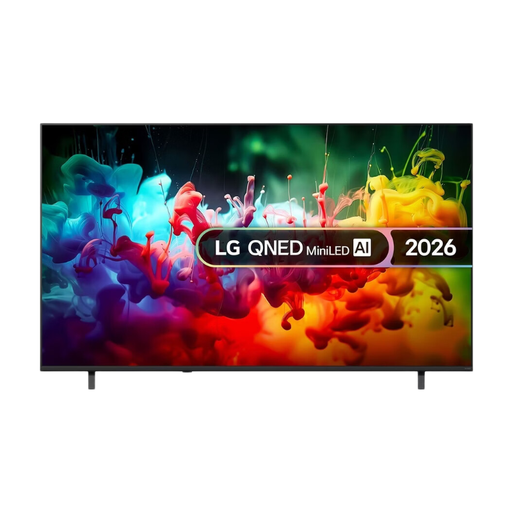 No image available
A 75-inch screen size to compare with your measured viewing distance and available space.
The product description lists Mini LED, 4K upscaling, FILMMAKER MODE, and HDMI and USB connections. For wall mounting, it specifies installation by a qualified professional.
 No image available
A 65-inch option to consider alongside viewing distance and the space available.
The product description lists Miracast, Google Cast and AirPlay 2 for screen sharing. Check in advance that your preferred method works with your device and film file.
 No image available
A 75-inch screen to assess against the distance to the furthest viewer and where you plan to place the TV.
The product description lists Miracast, Google Cast and AirPlay 2. Test whether your preferred connection works with your device and film file.
 No image available
With an 86-inch screen, carefully compare the size with both the viewing distance and the space available for positioning.
The product title lists 4K HDR10+ and HDMI 2.1. Check that the connection you need is compatible with your film source.
Measure from the furthest planned viewing position. The Dutch Consumers’ Association suggests 55–77 inches as a guide for a distance of 4 metres, and 75 inches or larger for 5 metres. Also check that you have enough width for the TV.
No. 4K alone doesn’t tell you enough about picture quality. The Dutch Consumers’ Association notes that not every 4K TV performs well. Also assess the film source, viewing angle, and the picture and sound in your specific set-up.
Play the final film using the source you plan to use during the screening, and check both picture and sound. Also watch a familiar bright scene and a dark one, and check the result from the side seats.
Compare the energy labels on a like-for-like basis. According to the European Commission, energy use is listed in kWh per 1000 hours. Compare SDR and, if you use HDR, HDR as well. To estimate your own annual costs, you’ll also need your hours of use and electricity tariff.
For many online purchases by consumers, a 14-day cooling-off period applies; the Dutch government sets out the conditions. Products must also be of satisfactory quality, and the retailer is your point of contact if something is wrong. The Netherlands does not have a fixed statutory warranty period of two years.